How to Implement WebSockets in JavaScript
By Emmanuel Chinonso - Frontend Engineer and Technical Writer at Windframe
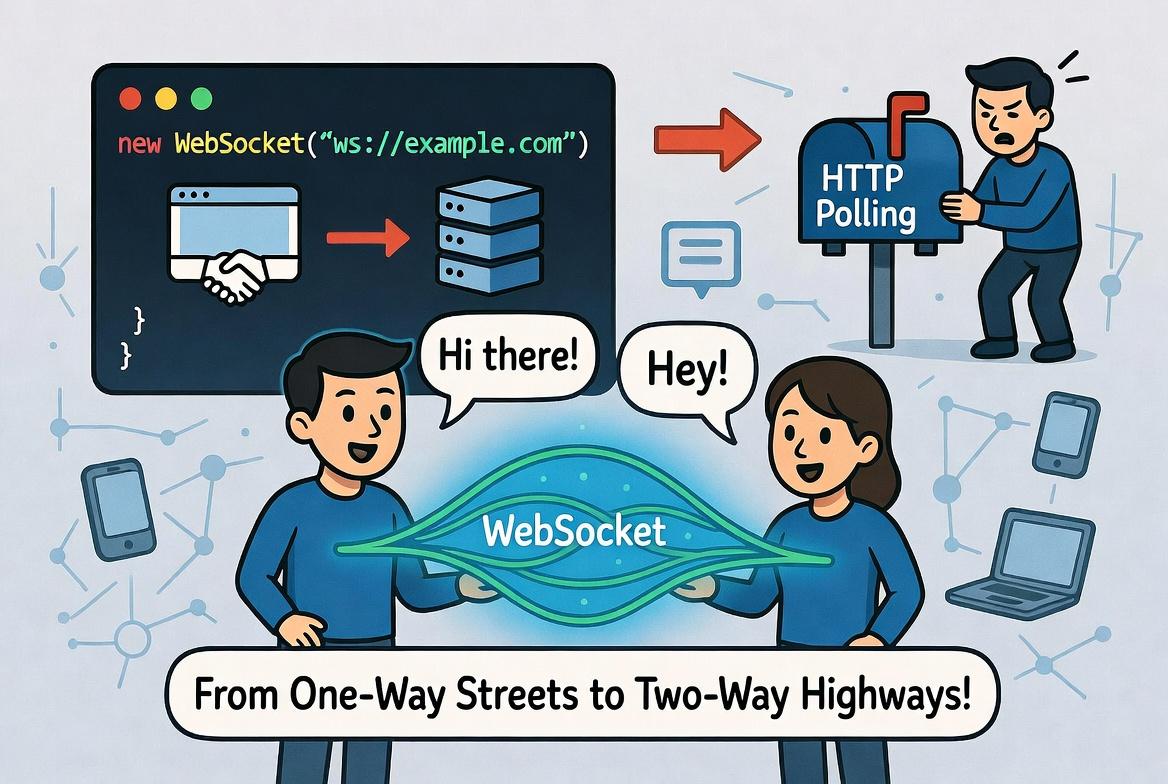
If you're dipping your toes into web development and wondering how apps like live chat rooms or real-time stock tickers keep everything updating without you hitting refresh, you've probably heard of WebSockets. They're a game-changer for building interactive sites that feel alive. This guide walks you through implementing WebSockets in JavaScript from absolute basics to production-ready patterns. You'll build real working examples, understand what's happening at each step, and learn the common pitfalls before you hit them. No prior WebSocket experience needed, just comfort with basic JavaScript.
What Are WebSockets and Why Should You Care?
Imagine you're at a party, and instead of shouting across the room every time you want to talk to someone (that's like old-school HTTP requests), you just open a direct phone line that stays connected. That's WebSockets in a nutshell. It's a protocol that creates a persistent, two-way communication channel between a client (like your browser) and a server.
WebSockets were standardized back in 2011 as part of HTML5, and they're built right into modern browsers. No need for fancy plugins, just plain JavaScript. The magic starts with an HTTP handshake: the client asks the server to "upgrade" the connection to WebSocket, and if everyone agrees, boom, you've got a full-duplex link. Data can flow both ways without starting a new connection each time.
Why use them? Traditional polling (where the client keeps asking the server "Any news?") wastes bandwidth and battery life. Long-polling helps a bit, but it's clunky. WebSockets are efficient for things like multiplayer games, collaborative editing tools, or live sports scores. They're lightweight, with minimal headers compared to HTTP, so they're perfect for high-frequency updates.
WebSockets vs. Traditional HTTP: The Key Differences
To really appreciate WebSockets, let's compare them to HTTP. In HTTP, every interaction is a request-response cycle. You send a GET or POST, the server replies, and the connection closes. If you need updates, you have to poll or use tricks like Server-Sent Events (SSE), which are one-way from server to client.
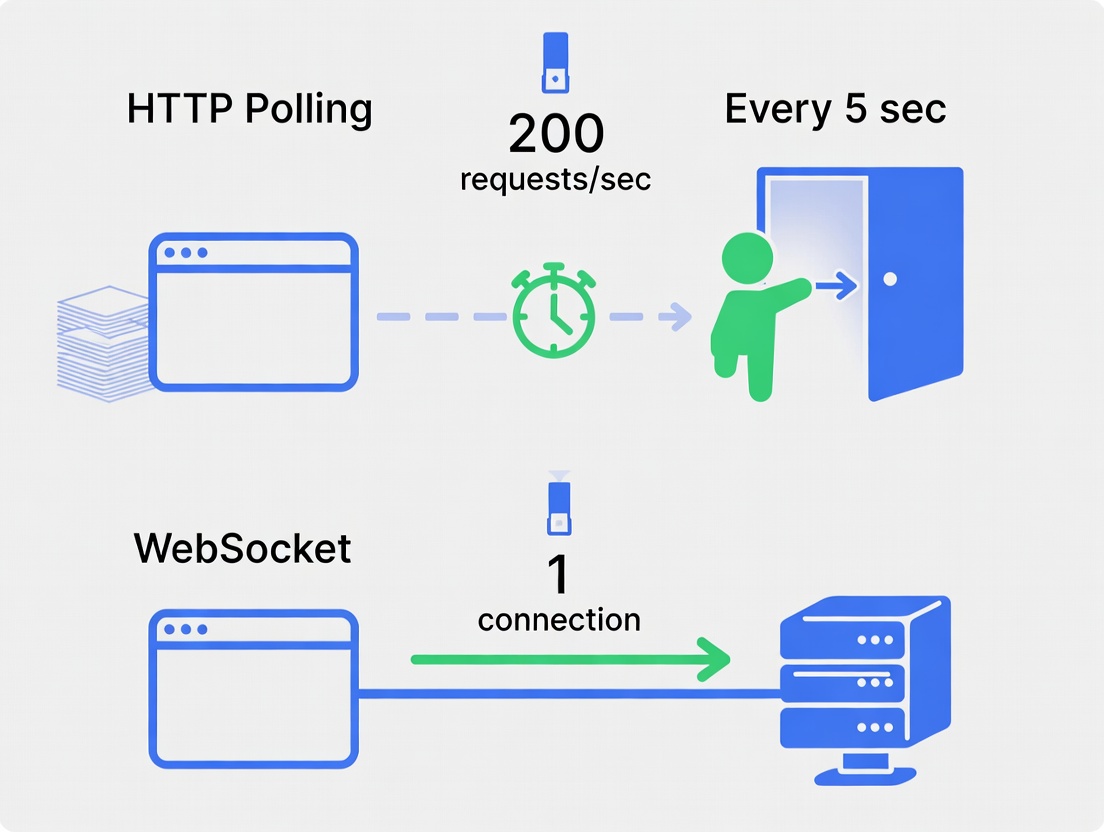
1// HTTP approach2setInterval(() => {3 fetch('/api/new-messages')4 .then(response => response.json())5 .then(messages => updateUI(messages));6}, 5000); // Ask every 5 seconds
This approach makes a new request every 5 seconds whether there's new data or not. With 1,000 users, that's 200 requests per second just to say "nothing new." It wastes bandwidth, server resources, battery life, and most importantly, user patience.
WebSockets flip the script. After the initial HTTP upgrade, the protocol switches to a binary frame-based system. Messages can be text, binary data, or even JSON objects. Both sides can initiate sends anytime, making it truly bidirectional.
1// The modern way2const socket = new WebSocket('ws://localhost:8080');34socket.onmessage = (event) => {5 const messages = JSON.parse(event.data);6 updateUI(messages);7};
One connection. Messages arrive instantly as they happen. No polling. No wasted requests. Just clean, efficient, real-time communication.1
When WebSockets Make Sense (And When They Don't)
Perfect for:
- Chat applications (Slack, Discord, WhatsApp Web)
- Live dashboards (stock tickers, analytics, monitoring)
- Collaborative tools (Google Docs, Figma, Miro)
- Gaming (multiplayer games, live match updates)
- Live streams (comments, reactions, notifications)
- Real-time feeds (Twitter/X live feeds, auction sites)
Overkill for:
- Loading a product page once
- Submitting a contact form
- Fetching user profile data
- One-time API calls
- Any request-response interaction
Pros of WebSockets:
- Low latency: No repeated handshakes.
- Efficiency: Smaller payloads.
- Real-time: Ideal for apps needing instant feedback.
Cons:
- State management: Servers must handle persistent connections, which can scale challenges.
- Fallbacks: Older browsers might not support them (though that's rare now).
- Security: Need to handle things like authentication carefully.
For more on the protocol specs, check out the RFC 6455 document.
Setting Up a WebSocket Server with Nodejs
Alright, let's get hands-on. We'll use Nodejs for the server because it's JavaScript all the way down, and it's straightforward. First, you'll need Node installed, grab it from nodejs. We'll use the popular ws library for WebSocket handling. It's simple and battle-tested.2

Step 1: Create a project folder and initialize:
1mkdir websocket-demo2cd websocket-demo3npm init -y
Step 2: Install dependencies:
1npm install ws express
Express will serve our client HTML for simplicity.
Step 3: Server code (save as server.js):
1const express = require('express');2const http = require('http');3const WebSocket = require('ws');45const app = express();6const server = http.createServer(app);7const wss = new WebSocket.Server({ server });89// Serve static files (like client.html)10app.use(express.static('public'));1112wss.on('connection', (ws) => {13 console.log('Client connected');1415 ws.on('message', (message) => {16 console.log(`Received: ${message}`);17 // Broadcast to all clients18 wss.clients.forEach((client) => {19 if (client.readyState === WebSocket.OPEN) {20 client.send(`Echo: ${message}`);21 }22 });23 });2425 ws.on('close', () => {26 console.log('Client disconnected');27 });28});2930server.listen(3000, () => {31 console.log('Server listening on http://localhost:3000');32});
What's happening here? We create an HTTP server with Express, then attach a WebSocket server to it. When a client connects, we log it and set up listeners for messages and closures. Incoming messages get echoed back to everyone connected, perfect for a chat room.
Run it with node server.js. Now, create a public folder and add client.html (we'll cover that next). If you're new to Node, our React and Node.js guide has more setup tips.
Client-Side Implementation: Connecting from the Browser
On the client side, JavaScript's built-in WebSocket API makes this a breeze. No libraries needed! 3
Create public/client.html:
1<!DOCTYPE html>2<html lang="en">3<head>4 <meta charset="UTF-8">5 <title>WebSocket Chat</title>6</head>7<body>8 <h1>Simple WebSocket Chat</h1>9 <input type="text" id="message" placeholder="Type a message">10 <button onclick="sendMessage()">Send</button>11 <ul id="messages"></ul>1213 <script>14 const socket = new WebSocket('ws://localhost:3000');1516 socket.onopen = () => {17 console.log('Connected to server');18 };1920 socket.onmessage = (event) => {21 const li = document.createElement('li');22 li.textContent = event.data;23 document.getElementById('messages').appendChild(li);24 };2526 socket.onclose = () => {27 console.log('Disconnected');28 };2930 function sendMessage() {31 const input = document.getElementById('message');32 socket.send(input.value);33 input.value = '';34 }35 </script>36</body>37</html>
Load http://localhost:3000/client.html in your browser. Type a message, hit send, it should echo back. Open another tab, and messages will broadcast! The new WebSocket(url) kicks things off. Use ws:// for unsecured, wss:// for secure (like HTTPS). 4
The events are self-explanatory: onopen for connection, onmessage for incoming data, etc.
Handling WebSocket Events in Depth
WebSockets rely on events to manage the lifecycle. Here's a breakdown:
- onopen: Fires when the connection is established. Great for sending initial data, like a user ID.
- onmessage: Triggered for each incoming message. event.data holds the payload, could be a string, Blob, or ArrayBuffer.
- onerror: Catches issues like connection failures. Log event for details.
- onclose: When the connection ends, either normally or due to an error. Check event.code for reasons (1000 is normal closure).
On the server, similar events: connection, message, close, error.
Pro tip: Always handle errors gracefully. A simple retry mechanism can save headaches.For advanced event handling, see MDN's WebSocket docs.
Sending and Receiving Data: Beyond Basics
Sending is easy: socket.send(data). Data can be strings, but for complex stuff, stringify JSON:
1socket.send(JSON.stringify({ type: 'chat', text: 'Hello!' }));
On receive:
1socket.onmessage = (event) => {2 const data = JSON.parse(event.data);3 // Handle based on data.type4};
Servers can do the same. For binary data (like images), set socket.binaryType = 'arraybuffer';.
In our chat example, we could add user names or timestamps by extending the JSON. If you're into data formats, explore Protocol Buffers for efficiency in large-scale apps.
Security Considerations for WebSockets
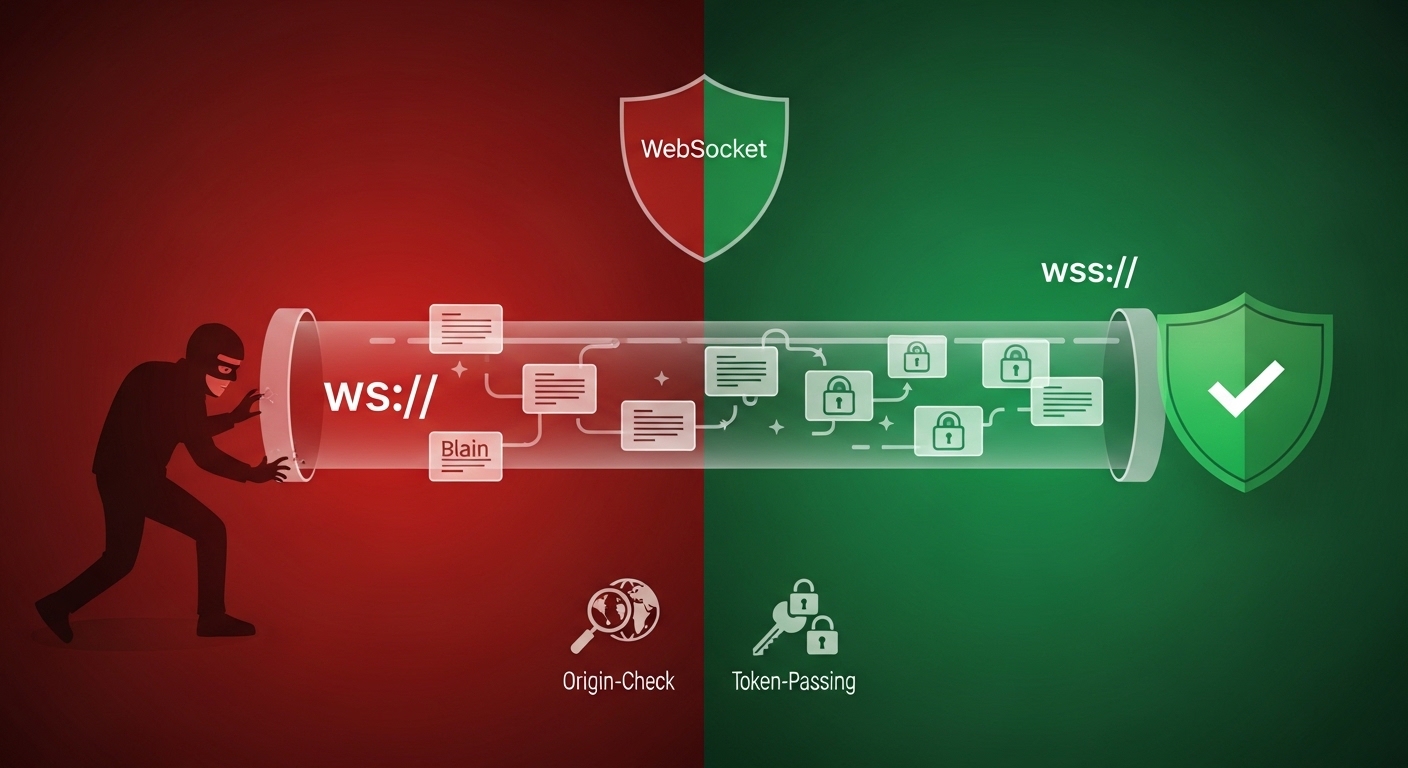
Security isn't an afterthought. Use wss:// for encrypted connections , it's like HTTPS for WebSockets. Most hosts support it via SSL certs.
Authentication: Since WebSockets don't carry cookies automatically, pass tokens in the URL (carefully) or in the first message. Validate on the server.
Prevent CSWSH (Cross-Site WebSocket Hijacking) by checking origins: In ws, use { origin: 'yourdomain.com' }.
Also, rate-limit messages to avoid spam. Tools like Socket.IO add auth layers if you outgrow plain WS. For more, read up on WebSocket security best practices.
Real-World Use Cases and Examples
WebSockets shine in:
- Chat Apps: Like Slack or Discord, instant messaging.
- Live Updates: Stock prices, news feeds, or sports scores.
- Collaborative Tools: Google Docs-style editing.
- Games: Multiplayer turns or live leaderboards
Best Practices for WebSocket Implementation
- Scale Smart: Use load balancers that support WebSockets (like NGINX).
- Fallbacks: For no-support browsers, use polling.
- Heartbeats: Send pings to keep connections alive (browsers timeout idle ones).
- Clean Up: Close connections properly with
socket.close(). - Test Thoroughly: Tools like Postman now support WebSockets.
Monitor with browser dev tools, the Network tab shows WebSocket frames.
Wrapping Up: Your Next Steps with WebSockets
There you have it, a complete rundown on implementing WebSockets in JavaScript. From setup to security, you've got the tools to build something cool. Start small: Tweak our chat example, add features like private messaging.
WebSockets open doors to dynamic web experiences. If you hit snags, communities like Stack Overflow are goldmines. Happy coding!
Windframe is an AI visual editor for rapidly building stunning web UIs & websites
Start building stunning web UIs & websites!
