Best JavaScript Frameworks for Beginners in 2026
By Emmanuel Chinonso - Frontend Engineer and Technical Writer at Windframe
Stepping into web development can feel like wandering into a vast forest without a map. You've got JavaScript as your starting point, it's the language that makes websites interactive, but then you hear about frameworks, and suddenly everything seems more complicated. Don't worry; that's where this guide comes in. In 2026, JavaScript frameworks are tools that simplify building apps, handling the repetitive stuff so you can focus on creating. They're like ready-made kits for assembling furniture, saving you from crafting every screw. If you're brand new to this, frameworks wrap around JavaScript to make tasks easier, like managing user interfaces or fetching data.
Why care in 2026? Tech moves fast, think AI integrations, faster loads on mobiles, and server-side tricks that make sites feel snappier. Surveys show over 70% of developers use frameworks daily, and for beginners, picking the right one cuts down frustration.1
This post breaks down the best ones for starters, with easy explanations, code snippets, and tips. We'll cover why they're friendly for newcomers, their strengths and drawbacks, and how to dip your toes in. By the end, you'll have a clear path forward, whether you're building a personal blog or a simple app. Let's ease into it.
Why Bother with JavaScript Frameworks Anyway?
First off, if you're wondering why not just stick with plain JavaScript, that's a fair question. Vanilla JS is great for learning fundamentals, but frameworks handle the repetitive stuff, like managing how your app updates when data changes or structuring your code so it doesn't turn into a mess as your project grows.
In 2026, with sites needing to load fast on mobiles and handle real-time updates, frameworks make that easier without reinventing the wheel. For beginners, the best ones have a few things in common: clear docs, quick setup, and communities full of helpful folks. They let you focus on building features instead of fighting bugs. According to the State of JS 2025 survey, over 90% of devs use at least one framework, and satisfaction is high across the board, Vue and Svelte top the charts at around 78% happy users.2 That means you're joining a crowd that's already figured out the value.
Picking the Right Framework: What Matters for Newbies in 2026
Not all frameworks are created equal, especially when you're just starting. Here's what I look for based on trends this year:
-
Ease of Learning: How fast can you get a "hello world" app running? Look for simple syntax and good tutorials.
-
Community Support: Forums, Stack Overflow answers, and free resources matter when you're stuck.
-
Performance: In 2026, with Core Web Vitals pushing for sub-second loads, frameworks that optimize out of the box win.
-
Job Opportunities: React still dominates listings at about 40%, but others like Vue are catching up.3
-
Versatility: Can it handle small projects and scale up? Bonus if it plays nice with AI tools for code suggestions.
From recent benchmarks like js-framework-benchmark in Chrome 144, lighter frameworks like Solidjs and Svelte shine with geometric means around 0.7-0.8 (lower is better).4But don't sweat the numbers yet, start with what's fun.
React: The Reliable Choice for Building Dynamic Apps
React's been around since 2013, backed by Meta, and it's still the go-to for many because of its component system, think Lego blocks for your UI. In 2026, with React 19 stable, features like server components make it faster for data-heavy sites. 5
It's great for beginners because the basics are straightforward, and there's a ton of jobs out there. To get started, install via npx create-react-app (or use Vite for quicker setup). Here's a simple counter app to show state management with hooks:
1import { useState } from "react";23function Counter() {4 const [count, setCount] = useState(0);56 return (7 <div>8 <p>You clicked {count} times</p>9 <button onClick={() => setCount(count + 1)}>Click me</button>10 </div>11 );12}1314export default Counter;
Run it with npm start, and you've got interactivity. Hooks like useState keep things simple, no classes needed.
Pros:
- Huge ecosystem (libs like Redux).
- Virtual DOM for speed.
- Jobs everywhere, Netflix, Facebook.
- Compiler auto-optimizes.
Cons:
- Needs extras for routing.
- Curve for hooks.
Case Study: Netflix uses React for its streaming interface, handling massive user loads with server-side tweaks that cut load times by 30%. 6
It's proof React scales. For a visual, check this diagram of React's architecture.
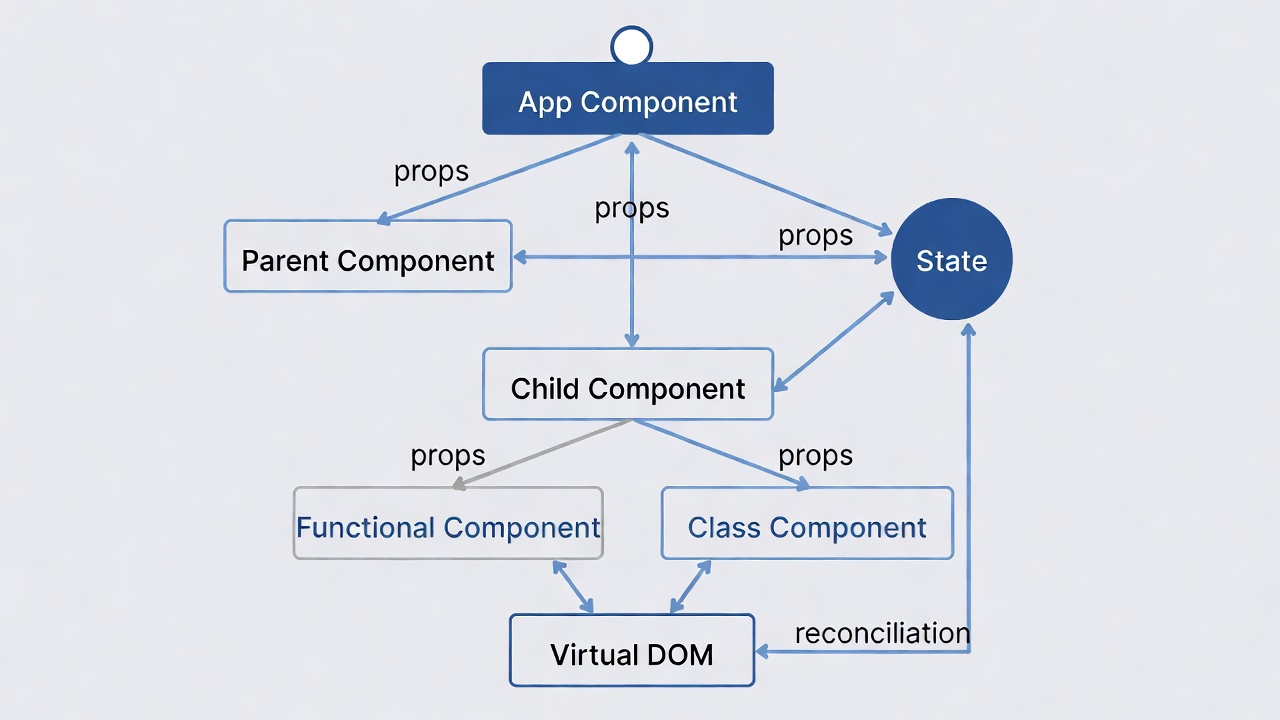
Head to the official React docs for more. You can check out how to speed up your development with React hooks.
Vue.js: The Friendly Framework for Quick Prototypes
Vue, created by Evan You, is like the chill friend who makes everything easier. It's progressive, you can add it to existing projects bit by bit, and its single-file components keep HTML, JS, and CSS together. In 2026, Vue 3.6+ with Vapor Mode boosts speed.
Setup:
- Install:
npm init vue@latest. - In
App.vue:
Try this todo list:
1<script setup>2import { ref } from "vue";3const items = ref([]);4const newItem = ref("");56function addItem() {7 if (newItem.value) {8 items.value.push(newItem.value);9 newItem.value = "";10 }11}12</script>1314<template>15 <input v-model="newItem" @keyup.enter="addItem" placeholder="Add todo" />16 <ul>17 <li v-for="item in items" :key="item">{{ item }}</li>18 </ul>19</template>
The v-model and v-for make binding data a breeze.
Pros:
- Lightweight (20KB minified).
- Flexible, use for parts of a site or full apps.
- Great docs and community (93% likely to reuse).
- Reactive system handles state without extras.
Cons:
- Smaller ecosystem than React.
- Flexibility might lead to messy code without discipline.
Case Study: Alibaba's e-commerce platform runs on Vue, speeding up development by 50% and handling global traffic smoothly 7. it is also used in dashboards and Interactive forms, etc.
Here's an example Vue component structure.
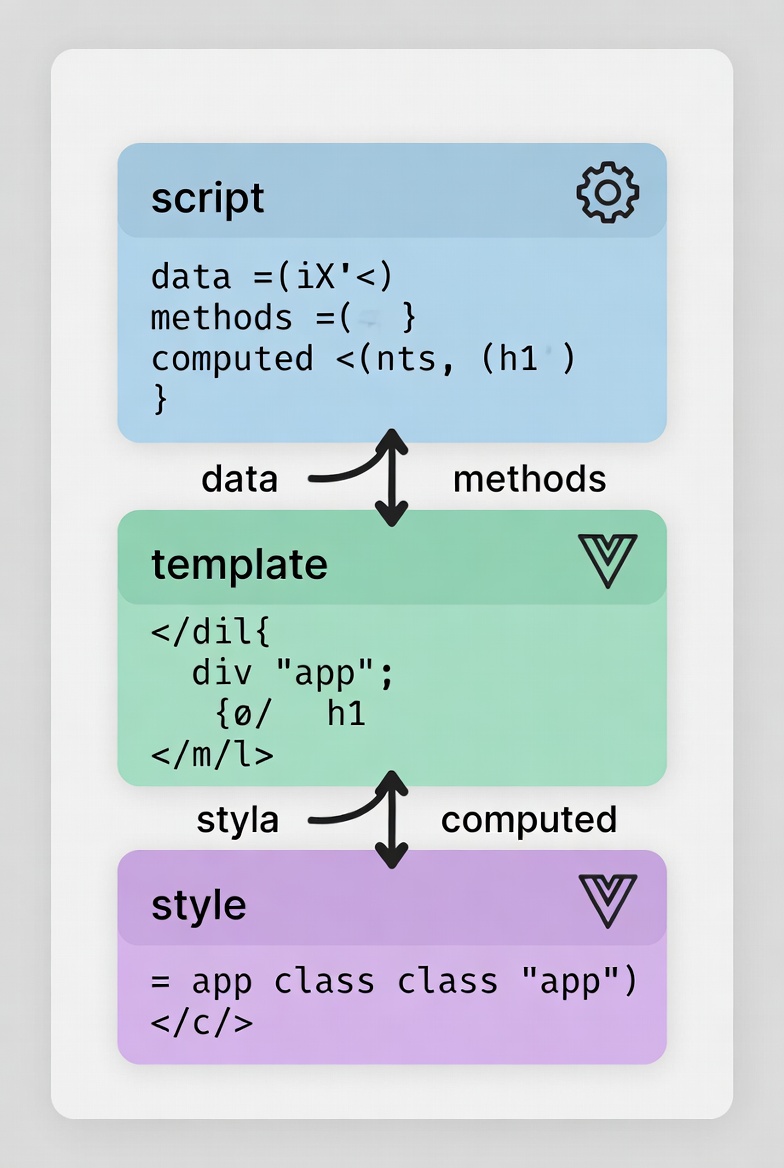
Install with npm init vue@latest. Practice on Vue Playground.
Nextjs: The All-in-One Powerhouse for Dynamic Sites
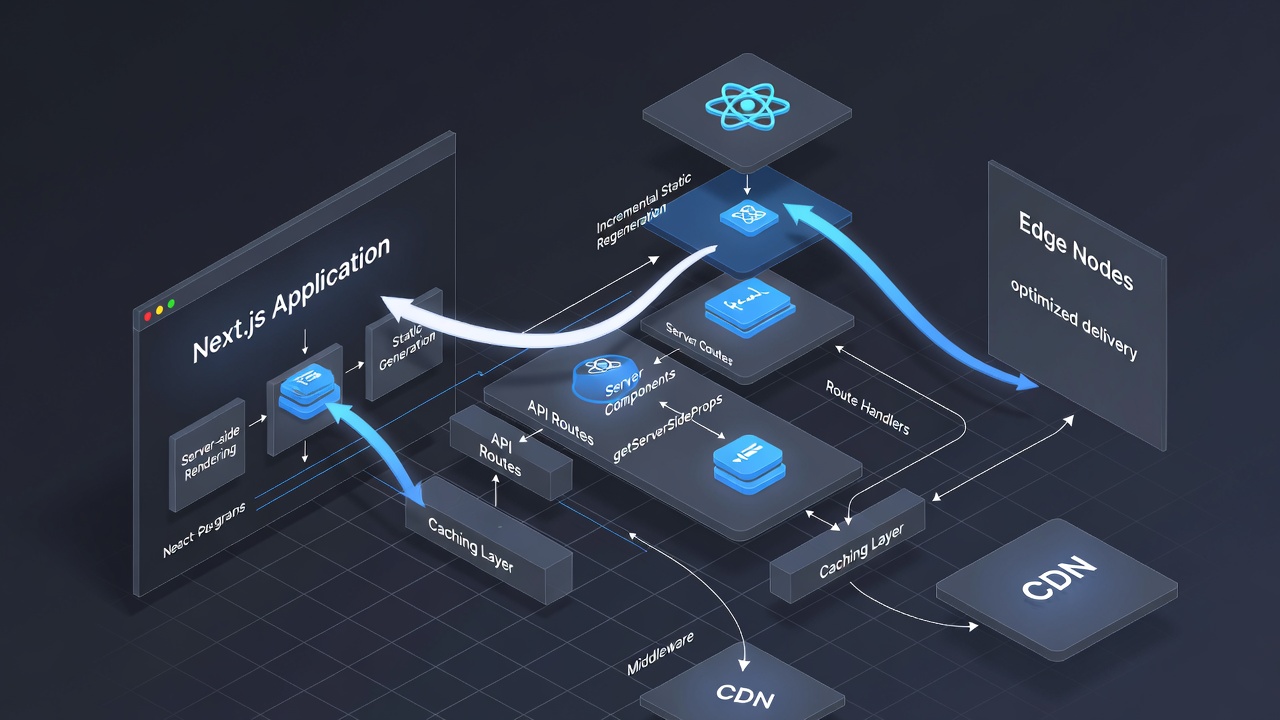
Nextjs is basically React (a popular way to build user interfaces) but with extra smarts for real-world apps. It came out in 2016 from Vercel and by 2026, it's hit version 16, packing in stuff like super-fast builds and server-side magic to make pages load quicker. Think of it as a framework that handles both the front end (what users see) and some back end (data fetching) in one place.
You can start by running npx create-next-app@latest. You can check out Next.js docs for more.
1async function Home() {2 const data = await fetch("https://api.example.com").then((res) => res.json());3 return <div>{data.message}</div>;4}
Pros:
- Deploys easy (Vercel free)
- SSR/SSG for fast loads.
- Turbopack builds 10x faster.
- Enterprise use (TikTok).
- large commnunity
Cons:
- Learn React first.
- Overkill for static sites
Svelte: The Performance Champ That's Easy to Love
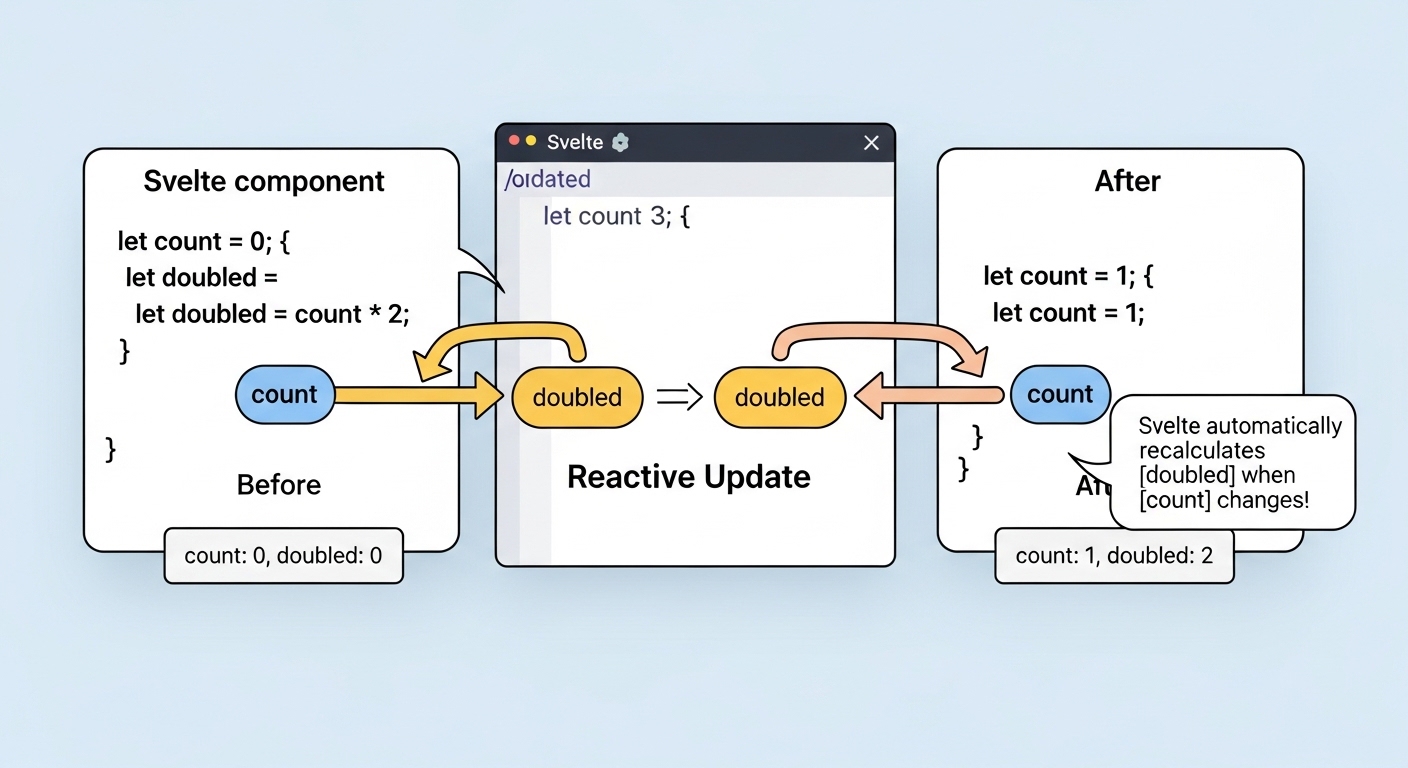
Svelte flips the script by compiling your code to vanilla JS at build time—no runtime library bloating your app. It's super intuitive, especially if you like writing HTML-like code. Svelte 5, stable in 2026, adds runes for better state handling. Perfect for "lightweight JavaScript frameworks for beginners."
Install: npm create svelte@latest. Check Tutorial at Svelte docs.
A reactive example:
1<script>2 let name = 'world';3 $: greeting = `Hello ${name}!`; // Auto-updates4</script>56<input bind:value={name} />7<p>{greeting}</p>
The $: syntax is magic for reactivity.
Pros:
- Blazing fast (96/100 Lighthouse scores).
- Minimal boilerplate—feels like vanilla JS.
- Built-in animations, stores for state.
- Growing adoption (sub-10% but rising). 8
Cons:
- Smaller libraries.
- Shift from traditional frameworks.
Case Study: The New York Times uses Svelte for interactive stories, slashing load times by 40% and boosting engagement.
Angular: The Structured Option for Bigger Builds
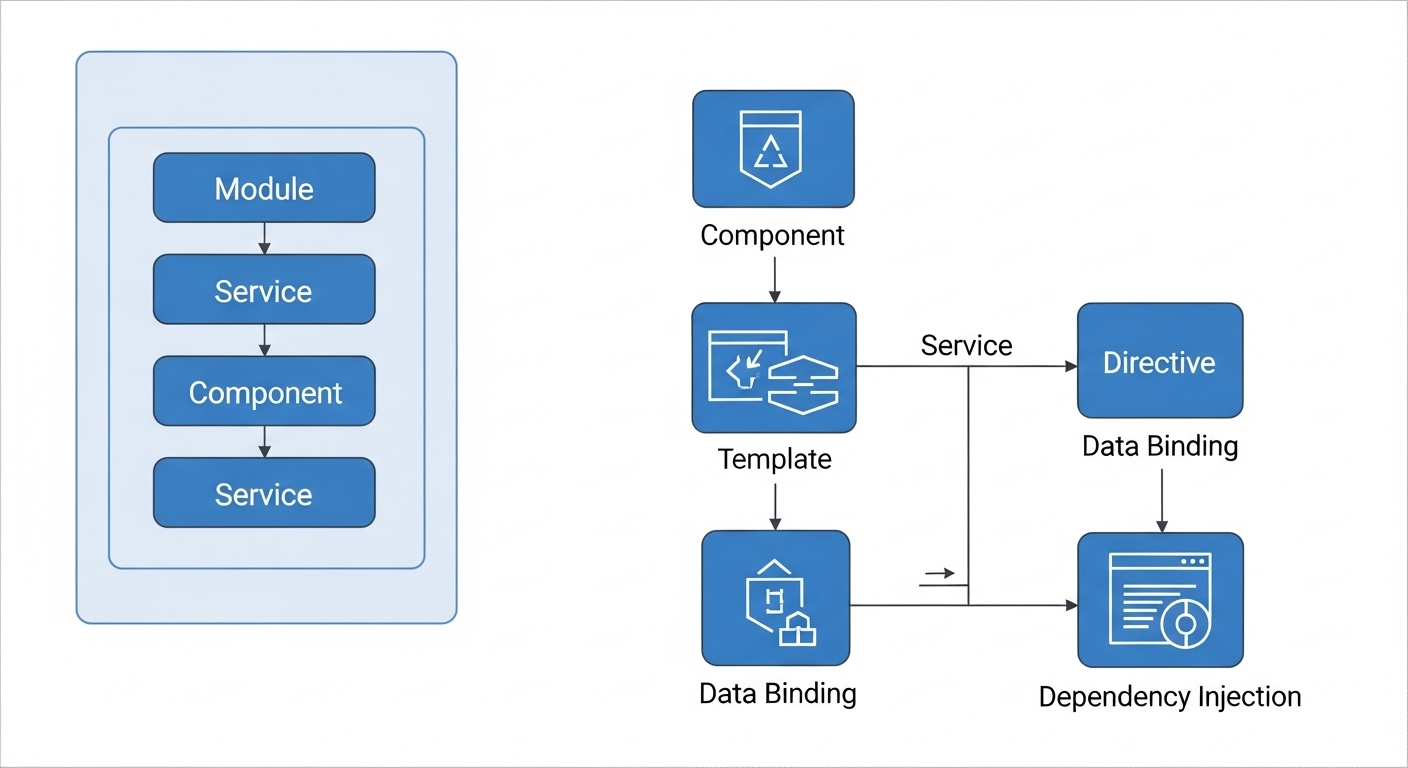
Angular, from Google, is more of a full framework with everything included—like forms and routing. It's TypeScript-based, which adds safety but a bit of a curve. In 2026, Angular 21+ emphasizes signals for reactivity, making it snappier. It is good, if you like organization from the start.
Setup: ng new my-app. Simple component:
1import { Component, signal } from "@angular/core";23@Component({4 selector: "app-greeting",5 template: `<h1>Hello {{ message() }}!</h1>`,6})7export class GreetingComponent {8 message = signal("Angular");9}
Signals update precisely.
Pros
-
All-in-one toolkit
-
Strong typing prevents errors
-
Enterprise favorite
Cons
- Heavier learning curve
- Bigger bundles
Case Study: IBM's dashboards run on Angular, improving maintainability by 20% for large teams.
Solidjs: React's Faster Cousin with Smart Reactivity
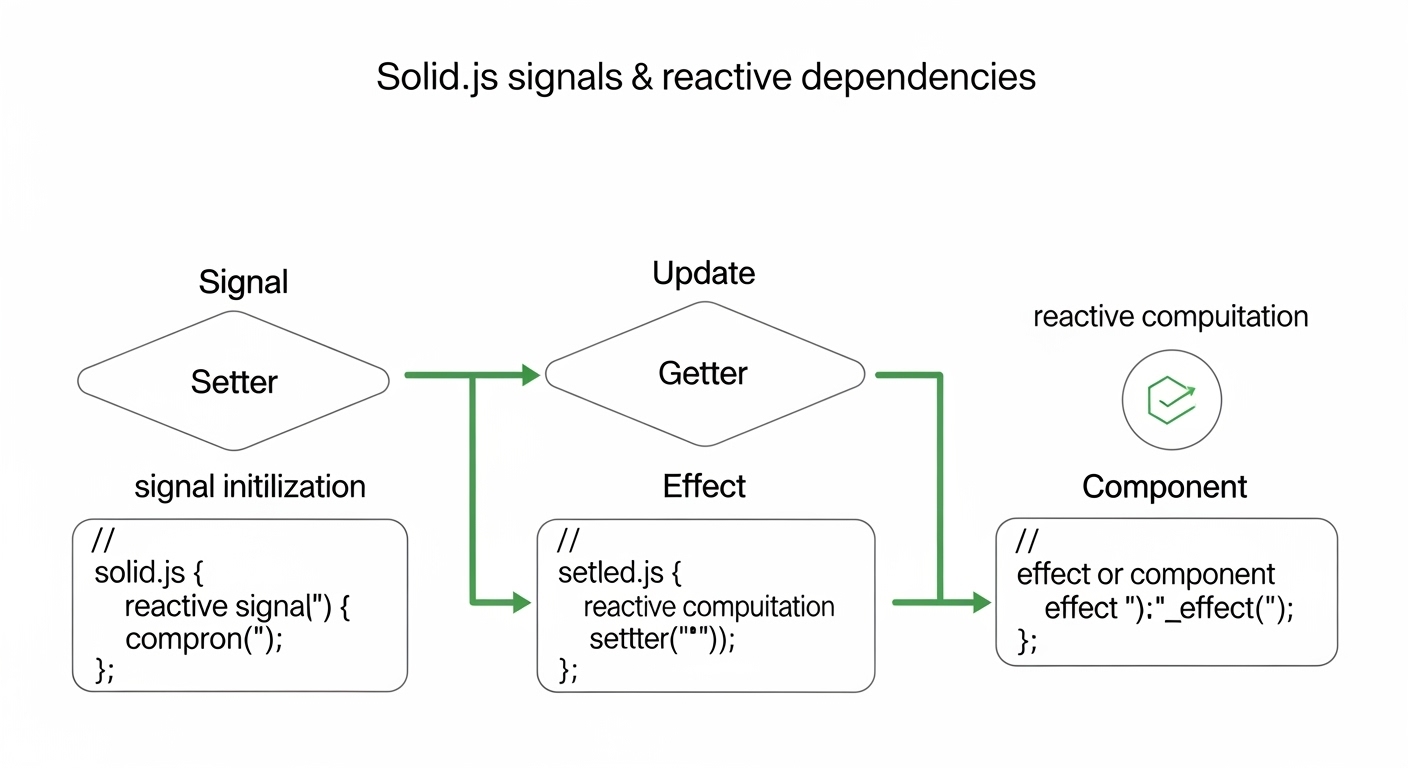
Solid.js feels like React but uses signals for updates, super efficient, no virtual DOM. It's gaining traction in 2026 for performance without complexity.
Setup: npx degit solidjs/templates/js my-app. Form example:
1import { createSignal } from "solid-js";23function Form() {4 const [text, setText] = createSignal("");5 return (6 <div>7 <input value={text()} onInput={(e) => setText(e.target.value)} />8 <p>Echo: {text()}</p>9 </div>10 );11}
Signals track changes finely.
Pros
- Blazing fast updates
- Familiar syntax
- Low overhead
Cons:
- Niche community
- Fewer ready-made libs
Case Study: Shopify tests Solid for carts, doubling render speed.
Qwik: The Future-Proof Pick for Speedy Sites
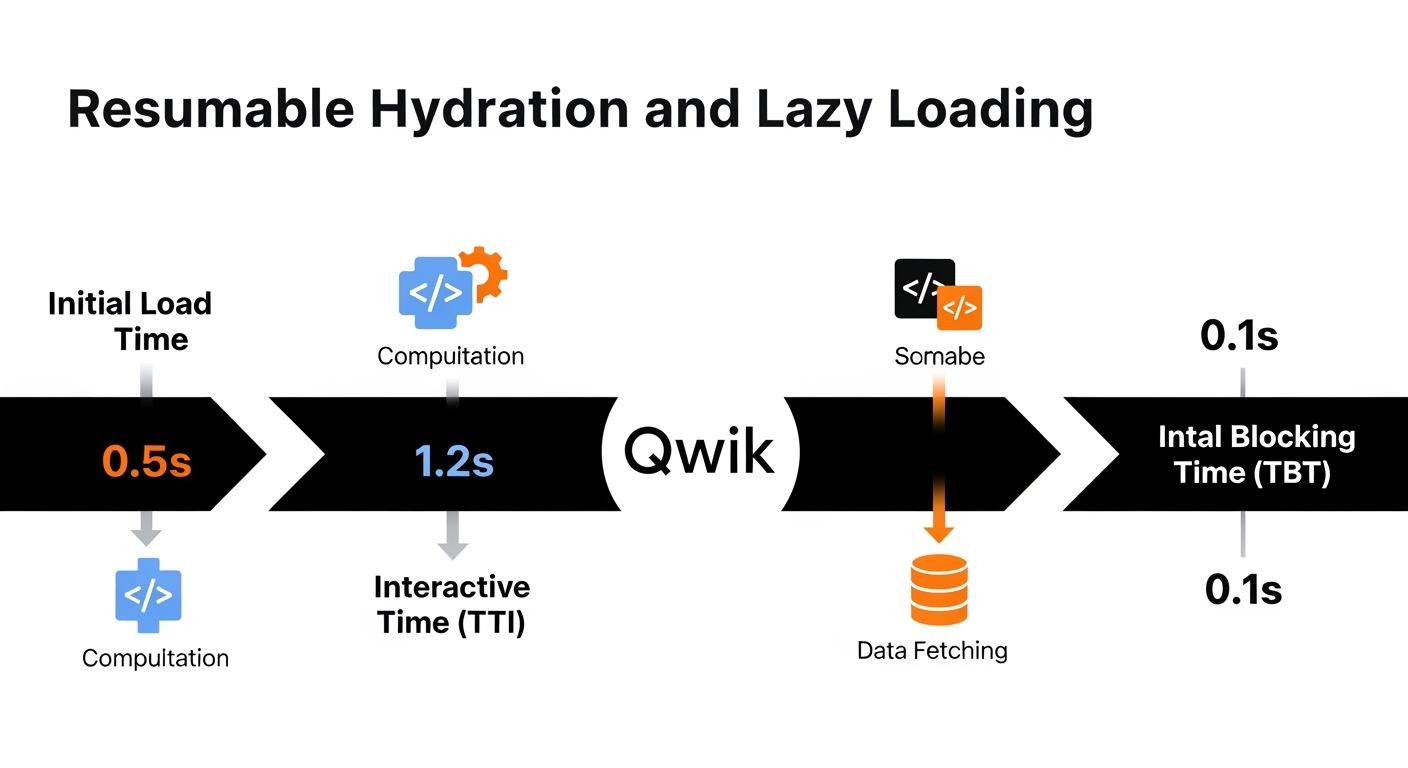
Qwik's big idea is resumability, load just what's needed when interacted with, for near-instant apps. In 2026, it's emerging strong for "fast-loading JavaScript frameworks." You can check out the full Qwit docs to understand how to use it better.
Setup: npm create qwik@latest.
Lazy button:
1import { component$, useSignal } from "@builder.io/qwik";23export default component$(() => {4 const clicks = useSignal(0);5 return (6 <button onClick$={() => clicks.value++}>Clicks: {clicks.value}</button>7 );8});
Loads on demand.
Pros
- Ultra-low JS payloads
- Edge-ready performance
- Great for slow connections
Cons:
- Newer, fewer examples
- Resumability takes adjusting
Case Study: Porsche's site with Qwik boosts conversions 25% via faster loads. 9
Astro: The Static-First Framework for Content Sites
Astro builds ultra-fast sites by shipping zero JS by default, only adding interactivity where needed. It's beginner-friendly for blogs or portfolios in 2026, blending islands of components from other frameworks. More information about this framework can be found on the docs.
Setup: npm create astro@latest. Basic component:
1---2const greeting = 'Hello, Astro!';3---45<h1>{greeting}</h1>
Case Study: Netlify's docs site uses Astro, reducing build times by 50%.
Pros
-
Minimal JS for blazing speed
-
Integrates multiple frameworks
-
SEO-friendly static output
Cons
-
Less suited for highly dynamic apps
-
Smaller community than React

Lessons from Real Projects
These aren't just buzzwords, these frameworks power some of the biggest sites out there, and the lessons from them can guide your own work. Let's break them down with more context on what was learned, why it mattered, and how it applies to beginners like you.
-
React at Meta (formerly Facebook): React powers the core news feeds and messaging features on Meta's platforms, which serve billions of users daily. One key lesson here is the power of server components, introduced in React 18 and refined by 2026, which reduced hydration times (the process of making server-rendered pages interactive) by up to 50%. This means less waiting for users on slow connections. For beginners, the takeaway is to think about performance early, use tools like React's Profiler to spot bottlenecks. Meta's team learned that modular components make scaling easier, avoiding monolithic codebases. If you're building a social app, start with reusable pieces like this to keep things manageable as your project grows.
-
Vue at Xiaomi: Xiaomi, a major tech company, uses Vue for its mobile interfaces and e-commerce apps, handling high-traffic scenarios across devices. They reported a 40% gain in development efficiency after switching, mainly because Vue's progressive nature allowed them to integrate it gradually without a full rewrite. The lesson? Flexibility pays off in real-world projects where you might inherit old code. Beginners can apply this by starting small: Add Vue to a plain HTML page for interactivity, then expand. Xiaomi also highlighted Vue's reactivity for real-time updates, like live product availability, teaching us that choosing a framework with built-in data binding saves hours of manual DOM manipulation.
-
Svelte at Spotify: Spotify employs Svelte for certain UI elements, such as playlist management and recommendation widgets, where small bundle sizes matter for mobile users. By using Svelte, they achieved smaller payloads, leading to faster app launches on devices with limited bandwidth. A big lesson from this is the importance of compile-time optimization, Svelte's approach eliminates runtime overhead, which Spotify credits for improving user retention. For new devs, this means prioritizing frameworks that don't bloat your code; test bundle sizes with tools like Webpack Analyzer. Spotify's team also learned that Svelte's intuitive syntax speeds up prototyping, so if you're experimenting with music apps or interactive UIs, it encourages quick iterations without complexity.
-
Angular at Google: Google relies on Angular for internal tools and some public-facing apps like Google Cloud dashboards, where structure and reliability are crucial. The framework's TypeScript integration helped catch errors early, boosting maintainability by 20% in large teams. Key lesson: In enterprise settings, enforced patterns prevent chaos, Angular's modules and services keep code organized. Beginners should note this for group projects; use TypeScript to avoid runtime surprises. Google's experience shows that while Angular has a steeper start, its built-in features (like HTTP clients) reduce dependency on third-party libs, making it ideal for data-heavy apps where security and scalability are non-negotiable.
-
Solid at Vercel: Vercel, a hosting platform, incorporates Solid.js for edge computing features, like dynamic content rendering on servers worldwide. The fine-grained reactivity doubled render speeds in tests, allowing for snappier user experiences. Lesson learned: When performance is critical (e.g., in serverless setups), skip virtual DOMs for direct updates. For beginners, this highlights experimenting with signals for state management, it's like React but lighter. Vercel's adoption teaches that niche frameworks can shine in specific niches; if you're into hosting or CDN-integrated apps, Solid's efficiency can give your projects an edge without overcomplicating the basics.
-
Qwik at Builder.io: Builder.io, a visual CMS, built its platform with Qwik to achieve 4x faster time-to-interactive (TTI), meaning users can click and interact almost instantly. The resumability feature was key, loading code only on demand. Major lesson: In 2026's mobile-first world, prioritize lazy loading to handle diverse networks. Beginners can learn from this by focusing on user experience metrics early, use Chrome DevTools to measure TTI. Builder.io's team discovered that Qwik simplifies edge deployments, reducing costs and complexity, so if you're aiming for global apps, it's a framework that future-proofs your work against bandwidth issues.
These examples show how frameworks evolve with real needs, like AI-assisted coding and server-side rendering trends in 2026. The common thread? Start with your project's scale and performance goals, then iterate based on user feedback, just like these companies did.
Practical Tips to Start Strong
-
Choose based on goal: Vue/Svelte for fun prototypes; React for jobs.
-
Build a todo app first, add features like persistence with localStorage.
-
Use AI like Grok to explain errors: "Why is my React state not updating?"
-
Practice on CodeSandbox or Glitch for no-setup experimenting.
-
Join Reddit's r/learnjavascript or Discord groups for help.
-
Optimize with tools like Lighthouse from day one.
-
Learn Git: Commit your progress to track learning.
-
Test with Jest, simple assertions build confidence.
-
Deploy to Netlify/Vercel: See your work live motivates.
-
Follow trends on DEV.to for "JS frameworks 2026."
Common Questions Answered
-
What is the easiest JavaScript framework for beginners in 2026? The easiest frameworks for beginners in 2026 are Vuejs or Svelte, thanks to their high user satisfaction rates, simple syntax, and minimal boilerplate that let you focus on building rather than configuring.
-
Should I choose React or Vue as a beginner? If you're a beginner, choose React if you're aiming for more job opportunities and a vast ecosystem of resources, but go with Vue if you prefer simplicity and a gentler learning curve for quick prototypes.
-
Are these JavaScript frameworks timeless, or do they change a lot? These JavaScript frameworks have timeless core concepts like reactivity and components, but in 2026, they emphasize modern features like signals for fine-grained updates and server-side rendering to handle performance demands.
-
How do I choose a framework based on my project type? To choose a framework based on your project, pick Svelte or Qwik for small, performance-focused apps; opt for Angular or React if you're building large-scale or enterprise-level projects that need structure and scalability.
-
Do I need to learn TypeScript for these frameworks? Yes, learning TypeScript is recommended for most of these frameworks because it adds type safety and catches errors early, and it's built-in for Angular and Solidjs while being optional but beneficial for others like React.
-
Which framework is best for mobile development? React is the best framework for mobile development among these because it extends easily to React Native, allowing you to build cross-platform apps for iOS and Android with shared code.
-
What are some performance tips for these frameworks? Some performance tips include using lazy loading for components, optimizing images and assets, and running benchmarks with tools like Lighthouse to ensure fast load times across all frameworks.
-
Where can I learn more about these frameworks? You can learn more about these frameworks by visiting their official documentation sites, which I've linked in each section above, along with free tutorials on platforms like freeCodeCamp or YouTube.
-
Are Solid.js and Qwik ready for production use in 2026? Yes, Solid.js and Qwik are fully ready for production use in 2026, with growing adoption in performance-critical apps and strong community support for real-world deployments.
-
What role does AI play in learning these frameworks? AI plays a helpful role in learning these frameworks by assisting with debugging code, generating examples, and explaining concepts, such as asking an AI to "fix this React hook error" or "show a Vue todo app snippet."
-
What is the job outlook for these frameworks? The job outlook is strong for these frameworks, with React leading in demand, but skills in Svelte or Qwik can set you apart in performance-oriented roles as they gain popularity.
Final Thoughts: Jump In and Build
We've unpacked the top JavaScript frameworks for beginners in 2026, from React's ecosystem to Qwik's innovation, with code, data, and stories to guide you. The key? Start small, experiment, and don't fear mistakes, that's how you learn.
Windframe is an AI visual editor for rapidly building stunning web UIs & websites
Start building stunning web UIs & websites!
