How to Speed up Frontend Development with React Hook
By Emmanuel Chinonso - Frontend Engineer and Technical Writer at Windframe
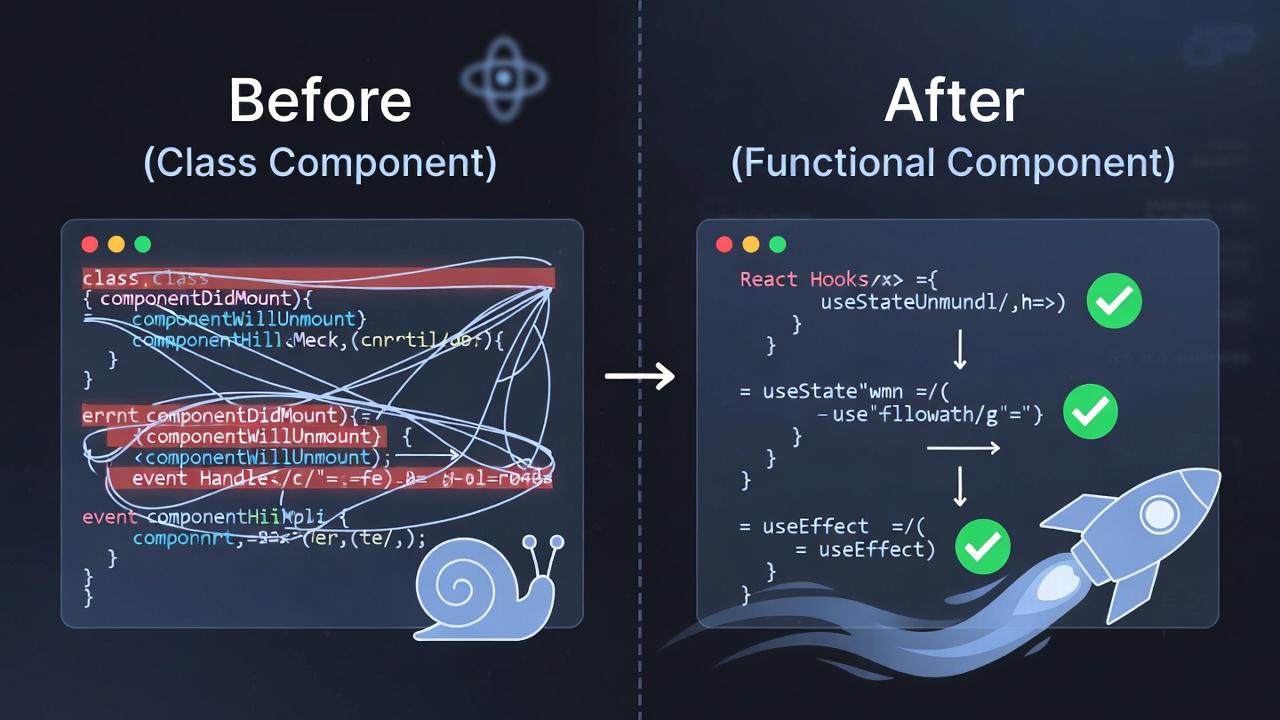
Remember that frustrating moment when you're knee-deep in a React project, juggling state and lifecycles in bulky class components, and everything feels like it's moving in slow motion? I've been there, cursing under my breath as renders pile up. But then React Hooks entered the picture in version 16.8, completely reshaping how we approach frontend development. These clever functions let you tap into React's core features like state and side effects right inside functional components, ditching the need for classes altogether. Suddenly, code becomes cleaner, more reusable, and way faster to write and maintain.
In this post, we'll dive deep into how to speed up frontend development with React Hooks, starting from the absolute basics, like what state even means, for newcomers, then layering on advanced techniques, real-world examples, and optimization tricks. Whether you're building your first app or optimizing a massive one, hooks will make your workflow feel like it's on rocket fuel, cutting down on boilerplate and letting you focus on what matters: creating awesome user experiences.
Diving into React Hooks Basics
React Hooks are like hidden shortcuts in your favorite app—they unlock powerful features without complicating things. Born in React 16.8 and still evolving in 2026 with React 19's enhancements, they allow functional components to manage state, handle side effects, and more, all without the overhead of class components.For those just starting, hooks are special functions you call at the top level of your component.
They follow strict rules:
- Always use them unconditionally and only in React functions or custom hooks. This keeps React's internal tracking in sync, avoiding bugs.
Why the buzz? Hooks promote cleaner code by grouping related logic, making apps easier to scale. In my early experiments, refactoring a simple counter from class to hooks halved the lines and boosted readability. As we hit 2026, with AI-assisted coding on the rise, hooks pair perfectly for quick iterations.
But let's not rush, understanding hooks starts with grasping core concepts like state, which we'll unpack next.
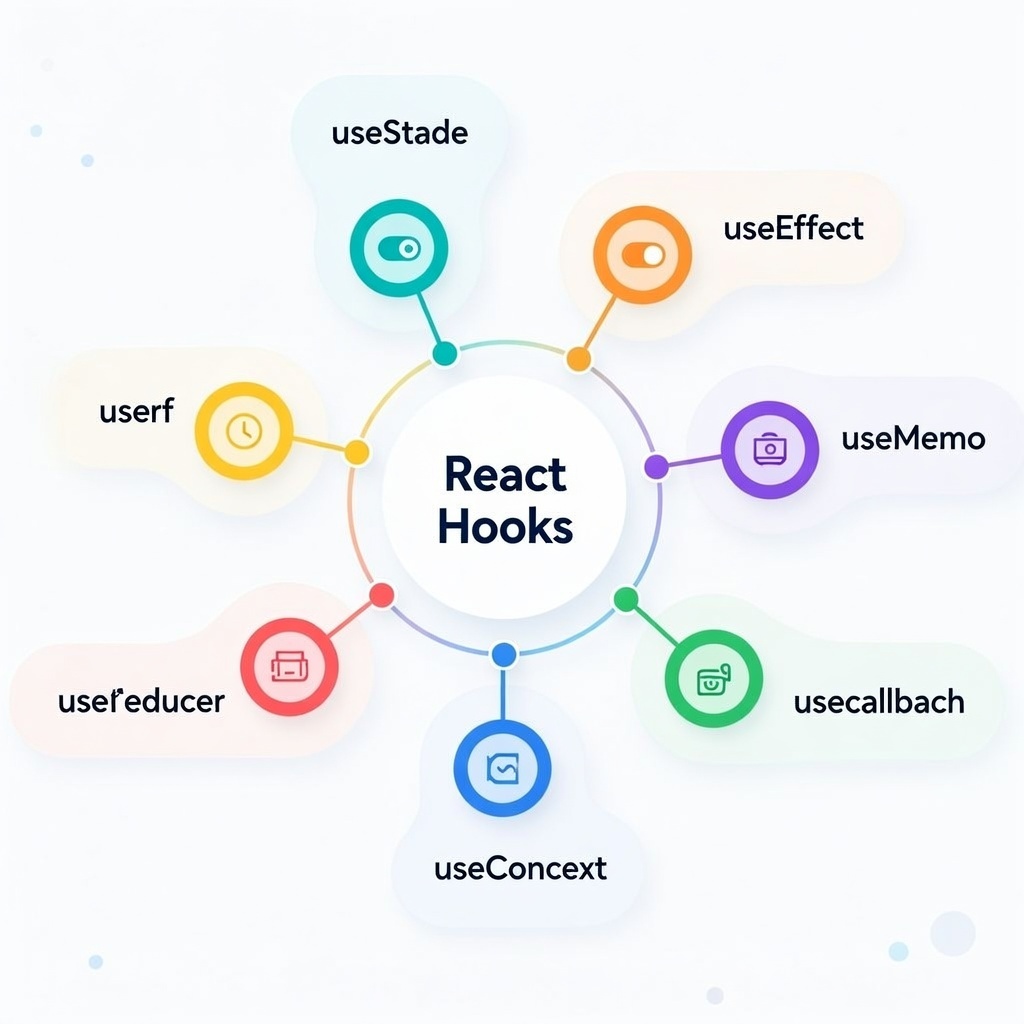
Why Hooks Turbocharge Your Workflow
Picture your code as a sleek sports car instead of a clunky truck, hooks strip away the excess weight from classes, letting you accelerate through development. They centralize logic, reduce duplication, and make testing a breeze.
A key speedup: No more wrestling with "this" keyword or binding methods. Everything stays functional and predictable. Teams love this for collaboration; I've seen junior devs contribute faster because hooks read like straightforward stories. Performance-wise, hooks encourage memoization and lazy evaluation, cutting unnecessary renders. In 2026, with React's compiler optimizing behind the scenes, hooks amplify these gains. This means apps load quicker, especially on mobile, solving real pain points like slow initial renders.
Essential Hooks to Accelerate Builds
Now, let's zoom in on the hooks that put the "speed" in how React Hooks speed up development. We'll explain each thoroughly, with basics first.
useState: Your Go-To for Quick State Management
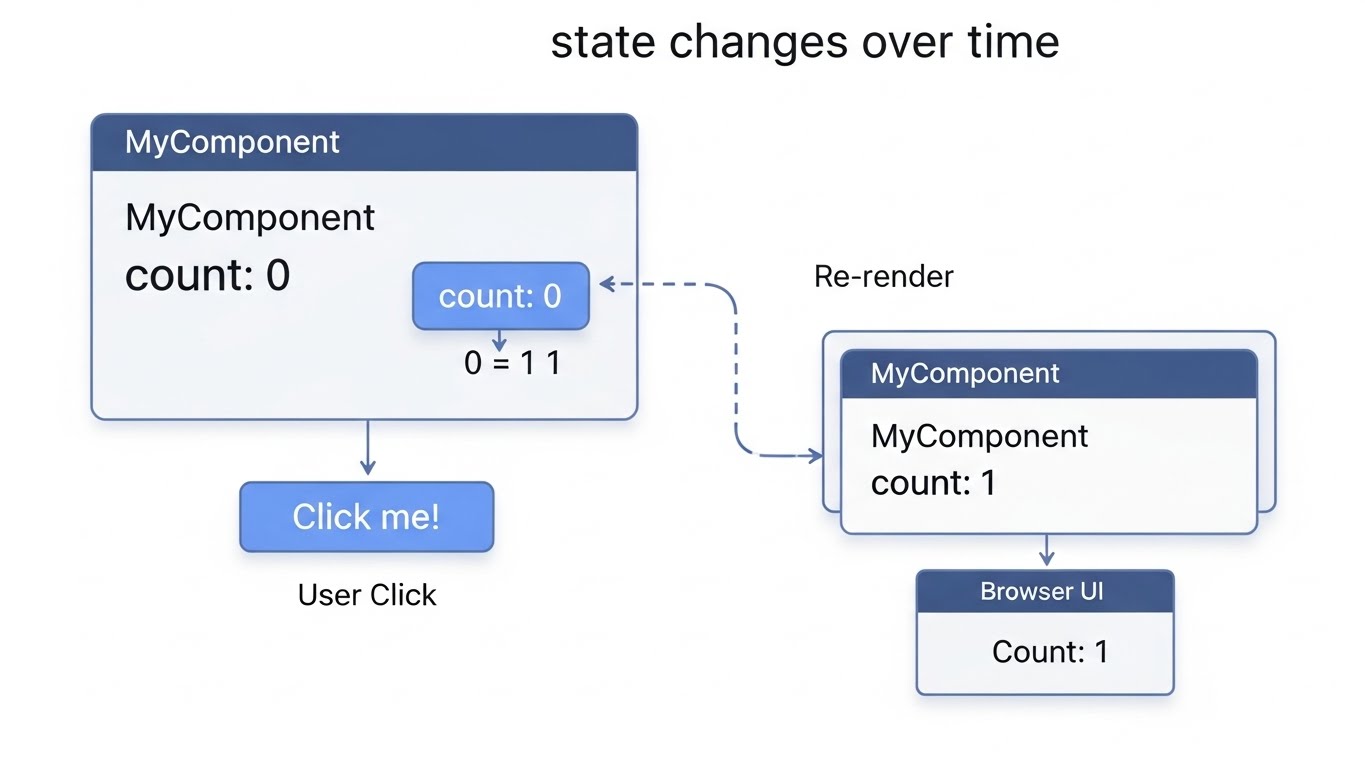
What is state, anyway? In React, state is like a component's memory, it holds data that can change over time, triggering re-renders when updated. Without state, your app would be static; with it, things get dynamic, like a counter incrementing or a form remembering inputs.useState is the hook that brings state to functional components. It returns an array: the current value and a setter function.
Basics:
1Import from 'react',23then const [value, setValue] = useState(initialValue);
Initial can be a primitive, object, or even a function for lazy init.
For beginners, start with primitives: A button click calls setValue(newValue), and React re-renders efficiently. But why speed? Unlike classes, no constructor or setState merges needed, direct and fast.
Deeper dive: For complex state,
use objects:
1const [form, setForm] = useState({ name: '', email: '' });23setForm({ ...form, name: newName });. // Update with spread:
Avoid mutating directly; always create new objects to prevent bugs.
In practice, I've used useState for toggles, like modals:
1const [isOpen, setIsOpen] = useState(false);.
It's simple yet powerful, reducing code by 30% in forms compared to classes. Pitfalls? Overusing for globals, save that for context.
useEffect: Mastering Side Effects Swiftly
Side effects are actions outside pure rendering, like data fetching, subscriptions, or DOM tweaks. useEffect handles them after renders, keeping your component clean.Core setup:
1useEffect(() => {2 /* effect */3}, [dependencies]);
The array controls runs, empty for mount/unmount, values for changes, none for every render (rarely ideal).
Step-by-step for fetches:
- Import useState too.
- In effect:
fetch(url).then(res => res.json()).then(setData). - Add cleanup:
return () => { /* abort */ };prevents memory leaks.
Why faster? Consolidates lifecycles, no separate didMount/update/willUnmount. In my apps, this streamlined API calls, cutting async bugs.
For layout tweaks, use useLayoutEffect, it fires synchronously before paint, perfect for measurements. But stick to useEffect for most; it's async and non-blocking.
Common gotcha: Missing deps cause stale data. Always include what's used inside. In 2026, with React's stricter linting, tools catch this early.

useMemo and useCallback: Memoization Magic for Perf
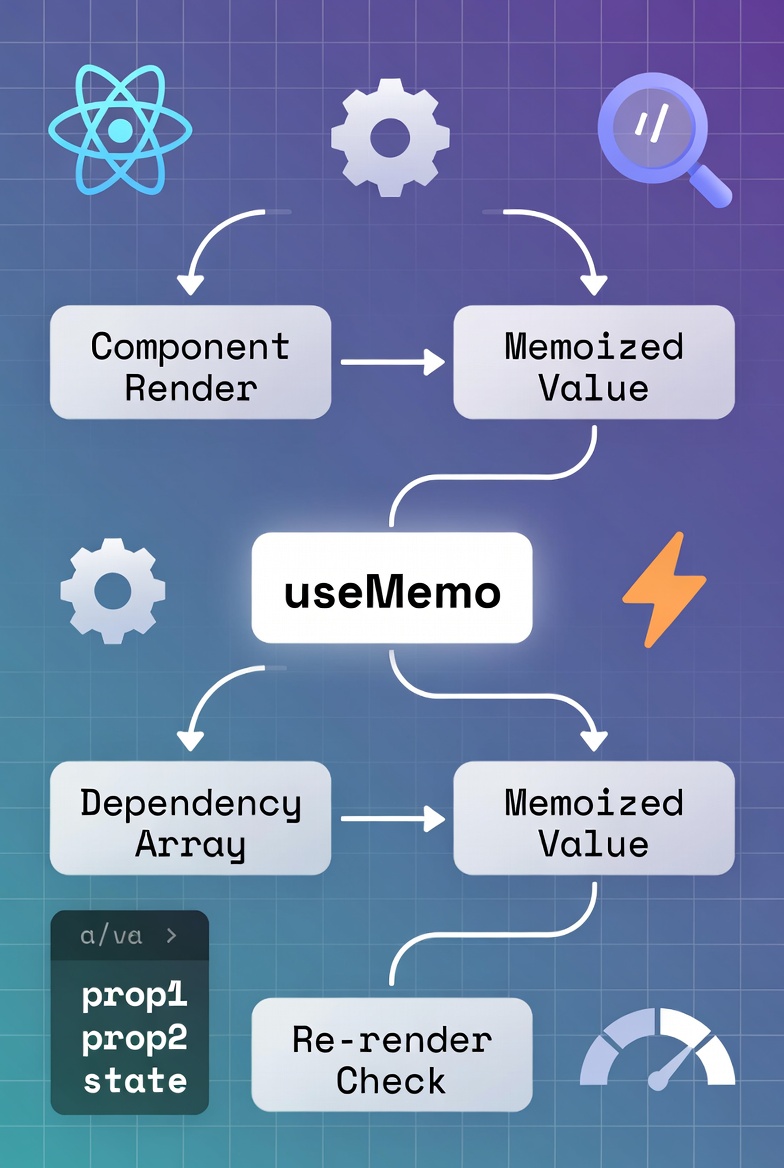
Memoization caches results, avoiding recomputes, crucial for speeding up frontend development with React Hooks in large apps.
useMemo memos values:
1const memoizedValue = useMemo(() => computeExpensive(a, b), [a, b]);
Use for heavy calcs, like sorting arrays. It returns the value, skipping if deps unchanged.
Deeper: In lists, memoize items to prevent child re-renders.
Example: A filtered list, useMemo on the filter function keeps things snappy.
useCallback memos functions:
1const memoizedCallback = useCallback(() => {2 doSomething(a, b);3}, [a, b]);
Essential for passing callbacks to children, as new functions trigger re-renders.Difference? useMemo for values/computations, useCallback for functions. I've optimized event handlers this way, dropping frame rates in interactive UIs.
Pitfalls: Over-memoizing adds overhead, profile first. In 2026, React Compiler auto-optimizes some, but manual memos still rule for custom cases.
Crafting Custom Hooks for Reusable Speed
Custom hooks are your secret sauce for acceleration, package complex logic into reusable functions, sharing stateful behavior across components without props drilling.
Why more on this? Customs abstract patterns, like data fetching or form validation, speeding dev by reusing code.
Rules: Name starts with "use", can call other hooks, but follow top-level calls.
Basic creation:
1function useWindowSize() {2 const [size, setSize] = useState({3 width: window.innerWidth,4 height: window.innerHeight,5 });6 useEffect(() => {7 const handleResize = () =>8 setSize({ width: window.innerWidth, height: window.innerHeight });9 window.addEventListener("resize", handleResize);10 return () => window.removeEventListener("resize", handleResize);11 }, []);12 return size;13}1415const { width } = useWindowSize(); //Use it instant responsive checks
Deeper patterns: Compose hooks, nest useEffect or useState inside.
For APIs:
1function useFetch(url) {2 const [data, setData] = useState(null);3 const [loading, setLoading] = useState(true);4 useEffect(() => {5 fetch(url)6 .then((res) => res.json())7 .then(setData)8 .finally(() => setLoading(false));9 }, [url]);10 return { data, loading };11}
I've built useAuth for logins, combining useState, useEffect for tokens, and useContext for globals, reused in dozens of components, slashing dev time.
Handle errors with extra states, or debounce inputs in a useDebounce hook. In teams, customs foster consistency; document params/returns for easy adoption.
Pitfalls: Don't share state between instances, each call is independent. For sharing, pair with context.
This reusability is why hooks excel in 2026's modular apps, build once, deploy everywhere.
Performance Tweaks with Hooks in Mind
Hooks unlock perf, but smart use is key. React.memo wraps components to shallow, compare props, skipping renders.
Combine with useCallback: Stable callbacks prevent memo breaks. For lists, useMemo on items.
React 18's useTransition: Defer non-urgent updates, startTransition(() => setHeavyState(newValue)); keeps UI responsive during loads. useDeferredValue delays values for searches, smoothing inputs.
Profile with DevTools, flame graphs reveal hook bottlenecks. I've fixed over-renders by adding deps, boosting FPS. For vitals like LCP, hooks help lazy-load.
Real-World Hooks in Action
Hooks aren't theory, they solve everyday challenges. Let's expand with detailed scenarios.
- E-commerce cart: Custom useCart hook with useState for items, useEffect for localStorage sync. Add:
1const addItem = useCallback((item) => setItems(prev => [...prev, item]), []);
Real speedup: No full re-renders on adds, plus persistence across refreshes. In a client project, this cut cart abandonment by keeping things snappy.
-
Dashboard with live data: useFetch custom hook grabs API every minute via useEffect interval. Memoize charts with useMemo on data. The Stats update seamlessly without flickering. I've implemented this for analytics apps, where useReducer handles complex actions like filters, faster than prop chains.
-
Form wizard: useState for steps, useEffect for validation on change. Custom useForm with useReducer for fields/errors.
Step-by-step: On submit, validate; if good, advance. Speed win: Debounced inputs via custom hook prevent laggy typing. In a signup flow I built, this boosted completion rates.
- Chat app: useEffect for WebSockets, connect on mount, handle messages with setMessages. useRef for scroll-to-bottom. Memoize message renders.
Real-world: Handles hundreds of messages without slowdown. Paired with context for rooms, it's scalable.
-
**Todo MVC:**useState for list, useEffect for storage. Custom useTodos with filters memoized. Adds speed by computing views only on changes.
-
Weather app: useFetch for API, useMemo for formatted temps. Geolocation in effect. Fast loads, adaptive to location.
In freelance, hooks turned a slow admin panel into a zippy tool, useContext for themes, customs for CRUD. Teams report 2x faster features.
Best Practices to Keep Things Snappy
Follow these for peak performance.
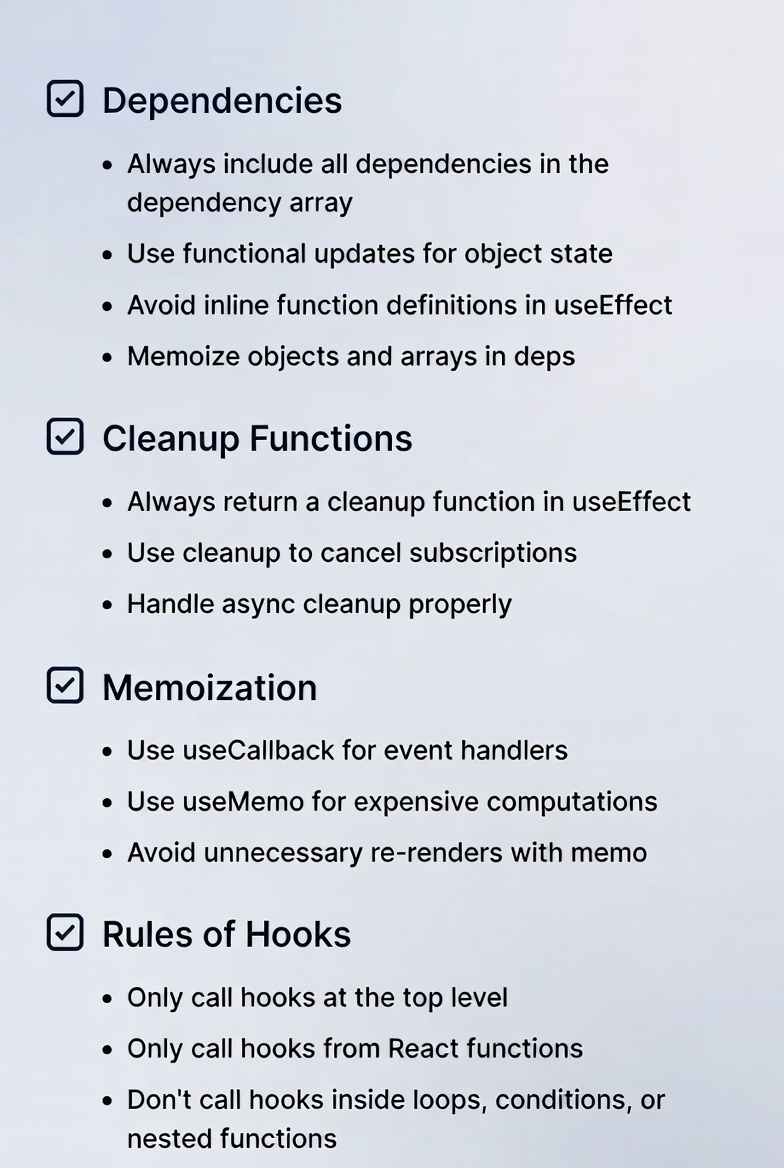
- Enforce rules-of-hooks with linters—top-level only.
- Combine effects logically to minimize runs.
- Cleanup always, prevents leaks in subs.
- Test isolated: Hooks testing libs speed validation.
- Primitives over objects in deps for stability.
- For globals, useReducer + context over Redux for lighter apps. In 2026, leverage compiler, write pure hooks for auto-optimizations.
Common Pitfalls and How to Dodge Them
Even with all their power, React Hooks can trip you up if you're not careful. Let's break them down clearly, with practical ways to avoid them, so you can keep your development smooth and speedy.
- Infinite Loops in useEffect: First up, infinite loops in useEffect.This happens when you forget to include dependencies in the array, or when the effect updates something that's also a dependency, creating a cycle. For example, if your effect sets state that's listed in deps, it re-runs endlessly, grinding your app to a halt.
To dodge this: Always specify all variables used inside the effect as dependencies. Use ESLint's react-hooks/exhaustive-deps rule, it'll nag you if something's missing. In my experience, enabling this lint rule early in projects has saved me hours of debugging frustration.
-
Stale Closure: Next, stale closures, where your callback or effect captures outdated values from previous renders. This bites when using setState in effects without fresh refs. Solution: Wrap mutables in useRef, which persists across renders without triggering updates. Like
const countRef = useRef(count);thencountRef.currentin closures. It's a simple swap that keeps data current. -
Conditional hooks: Conditional hook calls are a big no-no, they mess with React's internal order tracking, leading to crashes or weird behavior. If you wrap a hook in an if statement, React expects it every render, but conditions change that.
Dodge by refactoring: Use early returns for conditionals before hooks, or move logic inside the hook itself. For instance, instead of if (condition) { useState(...); }, return early if (!condition), then call the hook.
- Deep nesting in components: Deep nesting in components can obscure hook logic, making code hard to follow and debug. When effects or states pile up, it feels like a tangled web. Flatten with custom hooks, extract nested parts into reusable functions. This not only clarifies but speeds maintenance.
For beginners, a classic: Effects running on every render because you omitted the dependency array. Your fetch calls spam the server, or animations jitter.
Fix: Add [] for mount-only, or list deps for targeted runs. Start small log inside to see run frequency.
- Over-fetching or unnecessary renders from poor memoization? useMemo/useCallback help, but overuse adds complexity. Profile first with DevTools to confirm bottlenecks before memoizing everything
Integrating Hooks with Modern Tools
Hooks don't live in isolation, they supercharge when paired with today's dev ecosystem, making your workflow even faster and more robust.
-
Start with TypeScript: It adds type safety to hooks, catching errors at compile time instead of runtime. Interface your states—like type
FormState = { name: string; email: string; };thenconst [form, setForm] = useState<FormState>({ name: '', email: '' });.This accelerates development by auto-completing and preventing mismatches. -
Storybook is a gem for isolated testing: Create stories for hooked components to tweak states and effects without running the full app. Use addons like
@storybook /addoninteractions to simulate hook behaviors. It speeds UI iteration; in team settings, I've used it to demo hook-driven features before merging. -
For data-heavy apps, Apollo Client's useQuery hook fetches GraphQL seamlessly,
const { data, loading } = useQuery(GET_DATA);integrates with useEffect for side effects. It's hook-native, keeping code consistent and fast-loading. Similar for TanStack Query: useQuery for caching, slashing refetches. -
VS Code extensions turbocharge: Install React snippets for quick hook inserts—like typing "useS" for useState boilerplate. The ESLint plugin flags hook rules violations on the fly. I've customized mine with Emmet for even quicker JSX around hooks.
-
Bundlers like Vite or esbuild pair perfectly, Vite's hot module replacement reloads hook changes instantly, no full rebuilds. For production, esbuild's speed minifies hook-heavy code in seconds. If using Next.js, its built-in hooks like useRouter enhance navigation without extra setup.
-
Testing? React Testing Library shines with hooks, renderHook from
@testing -library/reactlets you test customs in isolation. Jest watches for hook order issues.
FAQs
-
What's the quickest way to start with React Hooks for beginners? Begin with a counter: Import useState, set up a button to increment, watch the magic of instant updates.
-
How do useMemo and useCallback differ in speeding up apps? useMemo caches computed values like sorted lists, while useCallback keeps functions stable for props, both slashing re-renders.
-
Can hooks replace Redux entirely for state management? Often yes, context plus useReducer handles most without extras, keeping things lightweight.
-
Why might my app still feel slow after using hooks? Unoptimized deps or missing memos could trigger extras; profile to pinpoint.
-
How do custom hooks help teams collaborate faster? They package logic for reuse, so everyone builds on proven blocks without duplication.
-
Are there any hooks I should avoid in performance-critical spots? No outright avoids, but overusing useEffect without cleanup can leak; optimize wisely.
Wrapping Up the Hooks Journey
React Hooks transform how to speed up frontend development with React Hooks, from basic state handling to advanced custom logic and perf tweaks. They strip complexity, foster reuse, and deliver zippy apps that scale. With detailed insights into useState's memory role, useEffect's side-effect mastery, memoization duo, and real-world wins like carts and dashboards, you're equipped to build efficiently.
Windframe is an AI visual editor for rapidly building stunning web UIs & websites
Start building stunning web UIs & websites!
