TypeScript for Beginners: Why Every Developer Needs It in 2026
By Emmanuel Chinonso - Frontend Engineer and Technical Writer at Windframe
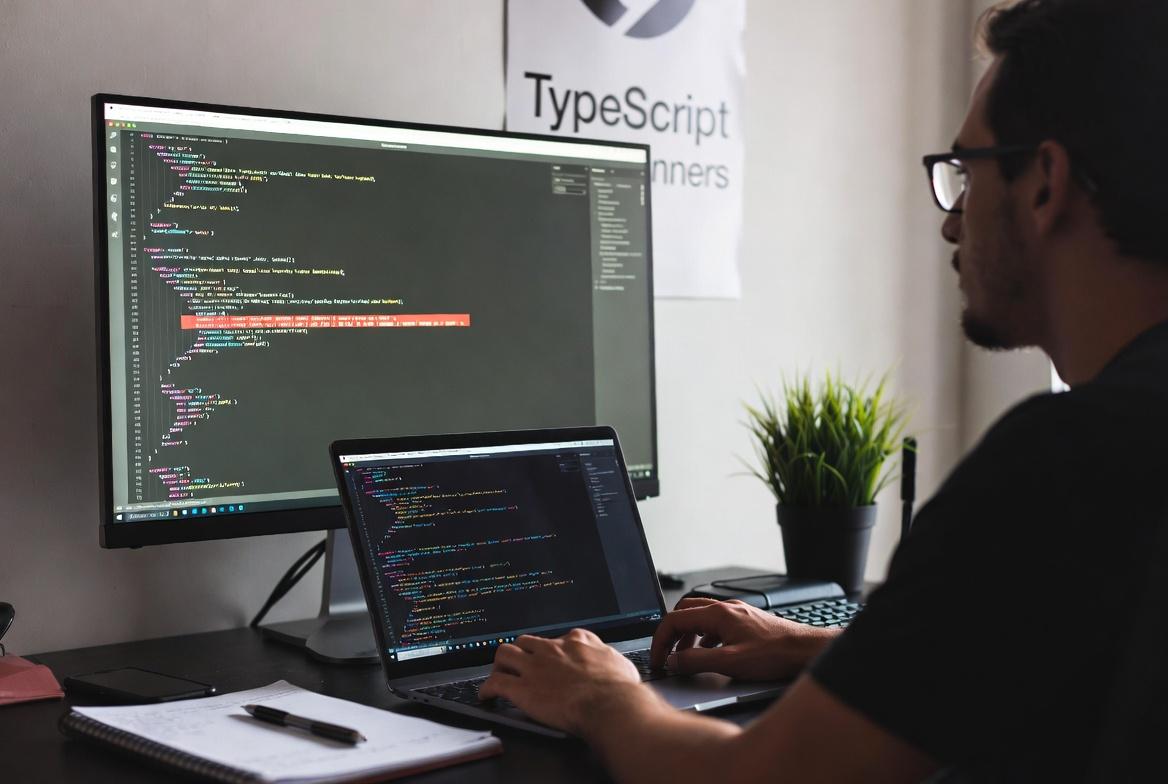
You wrote a function. It works perfectly in testing. You ship the code on Friday afternoon, leave for the weekend, and Monday morning starts with a Slack message: "The app is broken." You dig into the logs and find it: somewhere deep in the codebase, a function received a number where it expected a string, and everything downstream collapsed quietly, until a real user triggered it.
This is not a horror story. This is a Tuesday in JavaScript. It happens to junior developers. It happens to senior engineers with 10 years of experience. It happens at startups and at companies that power millions of users a day. And TypeScript exists, specifically, to stop it from happening to you.
In 2026, TypeScript is no longer the "advanced" option that teams debate adopting. It is the default, the language that new projects are scaffolded in, the skill that job listings ask for, and the tool that separates developers who chase bugs after deployment from those who catch them before they ever leave their editor.
If you are just getting started with coding, or you know JavaScript but have been putting off TypeScript, this guide is for you. No jargon walls. No assumption that you already know what "static typing" means. Just a clear, honest explanation of what TypeScript is, why it matters right now, and how to actually start using it today.
What Is TypeScript, Really?
Here is the most useful way to think about it:
TypeScript is JavaScript with a built-in spell checker.
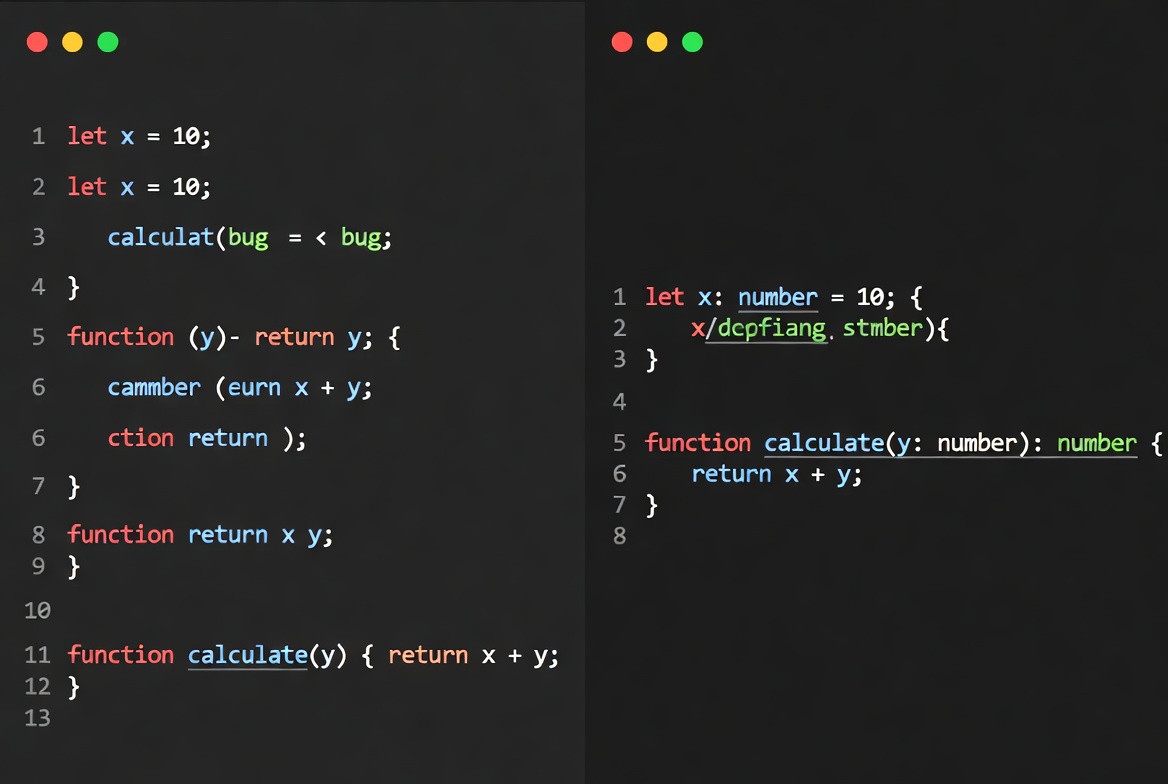
When you write in a word processor, spell check quietly underlines your mistakes before you hit send. TypeScript does the same thing for your code. It watches what you write and flags problems, wrong data types, missing object properties, functions called with the wrong arguments, before the code ever runs.
More precisely: TypeScript is a superset of JavaScript. Every JavaScript file you have ever written is already valid TypeScript. You are not replacing JavaScript. You are layering something on top of it that makes your code safer and easier to follow.
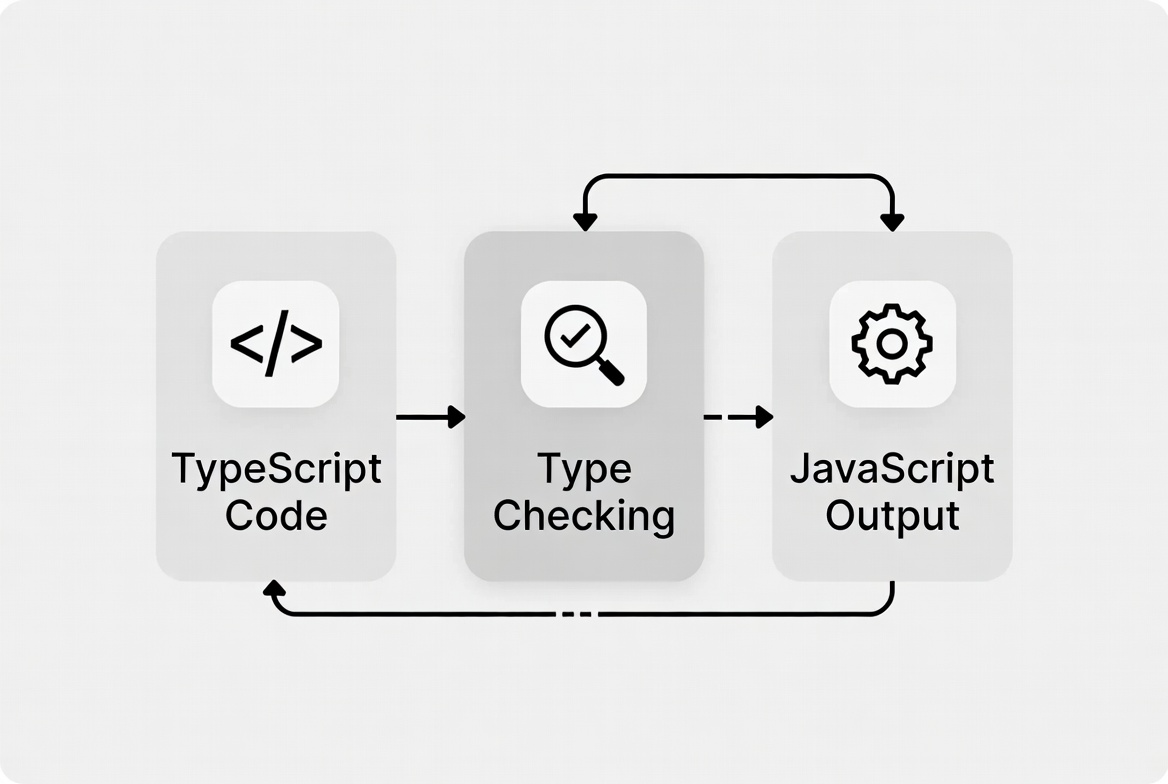
When you finish writing, TypeScript compiles, meaning it converts your code into plain JavaScript. Browsers and servers only ever see JavaScript. TypeScript is a development tool. It lives in your editor and your build process, doing its job quietly and getting out of the way at runtime.
JavaScript vs TypeScript: Quick Comparison
Before diving deeper, here is a side-by-side look at the same function written in both languages:
JavaScript:
1function calculateTotal(price, quantity) {2 return price * quantity;3}45calculateTotal("ten", 5);6// Returns NaN — no warning, no error, just a broken result
TypeScript:
1function calculateTotal(price: number, quantity: number): number {2 return price * quantity;3}45calculateTotal("ten", 5);6// Error: Argument of type 'string' is not assignable to parameter of type 'number'
In JavaScript, passing a string to a function expecting a number gives you a silent, confusing result. TypeScript catches it the moment you type it, not after deployment, not when a user reports it, right there in your editor.
Here is a broader comparison at a glance:
| Feature | JavaScript | TypeScript |
|---|---|---|
| Type checking | At runtime (too late) | At compile time (before it runs) |
| Autocomplete accuracy | Limited | Highly accurate |
| Error messages | Often cryptic | Clear and specific |
| Refactoring safety | Risky | Much safer |
| Learning curve | Easier to start | Small extra step, big payoff |
| Used by major frameworks | Yes | Yes, most default to it |
The key takeaway: TypeScript catches the mistakes JavaScript lets slide until they hurt someone.
The Core Concepts, Explained Simply
You do not need to master every TypeScript feature before writing useful code. These five concepts will cover the majority of what you will actually use day-to-day.
1. Types
A type is just a label that tells TypeScript what kind of data a variable is supposed to hold.
1let userName: string = "Ada";2let userAge: number = 28;3let isLoggedIn: boolean = true;
The colon followed by the type name is called a type annotation. Once you annotate a variable, TypeScript will warn you if you try to store the wrong kind of data:
1let userName: string = "Ada";2userName = 42; // Error: Type 'number' is not assignable to type 'string'
You do not always need to write type annotations yourself. TypeScript can figure them out from the value you assign, a feature called type inference:
1let city = "Lagos"; // TypeScript knows this is a string2city = 100; // Error — it already knows city is a string
This matters because it means TypeScript often protects you with zero extra work on your part.
2. Interfaces
When you need to describe the shape of an object, what fields it has, and what types those fields are, you use an interface. Think of it as a blueprint. It does not create any data. It just defines what that data should look like.
1interface User {2 name: string;3 age: number;4 email: string;5}67function sendWelcomeEmail(user: User) {8 console.log(`Welcome, ${user.name}! Sending to ${user.email}`);9}1011sendWelcomeEmail({ name: "Chioma", age: 25, email: "chioma@example.com" }); // ✅ Works12sendWelcomeEmail({ name: "Tunde" }); // ❌ Error: missing 'age' and 'email'
No guessing about what shape an object should have. No runtime surprises when a required field turns out to be missing. TypeScript tells you immediately, right where the problem is. This becomes essential when working with API responses, database records, or data moving between different parts of your application.
3. Function Types
You can annotate what a function accepts and what it returns:
1function greet(name: string): string {2 return `Hello, ${name}`;3}45function addNumbers(a: number, b: number): number {6 return a + b;7}
The : string and : number after the closing parenthesis tell TypeScript what the function is supposed to return. If your function accidentally returns the wrong type, TypeScript flags it before it becomes a bug someone else has to debug.
4. Union Types
Sometimes a value could legitimately be one of several types. TypeScript handles this with the | character, which you can read as "or":
1let id: string | number;23id = "abc123"; // ✅ Fine4id = 456; // ✅ Fine5id = true; // ❌ Error: not a string or number
This is useful when you are dealing with IDs that might be strings or numbers depending on which API or database you are pulling from.
5. Optional Properties
Not every property on an object is always required. Mark it optional with a question mark:
1interface BlogPost {2 title: string;3 content: string;4 publishedAt?: string; // '?' = optional5}67const draft: BlogPost = {8 title: "My First Post",9 content: "Hello world!"10 // publishedAt can be left out — that is fine11};
This is exactly how draft posts, partial user profiles, and optional API fields work in the real world. TypeScript handles it cleanly.
Why TypeScript Matters So Much in 2026
The developer ecosystem has moved fast. Here are three forces that make TypeScript specifically important right now, not just in general.
AI-Assisted Coding Is Everywhere — and TypeScript Makes It Safer
If you use GitHub Copilot, Cursor, Claude, or any AI coding tool, and in 2026, most developers do, TypeScript makes those tools dramatically more useful and less dangerous.
A 2025 academic study found that 94% of compilation errors produced by large language models are type-check failures. When an AI writes a function that passes the wrong type of data to another function, TypeScript catches it instantly.
In a plain JavaScript project, that mistake might quietly reach production before anyone notices. Beyond catching AI errors, type annotations give these tools better context. When a function has typed parameters and a typed return value, an AI assistant has more to work with when generating code that calls or extends it. The output gets more accurate, and the errors get fewer.
The Job Market Is Clear
- 48.8% of professional developers now use TypeScript, according to the Stack Overflow 2025 Developer Survey
- 78% of JavaScript job listings require TypeScript in 2026
- 40% of developers now write exclusively in TypeScript — up from 28% in 2022
If you are learning web development to get hired, TypeScript is not optional studying. It is direct career preparation.
Every Major Framework Defaults to It
- Next.js scaffolds TypeScript by default
- Vue 3 was rewritten entirely in TypeScript
- Angular has been TypeScript-based since 2016
- NestJS is built on TypeScript from the ground up
- Astro, Remix, SvelteKit — all TypeScript-first
If you are learning React in 2026, the tutorials and documentation you find will assume TypeScript. Getting comfortable with it now means the learning materials you encounter will actually make sense.
Is TypeScript Hard to Learn?
Honestly, no. Not the parts you need to get started. The basics (types, interfaces, function annotations) can be picked up in a few hours. You do not need to understand advanced features like generics, conditional types, or mapped types before you start being productive. Most production TypeScript code uses a small, consistent subset of the language.
The real learning curve is mental, not technical. The first time TypeScript throws an error on code that looks correct to you, it can feel frustrating. But that error is almost always TypeScript being right. Once you get used to trusting the error messages instead of fighting them, the whole thing clicks.
A few things that help:
- Start with strict: false in your TypeScript config. It is more forgiving and lets you ease in.
- Read error messages carefully. TypeScript's error messages are actually quite specific once you learn to read them.
- Do not try to type everything perfectly from day one. Use any sparingly when you are stuck, then come back and tighten it later.
The developers who find TypeScript frustrating are usually those who try to fight it. The ones who let it guide them find it genuinely makes coding easier after a short adjustment period.
When Should You Use TypeScript?
Not every project needs it, but most do benefit from it. Here is a practical guide: Use TypeScript when:
- You are building anything that will be maintained for more than a few weeks
- More than one person is working on the codebase
- You are building with a framework like React, Vue, Angular, or Next.js
- You are consuming external APIs and need to model the response data
- You want better autocomplete and refactoring safety in your editor
JavaScript alone might be fine when:
- You are building a quick throwaway script or prototype
- The project is small, personal, and you are the only one who will ever touch it
- You are still learning the fundamentals of JavaScript and do not want to layer on new syntax yet
That last point deserves a note: if you are brand new to programming, learn JavaScript first. TypeScript makes more sense once you understand what it is building on. A few weeks of solid JavaScript, then add TypeScript, that is the most effective path for most beginners.
How to Get Started with TypeScript Today
Getting TypeScript running takes less than ten minutes. Step 1 — Install Node.js TypeScript requires Node.js. Download it from nodejs offical page. Choose the LTS (Long Term Support) version, it is the most stable.
Step 2 — Install TypeScript Open your terminal and run:
1npm install -g typescript
Confirm the installation worked:
1tsc --version
Step 3 — Create Your First TypeScript File
Create a file called hello.ts and write:
1function greet(name: string): string {2 return `Hello, ${name}!`;3}45console.log(greet("World"));
Step 4 — Compile and Run It
1tsc hello.ts2node hello.js
TypeScript compiles your .ts file into a .js file. Node.js runs the JavaScript. That is the entire loop, write TypeScript, compile, run JavaScript.
Step 5 — Set Up VS Code Visual Studio Code has TypeScript support built in with no extensions needed. It underlines errors in real time, suggests autocomplete options, and shows you the type of a variable when you hover over it. This is where TypeScript's day-to-day value becomes immediately visible, errors appear as you type, not after you run the code.
Common Mistakes Beginners Make with TypeScript
A few patterns trip up almost everyone at the start:
1. Over-using any The any type tells TypeScript to stop checking that variable, it is an escape hatch, not a solution. Lean on it early if you need to, but make a habit of coming back and replacing it with a real type.
2. Typing everything manually when TypeScript can infer it
You do not need to write let name: string = "Ada". Just let name = "Ada" is enough, TypeScript already knows it is a string. Over-annotating makes code noisier than it needs to be.
3. Ignoring error messages instead of reading them
TypeScript errors can look intimidating at first glance. Read them slowly and they are usually very specific about what is wrong and where. Most of the time, the fix is exactly what the error says.
4. Trying to convert an entire JavaScript project all at once
You can add TypeScript incrementally, one file at a time. Rename a .js file to .ts, fix what breaks, keep going. There is no requirement to convert everything before you start getting the benefits.
5. Skipping tsconfig.json
This is the configuration file that controls how strict TypeScript is. Start with a basic one so you have control over the behavior:
1{2 "compilerOptions": {3 "target": "ES6",4 "strict": false,5 "esModuleInterop": true6 }7}
As you get more comfortable, switch strict to true and let TypeScript push you further.
Resources to Keep Learning
Once your environment is set up, here are the most reliable places to go deeper:
-
Official TypeScript Handbook — "TypeScript in 5 Minutes" is genuinely five minutes and worth reading first
-
W3Schools TypeScript Tutorial — Simple, structured, with an in-browser editor so you can try things without any setup
-
TypeScriptTutorial — Free, well-organized, goes concept by concept clearly
-
Total TypeScript by Matt Pocock — One of the best TypeScript educators working right now; good once you have the basics
-
TypeScript Discord — Active community; beginner questions are welcome and usually answered fast
A Starter Project to Make It Real
Reading gets you understanding. Building gets you confidence. Here is a small terminal to-do list manager, simple enough to build in 30 minutes, complex enough to use real TypeScript features:
1interface TodoItem {2 id: number;3 task: string;4 completed: boolean;5}67const todos: TodoItem[] = [];89function addTodo(task: string): void {10 const newTodo: TodoItem = {11 id: todos.length + 1,12 task,13 completed: false,14 };15 todos.push(newTodo);16 console.log(`Added: "${task}"`);17}1819function completeTodo(id: number): void {20 const item = todos.find((todo) => todo.id === id);21 if (item) {22 item.completed = true;23 console.log(`Completed: "${item.task}"`);24 } else {25 console.log(`No task found with id ${id}`);26 }27}2829function listTodos(): void {30 todos.forEach((todo) => {31 const status = todo.completed ? "✅" : "⬜";32 console.log(`${status} [${todo.id}] ${todo.task}`);33 });34}3536addTodo("Learn TypeScript basics");37addTodo("Build a small project");38addTodo("Read the TypeScript Handbook");39completeTodo(1);40listTodos();
Paste this into a .ts file, compile it, run it. Then break it on purpose, pass a string to completeTodo, or add an unknown property to TodoItem. Watch TypeScript respond immediately, before anything runs. That experience, more than any explanation, will show you why people who use TypeScript rarely want to go back.
Frequently Asked Questions
What is TypeScript used for? TypeScript is used for building web applications, APIs, mobile apps, and server-side applications, essentially anything JavaScript is used for. Because it compiles to JavaScript, it runs anywhere JavaScript runs. It is especially common in frontend development with React, Vue, and Angular, and backend development with Nodejs and NestJS.
Should beginners learn TypeScript or JavaScript first? Learn JavaScript first. TypeScript is a layer on top of JavaScript, so the language fundamentals, variables, functions, loops, objects, arrays, are learned through JavaScript. Once you have a basic working knowledge of JavaScript (a few weeks to a couple of months), adding TypeScript is straightforward and immediately valuable. Starting with TypeScript before JavaScript makes both harder.
Is TypeScript worth learning in 2026? Yes, and the data backs it up clearly. TypeScript became the #1 language on GitHub in 2025 by contributor count. 78% of JavaScript job listings now require it. 40% of developers write exclusively in TypeScript. Every major framework defaults to it. The question in 2026 is not really whether to learn TypeScript, it is when. If you already know JavaScript, the answer is now.
Do I need to know TypeScript to use React or Next.js? Not technically, but practically, yes. While you can use React with plain JavaScript, most tutorials, documentation, starter templates, and job codebases use TypeScript. If you learn React without TypeScript in 2026, you will run into TypeScript constantly and have to learn it anyway, just in a more disruptive way.
How long does it take to learn TypeScript? The core concepts, types, interfaces, function annotations, union types, can be understood in a few hours. Feeling genuinely productive in TypeScript usually takes a week or two of working through real projects. Mastering advanced features like generics and utility types takes longer, but you do not need them to get started and add real value.
The Bottom Line
TypeScript is not a trend that will fade out. It is not a tool only big teams at large companies need. It is the natural next step for any developer who knows JavaScript and wants to write code that is more reliable, easier to maintain, and less likely to send them debugging in production on a Monday morning.
The direction the industry has moved is not subtle. Frameworks default to TypeScript. Employers expect it. AI tools work better with it. Developers who know it produce fewer bugs and get hired faster. The basics take a few hours to learn. The benefits start showing up the same day.
Windframe is an AI visual editor for rapidly building stunning web UIs & websites
Start building stunning web UIs & websites!
