Svelte vs Vuejs: Performance Comparison for Modern Web App
By Emmanuel Chinonso - Frontend Engineer and Technical Writer at Windframe

Picking between Svelte and Vuejs for your first web project can feel like choosing between two close friends, both are capable, but each has its own quirks that shine in different lights. From my own tinkering in late-night coding sessions, I've come to appreciate how these frameworks handle the nitty-gritty of performance, especially when you're building something that needs to zip along without frustrating users. This isn't just about raw speed; it's about understanding why one might load a tad quicker or use less memory, all explained in plain terms for folks starting from scratch. We'll walk through their basics, architectural secrets, real benchmarks from recent studies, and when to pick one over the other, drawing from hands-on examples and fresh 2026 insights.
Performance in web development is like the engine in a car, you don't always notice it until it sputters. Based on my projects, Svelte often feels snappier due to its clever tricks at build time, while Vue.js offers a more forgiving ride for complex builds. Let's break this down step by step, with code snippets to make it tangible.
Vuejs Uncovered: A Reliable Workhorse for Interactive Sites
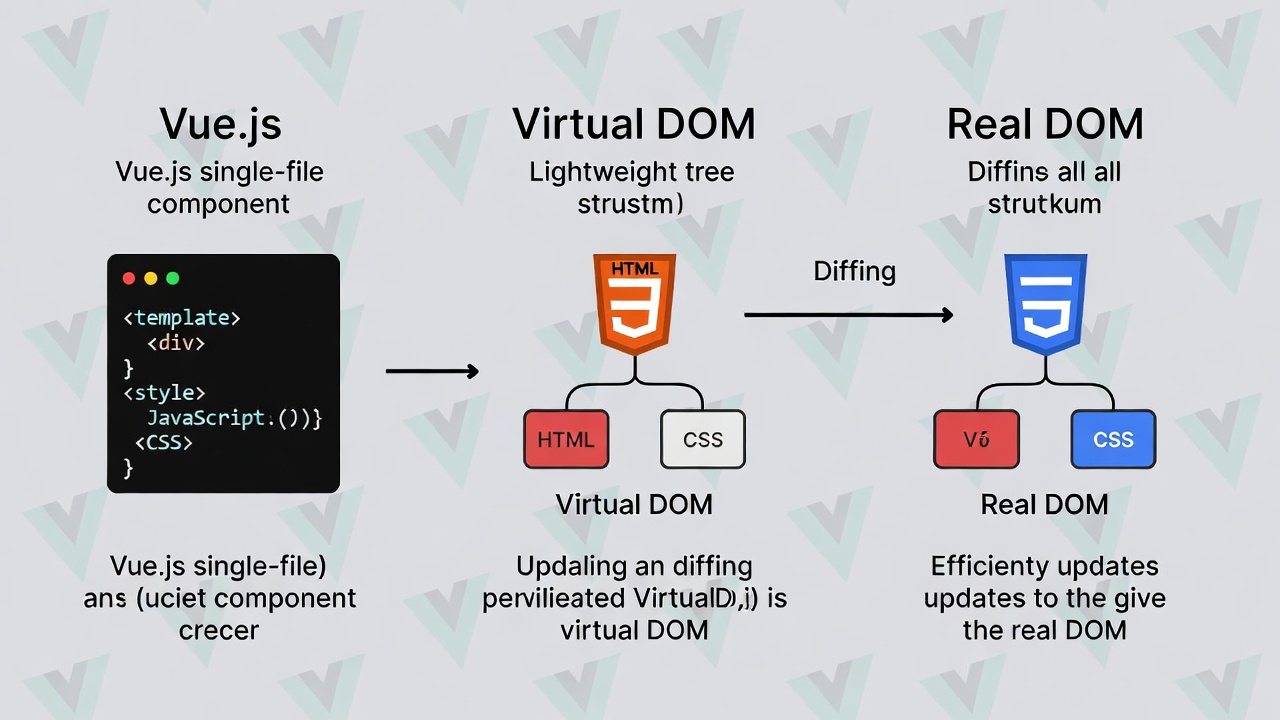
Think of Vuejs as the friendly neighbor of web frameworks. Created by Evan You back in 2014, Vue has grown into one of the most beloved frameworks in the developer community. It's what we call a progressive framework, which basically means you can use as much or as little of it as you need. Vue works like most traditional frameworks. When you write your code, Vue runs in the browser and uses something called a "virtual DOM" to keep track of changes and update your webpage efficiently. The virtual DOM is like a lightweight copy of your actual webpage that Vue uses to figure out what needs updating.
Vue's charm lies in its single-file components, where HTML, JS, and CSS live together harmoniously. Imagine crafting a button that counts clicks, here's how it looks:
1<template>2 <button @click="count++">Clicked {{ count }} times</button>3</template>45<script>6export default {7 data() {8 return { count: 0 };9 }10};11</script>1213<style>14button { background: lightblue; }15</style>
That @click directive handles events, and the curly braces make data reactive. Change count, and the text updates seamlessly. Underneath, Vue uses a virtual DOM, a JS representation of your page, to smartly update only changed parts, avoiding full repaints.
Vuejs Features That Stand Out
-
Reactivity Magic: Data changes trigger precise UI refreshes. Proxies in Vue 3 make this efficient for big objects, something I relied on for a dashboard app.
-
Component System: Reusable bits like Lego—build once, use everywhere. Great for modular designs.
-
Directives and More:
v-forloops through lists,v-ifhandles conditions right in markup. -
Supporting Cast: Vue Router for navigation, Pinia for state, Nuxt for server-side. The community's huge, with over 200k GitHub stars.
In my experience, Vue's docs are a lifesaver, clear examples got me productive fast. For a deeper feature tour, check the Vue guide1
Why Vue.js Feels Right for Many Projects
Ease is Vue's superpower. If you're coming from HTML/CSS, it feels natural, no JSX hurdles like in React. Bundles hover around 35-50KB gzipped, decent for quick loads. Its virtual DOM keeps things smooth in apps with lots of interactions, like forms or chats. I've used it for e-commerce prototypes where flexibility trumped raw speed.
Vuejs Shortcomings to Watch For
I've stumbled when bundles swell with extras, keep an eye on that. Reactivity debugging in deep nests can be tricky, eating hours. For super-intensive UIs, like games, the virtual DOM adds a smidge of lag. Community is solid but not infinite; rare plugins might require custom code.
Overall, Vue balances well, but if you're chasing peak efficiency, alternatives beckon. See this AltexSoft breakdown for more.
Svelte Explored: The Lean Compiler Disrupting Norms

Now Svelte is where things get interesting. Created by Rich Harris in 2016 while he was working at The New York Times, Svelte takes a completely different approach to building web applications.
Here's the key difference: Svelte is technically a compiler, not a runtime framework like Vue. What does that mean in practical terms? While Vue does most of its work in your browser while the app is running, Svelte does all the heavy lifting during the build process before your code ever reaches the browser.
Think of it this way: Vue is like a chef who prepares ingredients in the kitchen (your browser) while customers wait. Svelte is like a chef who prepares everything beforehand and just serves the finished meal. The result? Faster service and happier customers.
Svelte's syntax is refreshingly minimal. Same counter example:
1<script>2 let count = 0;3</script>45<button on:click={() => count++}>Clicked {count} times</button>67<style>8 button { background: lightgreen; }9</style>
No wrappers, just assign and watch updates happen. No virtual DOM here; the compiler inserts precise DOM tweaks.
Companies like The New York Times, Spotify, and even IKEA have used Svelte for various parts of their web presence, particularly for interactive features and marketing pages where speed matters.
Svelte's Core Strengths
-
Build-Time Wizardry: Compiles to vanilla JS, slashing runtime bloat.
-
Built-In Reactivity: Labels like
$:make computed values easy. -
Animations and Transitions: Native support for smooth effects.
-
SvelteKit Extras: For apps, it handles pages, APIs, deployments.
I've loved Svelte for prototypes where size matters. Tutorials at Svelte docs are straightforward. 2
What Makes Svelte a Performance Darling
From my tests, apps load like lightning, bundles often 15-25KB. Direct updates mean no diffing overhead, perfect for real-time stuff. Less code to write too; no boilerplate clutters things.
It's used by NYT for interactives and Spotify for efficiency. Community's growing fast, with adapters for any host.
Svelte's Potential Pitfalls
Ecosystem's younger, fewer libs mean more DIY. Builds take a sec longer due to compilation. For massive teams, Vue's maturity might edge it.
Svelte vs Vuejs Performance: How Do They Actually Compare?
Now we're getting to the good stuff. When developers talk about performance, they're usually referring to a few key metrics:
- How fast does the page load initially?
- How quickly does it respond when users interact with it?
- How much data needs to be downloaded?
- How efficiently does it use device memory and processing power?
Let's break down how Svelte and Vue stack up in each area.
Initial Load Speed: First Impressions Matter
Initial load speed depends largely on how much JavaScript the browser needs to download and execute before showing usable content.
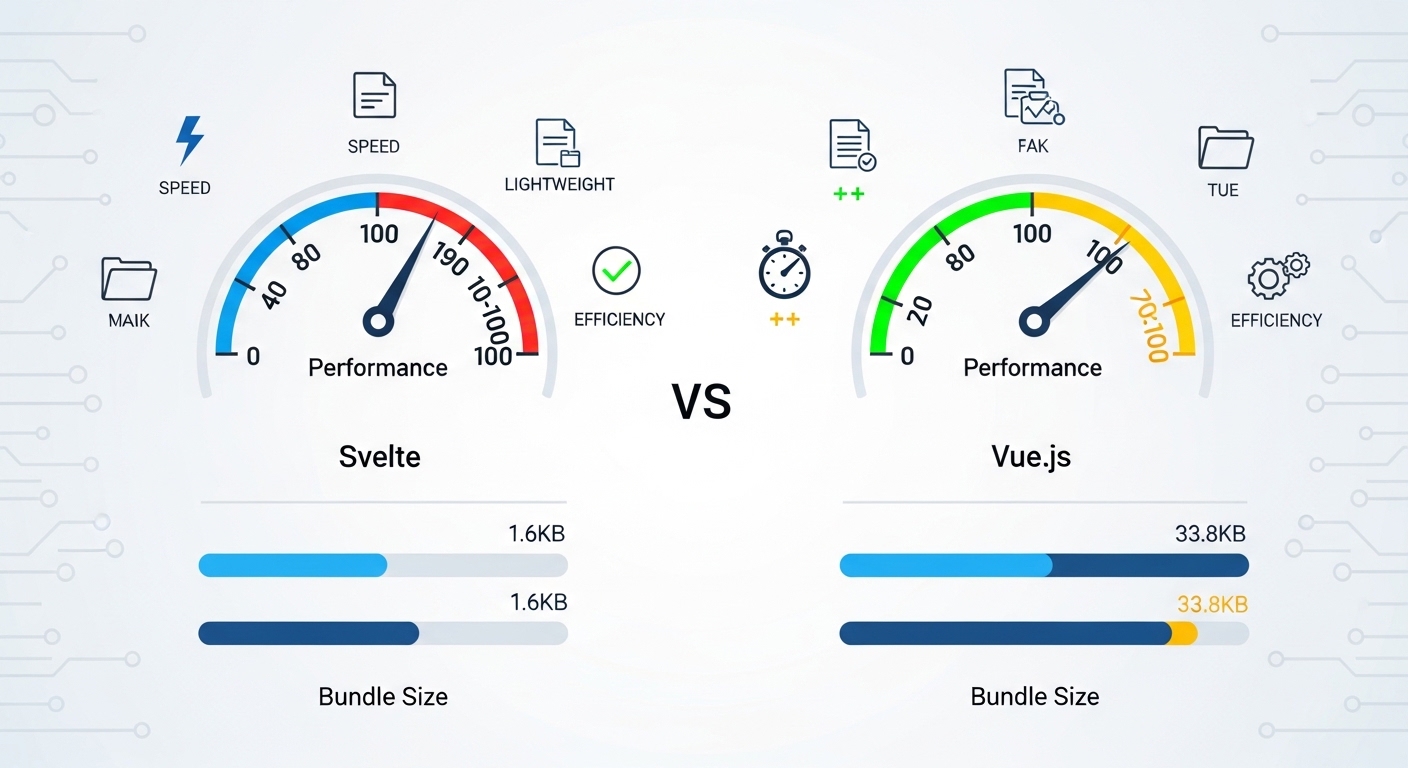
This is where Svelte has a clear advantage. Because it compiles components at build time, Svelte ships minimal JavaScript—often around 1–5 KB of framework overhead. Vue applications typically include 30–40 KB of runtime code for reactivity and virtual DOM handling.
In practice, this means Svelte apps often load 30–50% faster on slower networks or mobile devices. Vue is still fast by industry standards, but when milliseconds matter, Svelte’s smaller payload gives it an edge.

Runtime Performance: How Fast Does It Feel?
Once an application is loaded, performance depends on how efficiently the framework updates the DOM in response to user interactions and data changes.
Vue relies on a virtual DOM. When state changes, Vue updates a JavaScript representation of the UI, compares it to the previous version, and applies the minimal set of changes to the real DOM. This approach is well-optimized and performs reliably for most applications.
Svelte takes a different path. Because it compiles components ahead of time, the generated JavaScript updates the DOM directly. There is no virtual DOM and no diffing step, only the exact updates needed.
In benchmarks, this direct approach often results in faster updates, particularly in interfaces with frequent or complex state changes. Vue remains fast enough for the majority of applications, but Svelte tends to feel more responsive under heavier update loads.
Memory Usage: The Hidden Performance Factor
Memory usage becomes important in applications with many interactive elements or long-running sessions.
Because Svelte ships no framework runtime or virtual DOM, it generally consumes less memory during execution. Vue maintains additional structures for reactivity and diffing, which increases memory usage slightly.
For most applications, this difference is negligible. However, in scenarios like real-time dashboards or large data grids with thousands of updates, Svelte’s lower memory footprint can improve responsiveness, especially on low-end devices.
The Virtual DOM Debate: Why It Matters
Understanding the virtual DOM is key to understanding the performance differences between these frameworks.
Svelte's "No Virtual DOM" Approach
Rich Harris, Svelte's creator, wrote a famous article titled "Virtual DOM is pure overhead." His argument was simple: if you can know at compile time what can change in your application, why do you need to check at runtime?
Svelte's compiler analyzes your code and generates the most efficient possible JavaScript for updating your UI. Instead of comparing virtual DOM trees, Svelte-compiled code directly calls the DOM APIs needed to make specific updates.
The result is code that's not just faster, but also smaller. You're not shipping the entire virtual DOM diffing engine to users' browsers.
Does This Mean Virtual DOM Is Bad?
Not at all. The virtual DOM is a proven, reliable approach that has powered millions of successful applications. Vue's implementation is highly optimized and provides excellent performance for the vast majority of use cases.
The truth is, for most web applications (probably 99% of them), you won't notice a meaningful performance difference between Svelte's direct DOM manipulation and Vue's virtual DOM approach. Both are fast enough to provide excellent user experiences.
The performance difference becomes most noticeable in specific scenarios:
- Applications with thousands of frequently updating elements
- Real-time data visualization
- Interactive dashboards with complex state
- Mobile applications where every kilobyte and millisecond matters
Bundle Size: Why It's More Important Than You Think
Bundle size impacts more than just download time, it affects parsing, execution, and update speed.
Svelte’s compiled output contains only the logic your app needs, which reduces parsing and execution overhead in the browser. Vue includes a fixed runtime cost to manage reactivity and the virtual DOM, which increases initial processing time.
On modern desktops, this difference is rarely noticeable. On budget smartphones or slower CPUs, however, smaller bundles translate directly into smoother interactions and faster time-to-interactive.
| Performance Metric | Svelte | Vuejs |
|---|---|---|
| Framework Type | Compiler (no runtime). | Runtime framework |
| Virtual DOM | No virtual DOM | Uses virtual DOM. |
| Average Bundle Size | ~1–5 KB (framework overhead) | ~30–40 KB gzipped |
| Initial Load Speed | Extremely fast. | Fast |
| Runtime Update Speed | Very fast (direct DOM updates). | Fast (virtual DOM diffing) |
| Memory Usage | Lower. | Moderate |
| Parsing & Execution Cost | Minimal | Higher due to runtime logic. |
| Performance on Low-End Devices | Excellent | Good |
| Best Use Cases | Performance-critical apps, PWAs, dashboards, animations | Large apps, enterprise UIs, complex workflows |
| Ecosystem & Tooling | Growing | Mature and extensive |
Real-World Performance: Beyond the Benchmarks
Benchmarks are useful, but how do these frameworks perform in actual production applications?
Svelte in the Real World
The New York Times has used Svelte for interactive graphics and data visualizations. These are perfect use cases for Svelte because they need to load fast, run smoothly, and often involve complex animations and real-time data updates.
Spotify uses Svelte for their "Wrapped" year-in-review feature and various marketing pages. When you have millions of users accessing a feature simultaneously, performance becomes critical.
IKEA rebuilt their global site templates using SvelteKit (Svelte's full-stack framework). For a company serving millions of international customers, page load speed directly impacts sales.
What do these examples have in common? They're all scenarios where performance is a top priority and the applications need to feel incredibly snappy.
Vue in the Real World
Alibaba, one of the world's largest e-commerce platforms, uses Vue extensively. E-commerce requires complex, interactive interfaces with shopping carts, real-time inventory updates, and smooth navigation. Vue handles this complexity elegantly.
GitLab uses Vue for their project management and collaboration tools. These are large, feature-rich applications with complex state management, and Vue's ecosystem provides the tools needed to manage that complexity.
Nintendo's customer support site uses Vue. When you're a global brand, you need something reliable and mature. The pattern here? Vue excels in large-scale applications where a rich ecosystem, extensive tooling, and a large developer community are just as important as raw performance.
When Does Each Framework Perform Best?
Let's get practical. When should you choose Svelte for performance, and when does Vue make more sense?
Choose Svelte When: Performance is your top priority. If you're building something where every millisecond matters, Svelte is hard to beat. This includes:
- Marketing landing pages (where conversion rates depend on load speed)
- Mobile applications
- Interactive data visualizations
- Real-time dashboards
- Progressive web apps
- Games and animations
You're building for low-end devices. If your audience includes users on budget smartphones or older computers, Svelte's minimal overhead makes a real difference.
Bundle size is critical. If you're optimizing for mobile users or slow connections, Svelte's tiny bundles are a major advantage.
You're building a greenfield project. Starting from scratch with Svelte gives you maximum performance benefits without the complexity of migrating existing code.
Your team values simplicity. Svelte's cleaner syntax can lead to faster development and fewer bugs, which indirectly improves performance by reducing the amount of code you ship.
Choose Vue When:
You need a mature ecosystem. Vue has years of development behind it, with countless plugins, tools, and resources. If you need a specific feature or integration, Vue probably has a ready-made solution.
You're building a large, complex application. Vue's structure and tooling (Vue Router, Vuex/Pinia for state management, Vue DevTools) make managing complexity easier. For enterprise applications, this matters more than raw speed.
Team experience matters. If your team already knows Vue, or if hiring Vue developers is easier in your area, the productivity gains outweigh potential performance differences.
You're integrating with existing projects. Vue was designed to be progressively integrated into existing applications. You can add Vue to just one part of a legacy site without rewriting everything.
You need server-side rendering. While both frameworks support SSR, Vue's ecosystem (particularly Nuxt.js) is more mature and battle-tested for server-rendered applications.
Performance is important but not critical. For most business applications, Vue's performance is more than sufficient. You get great performance plus a richer ecosystem and better tooling.
Svelte vs Vue: How to Measure Performance Yourself
Don't just take my word for it. Here's how you can test performance yourself:
Using Browser DevTools
Every modern browser includes performance profiling tools. In Chrome or Edge:
- Open DevTools (F12)
- Go to the Performance tab
- Click Record
- Interact with your application
- Stop recording and analyze the results
You'll see exactly how much time is spent on scripting, rendering, and painting. Compare a Svelte and Vue version of the same feature to see the real-world differences.
Lighthouse Scores
Google's Lighthouse tool measures several performance metrics:
- First Contentful Paint (how quickly content appears)
- Time to Interactive (how quickly the page becomes usable)
- Total Blocking Time (how long the page is unresponsive)
- Cumulative Layout Shift (how much the page jumps around)
Run Lighthouse on both Svelte and Vue applications to see how they compare on real-world metrics that affect user experience.
Bundle Size Analysis
Use tools like Webpack Bundle Analyzer or Rollup Visualizer to see exactly what's in your JavaScript bundles. You'll see the framework overhead, your application code, and any third-party libraries. This visual representation makes it clear how much of your bundle is framework code versus your actual application.
Real User Monitoring
The best performance data comes from real users. Tools like Google Analytics, Vercel Analytics, or custom solutions can track actual load times and interaction speeds from your users' devices. This real-world data is more valuable than any benchmark because it reflects your actual users' experiences.
Svelte vs Vue: Optimization Strategies for Both Frameworks
Regardless of which framework you choose, here are universal strategies to maximize performance:
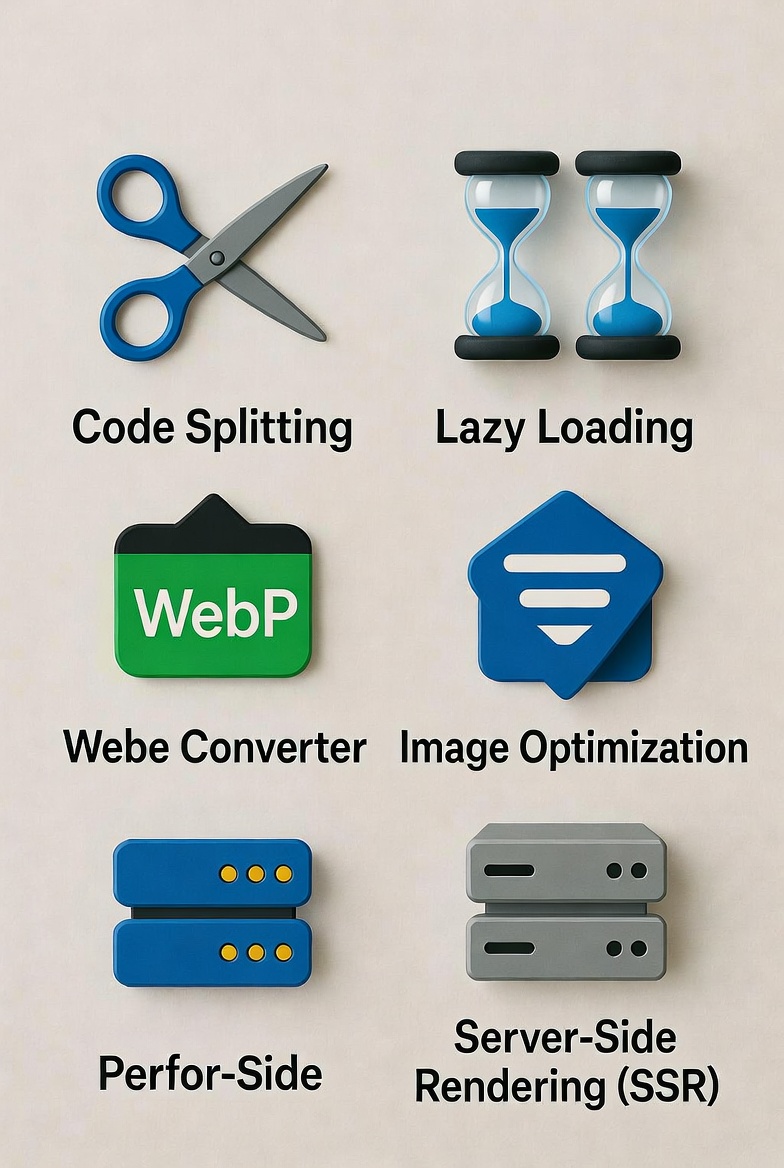
Code Splitting
Don't make users download code for features they haven't accessed yet. Both Svelte and Vue support dynamic imports and route-based code splitting. Load only what's needed for the current page, and lazy-load everything else.
Component Lazy Loading
Similar to code splitting, only load components when they're actually needed. If a component isn't visible on initial page load, load it later when the user scrolls to it or interacts with a feature that needs it.
Image Optimization
Images are often the biggest performance bottleneck, not JavaScript. Use modern formats (WebP, AVIF), responsive images, lazy loading, and CDNs to optimize image delivery.
Minimize Third-Party Code
Every library you add increases bundle size. Be selective about dependencies. Do you really need that 100kb date library when you only format dates in one place?
Use Production Builds
Always deploy production builds, not development builds. Production builds remove debugging code, minify everything, and apply optimizations that development builds skip.
Server-Side Rendering
For applications where initial load performance matters (like e-commerce or content sites), server-side rendering can dramatically improve perceived performance by showing content before JavaScript loads. Both Svelte (via SvelteKit) and Vue (via Nuxt) have excellent SSR solutions.
Svelte vs Vue: The Future of Framework Performance
Where are Svelte and Vue headed in terms of performance?
Svelte 5 and Runes
Svelte 5 introduced "runes," a new reactivity system that makes Svelte even more efficient. The framework continues to push the boundaries of compile-time optimization while maintaining its simple developer experience. The Svelte team is also working on better server-side rendering capabilities with SvelteKit, bringing Svelte's performance benefits to the backend.
Vue 3 and Beyond
Vue 3 brought significant performance improvements over Vue 2, including a rewritten reactivity system using Proxy objects, better tree-shaking for smaller bundles, and improved TypeScript support. The Vue team continues to optimize the framework while maintaining backwards compatibility and expanding the ecosystem. Vue's approach is evolutionary rather than revolutionary, steadily improving performance while keeping the developer experience smooth.
Making Your Decision: A Framework for Choosing
Here's a simple framework (pun intended) for making your choice:
Start with Your Requirements
- What are you building? A marketing site? A complex enterprise app? A real-time dashboard?
- Who are your users? Corporate desktop users or mobile consumers in emerging markets?
- What's your timeline? Need to ship fast or build for long-term maintainability?
- What's your team's experience? Starting fresh or working with existing knowledge?
Consider Your Constraints
- Performance requirements: Do you need absolute maximum speed or is "fast enough" sufficient?
- Team size: Solo developer or large team?
- Maintenance burden: Building once or maintaining for years?
- Ecosystem needs: Do you need specific tools or integrations?
Conclusion
For maximum raw performance, especially on mobile or slow connections, Svelte has a clear edge. For building large, complex applications where ecosystem and team productivity matter as much as performance, Vue is the safer choice.
The good news? You're choosing between two great options. Svelte won't magically make your application perfect, and Vue won't make it slow. Your code quality, architecture decisions, and optimization efforts matter far more than which framework you choose.
Pick the one that matches your project needs and team capabilities, then focus on building something great.
Windframe is an AI visual editor for rapidly building stunning web UIs & websites
Start building stunning web UIs & websites!
