Supabase vs Firebase for Nextjs: Ultimate Comparison Guide 2026
By Emmanuel Chinonso - Frontend Engineer and Technical Writer at Windframe
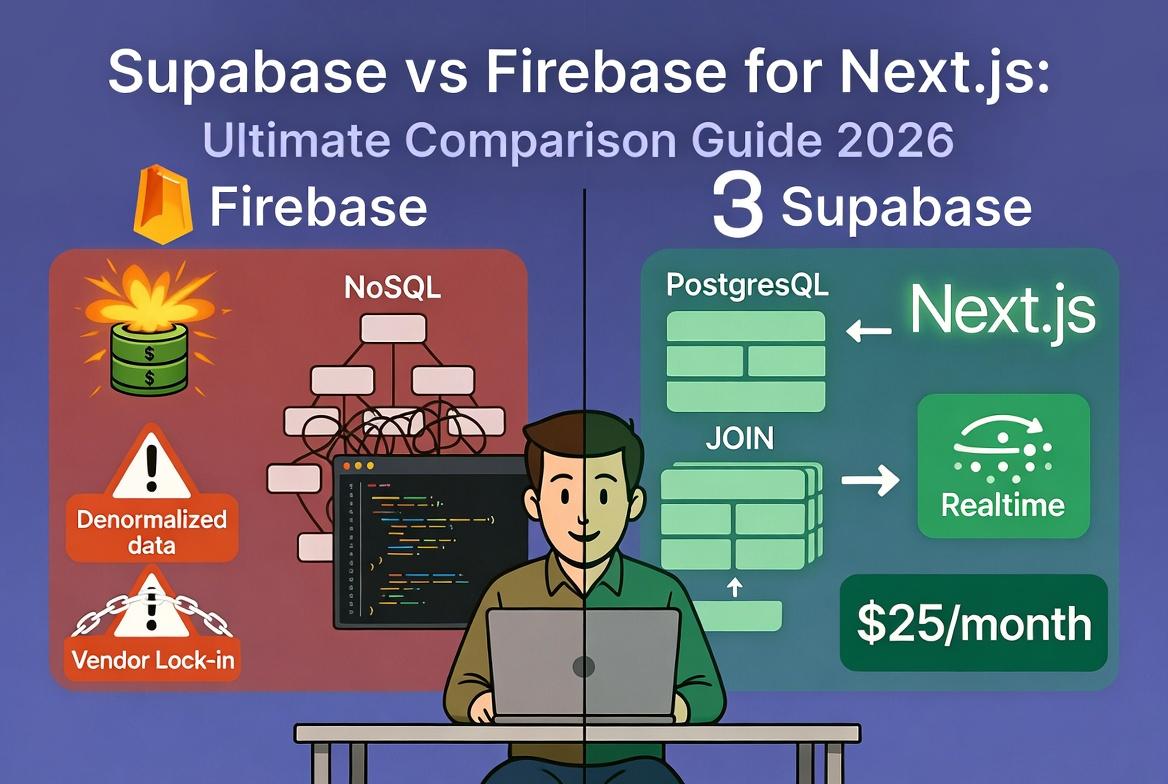
Having shipped three production Next.js apps in the past year, one that stayed on Firebase and two that I moved to Supabase, I kept watching the same frustrations pile up: Firebase bills that jumped without warning on a busy weekend, NoSQL queries that forced me to denormalize data until joins felt impossible, and the nagging worry about getting locked into Google’s ecosystem forever. The Supabase projects? They stayed predictable at $25 a month, let me write real SQL without fighting the structure, and integrated so cleanly with Next.js App Router that I finished features in half the time. If you’re a Next.js developer staring at your backend choices right now, wondering why one side feels effortless while the other starts costing real money and sleep, this breakdown comes straight from those late-night debugging sessions and production deploys.
I’m not here to push one over the other blindly. Both are solid, but in 2026, with Next.js 15 pushing server components and streaming harder than ever, the differences hit your daily workflow, your wallet, and your future flexibility in ways that matter. We’ll walk through exactly how each one works with Next.js, the code you’ll actually write, fresh pricing numbers, performance realities, and the exact scenarios where one pulls ahead. If you’re new to backends, think of these as ready-made toolkits that handle auth, data, files, and live updates so you can focus on your UI and business logic instead of servers.
Start with the basics if you’re still figuring out what a backend-as-a-service even means. These platforms give you a database, user login, file storage, and serverless code without spinning up your own infrastructure. Firebase has been Google’s flagship since 2011 (acquired and expanded massively). Supabase launched in 2020 as the open-source answer, built straight on PostgreSQL. Both plug into Nextjs beautifully, but they solve different problems once your app grows past a weekend prototype.
Understanding What These Platforms Actually Do
Before diving into comparisons, let's clarify what Backend-as-a-Service (BaaS) means for Next.js development.
The Backend Problems BaaS Solves
Every Next.js application needs backend infrastructure:
Database Storing user data, application state, content, everything that persists between sessions.
Authentication Sign-up, login, social auth, password reset, session management.
File Storage User uploads, images, documents, media files.
Real-Time Features
Live updates, collaborative editing, chat, notifications.
Serverless Functions Backend logic, API integrations, scheduled jobs.
You could build all this yourself, provision servers, set up PostgreSQL or MongoDB, implement JWT authentication, configure S3 buckets, write WebSocket servers. Or you could use a BaaS platform that provides all these as managed services you access through SDKs.
What Firebase Actually Gives You (and Where It Still Shines)
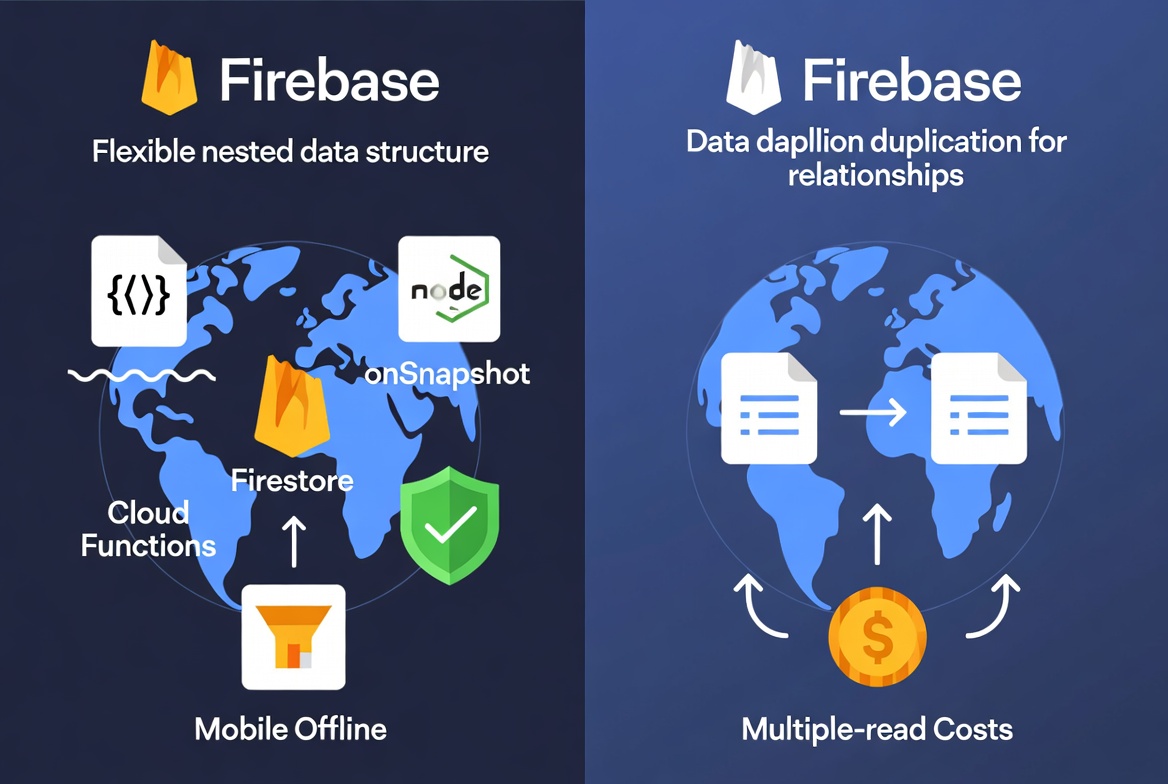
Firebase is Google’s all-in-one managed backend. At its core sits Firestore, a NoSQL document database that stores everything as collections and documents, think flexible JSON objects you can nest as deep as you want. No rigid tables or schemas upfront, which makes throwing together a quick MVP feel magical.
You also get built-in authentication (email, Google, Apple, phone, and more), Cloud Storage for files, Cloud Functions for running Node.js code on demand, and rock-solid realtime listeners that push changes instantly to every connected client. For analytics and crash reporting, it ties straight into Google’s tools.
In a Nextjs project, setup is straightforward but manual. You grab your config from the Firebase console, install the SDK, and create a helper file. Here’s how it looks in practice for 2026:
1// lib/firebase.ts2import { initializeApp } from 'firebase/app';3import { getFirestore } from 'firebase/firestore';4import { getAuth } from 'firebase/auth';56const firebaseConfig = {7 apiKey: process.env.NEXT_PUBLIC_FIREBASE_API_KEY,8 authDomain: process.env.NEXT_PUBLIC_FIREBASE_AUTH_DOMAIN,9 projectId: process.env.NEXT_PUBLIC_FIREBASE_PROJECT_ID,10 // ... rest of your keys11};1213const app = initializeApp(firebaseConfig);14export const db = getFirestore(app);15export const auth = getAuth(app);
From there you can query in a Server Component or use realtime listeners in client components. Firestore’s offline persistence shines if you ever add a PWA or mobile hybrid layer. The realtime onSnapshot listener feels instant for chats or live dashboards.
Firebase still wins big for apps that need deep Google Cloud ties or heavy mobile components. But the NoSQL model starts hurting once you need relationships, think orders linked to users and products. You end up duplicating data everywhere, and complex queries force multiple reads that rack up costs fast. Official Firebase + Next.js hosting guide is here.
Supabase: The Open-Source PostgreSQL Alternative
Supabase launched in 2020 as an open-source alternative to Firebase, built around PostgreSQL, a rock-solid relational database. It's BaaS too, but with a twist: you get auth, storage, real-time subscriptions, and edge functions, all on top of SQL for structured data.
Why PostgreSQL? It means you can write complex queries with joins and transactions, unlike NoSQL's flatter structure. Auth supports the usual suspects like email and OAuth, plus row-level security (RLS) for fine-grained access. Storage is for files, with built-in resizing for images. Realtime lets you subscribe to database changes, and edge functions run Deno code close to users for low latency.
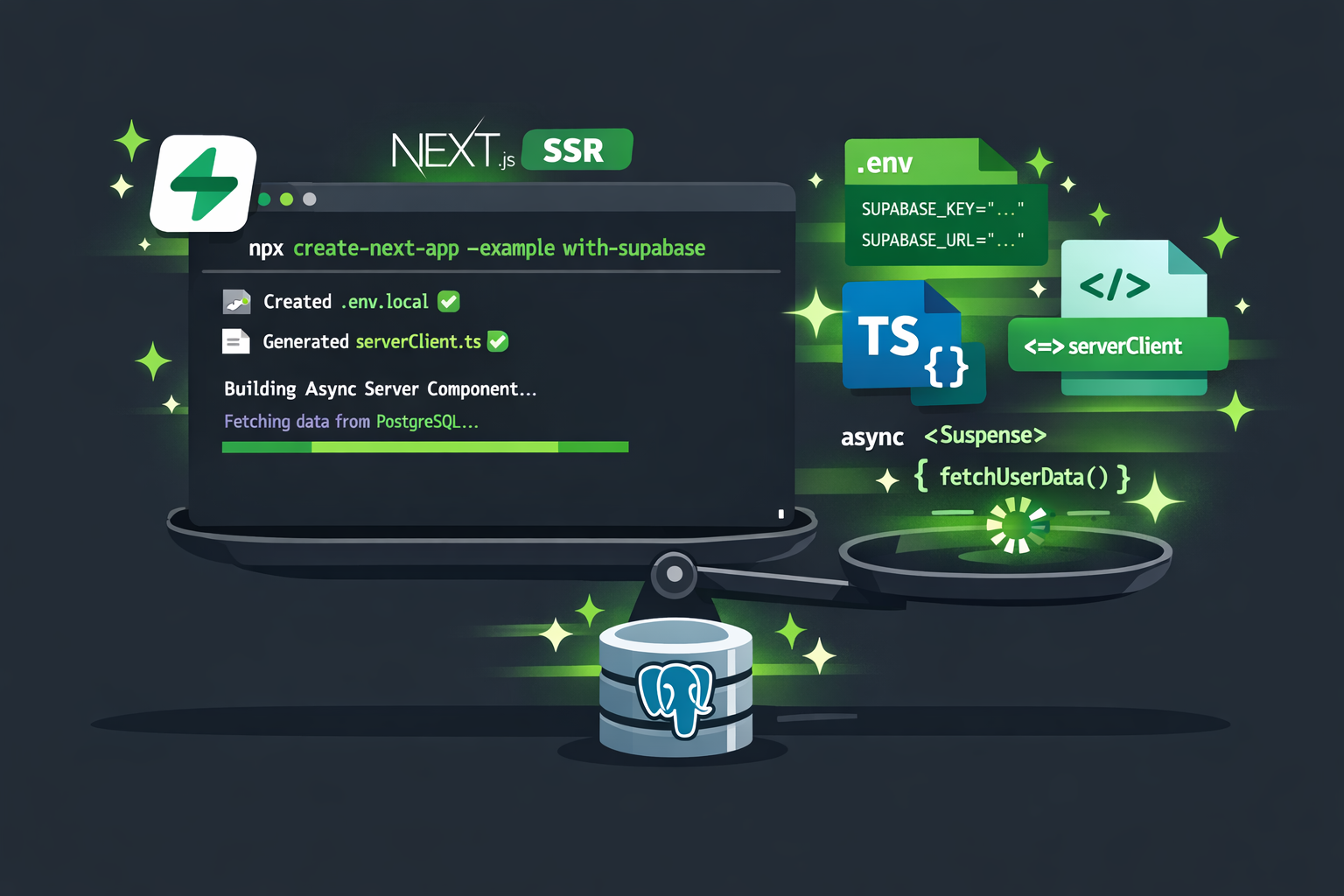
For Nextjs devs, Supabase is a natural fit because of its TypeScript-friendly SDK and seamless integration with Vercel (Next.js's home turf). Run this and you’re off:
1npx create-next-app@latest my-app --example with-supabase
It pre-wires everything for the App Router. Your environment variables go in .env.local (URL and anon key from the dashboard). Then create a server client helper:
1// lib/supabase/server.ts (from the template)2import { createClient } from '@supabase/ssr';34export async function createClient() {5 return createClient(6 process.env.NEXT_PUBLIC_SUPABASE_URL!,7 process.env.NEXT_PUBLIC_SUPABASE_ANON_KEY!8 );9}
In a Server Component you fetch like this:
1// app/instruments/page.tsx2import { createClient } from '@/lib/supabase/server';3import { Suspense } from 'react';45async function InstrumentsData() {6 const supabase = await createClient();7 const { data } = await supabase.from('instruments').select('*');8 return <pre>{JSON.stringify(data, null, 2)}</pre>;9}1011export default function Instruments() {12 return (13 <Suspense fallback={<div>Loading...</div>}>14 <InstrumentsData />15 </Suspense>16 );17}
That’s it, full SSR with zero extra wrappers. Realtime subscriptions work with supabase.channel() and RLS enforces security automatically. Supabase’s CLI even lets you run the entire stack locally, including Postgres and edge functions. Official quickstart.
How They Play With Nextjs in Practice
Let's build the same feature with both platforms to see integration differences. Feature: User Dashboard with Posts Firebase Implementation:
1// app/dashboard/page.jsx2'use client';34import { useEffect, useState } from 'react';5import { useAuth } from '@/hooks/useAuth';6import { collection, query, where, orderBy, getDocs } from 'firebase/firestore';7import { db } from '@/lib/firebase';89export default function Dashboard() {10 const { user } = useAuth();11 const [posts, setPosts] = useState([]);12 const [loading, setLoading] = useState(true);1314 useEffect(() => {15 if (!user) return;1617 const fetchPosts = async () => {18 const q = query(19 collection(db, 'posts'),20 where('authorId', '==', user.uid),21 orderBy('createdAt', 'desc')22 );2324 const snapshot = await getDocs(q);25 const postsData = snapshot.docs.map(doc => ({26 id: doc.id,27 ...doc.data()28 }));2930 setPosts(postsData);31 setLoading(false);32 };3334 fetchPosts();35 }, [user]);3637 if (loading) return <div>Loading...</div>;3839 return (40 <div>41 <h1>Your Posts</h1>42 {posts.map(post => (43 <div key={post.id}>44 <h2>{post.title}</h2>45 <p>{post.content}</p>46 </div>47 ))}48 </div>49 );50}
Supabase Implementation:
1// app/dashboard/page.jsx2'use client';34import { useEffect, useState } from 'react';5import { supabase } from '@/lib/supabase';67export default function Dashboard() {8 const [posts, setPosts] = useState([]);9 const [loading, setLoading] = useState(true);1011 useEffect(() => {12 const fetchPosts = async () => {13 const { data: { user } } = await supabase.auth.getUser();1415 if (!user) return;1617 const { data: posts } = await supabase18 .from('posts')19 .select('*')20 .eq('author_id', user.id)21 .order('created_at', { ascending: false });2223 setPosts(posts);24 setLoading(false);25 };2627 fetchPosts();28 }, []);2930 if (loading) return <div>Loading...</div>;3132 return (33 <div>34 <h1>Your Posts</h1>35 {posts.map(post => (36 <div key={post.id}>37 <h2>{post.title}</h2>38 <p>{post.content}</p>39 </div>40 ))}41 </div>42 );43}
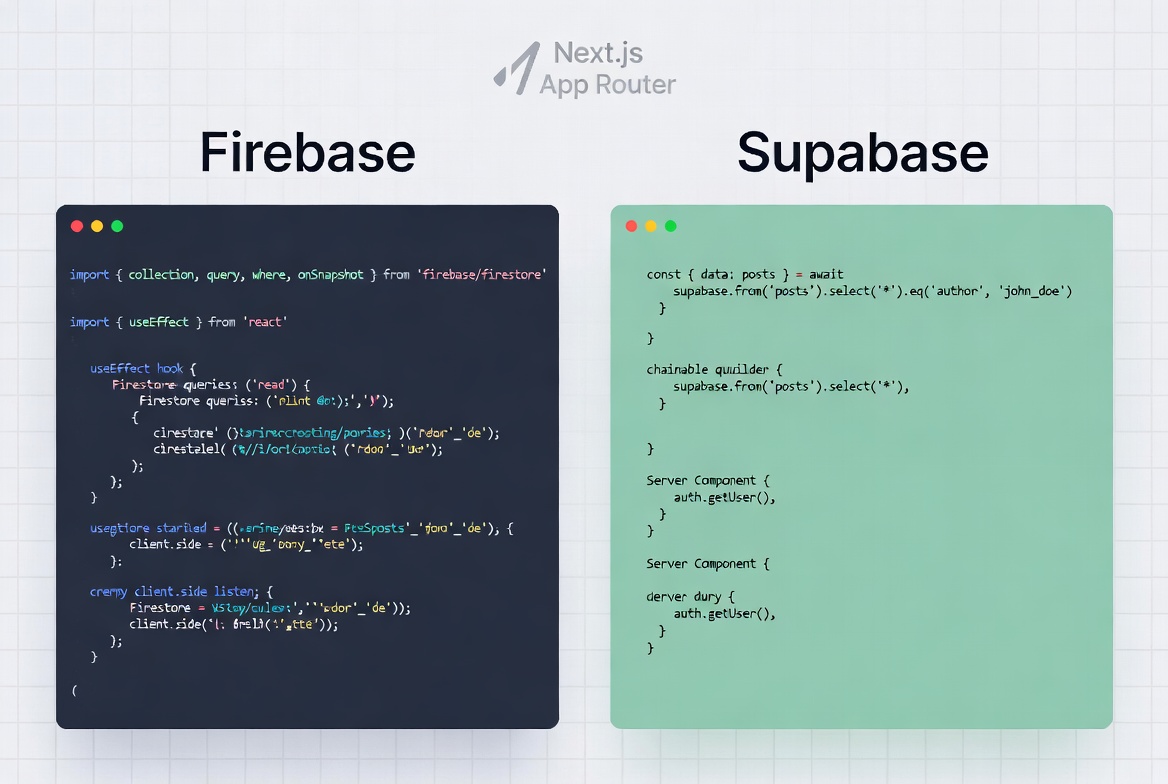
The code is similar in length. Supabase feels slightly cleaner with its chainable query builder. Firebase requires more imports and nested functions.
Both work with the App Router, but the developer experience diverges quickly. Firebase’s SDK needs careful handling of client vs server (you often end up with separate client-side listeners). Supabase’s ssr package and server client feel native, data fetching happens in async components with Suspense streaming built-in.
Auth middleware is cleaner on Supabase: you can protect routes with a simple middleware.ts that checks the session. Firebase requires more custom token work or third-party helpers. Storage uploads feel similar, but Supabase adds built-in resizing without extra functions.For a dashboard with live updates, Firebase’s onSnapshot is still buttery if your data is flat. Supabase’s subscriptions shine when you need to filter with joins or RLS policies.
Head-to-Head: The Features That Matter Most
Here’s the 2026 reality in a clear table pulled from real projects and comparisons:
| Feature | Firebase | Superbase | |
|---|---|---|---|
| Database | NoSQL (Firestore) – flexible docs | SQL (PostgreSQL) – joins, relations | |
| Auth | Strong rules, great mobile offline | RLS policies tied to DB, SAML on Team | |
| Realtime | onSnapshot listeners + offline cache | Postgres replication + presence | |
| Storage | Cloud Storage, basic rules | S3-compatible + built-in transforms | |
| Install Speed (Warm) | ~1.3s | ~5.1s | ~755ms (fastest) |
| Functions | Node.js Cloud Functions | Deno Edge Functions (global, fast) | |
| TypeScript | Manual typing | Auto-generated types from schema | |
| Next.js DX | Good but manual for App Router | Native template, server components |
Database is the real decider. If your data has relationships (users → orders → products), Supabase’s joins save you from duplicating everything and writing multiple queries. Firebase forces denormalization and index management that gets painful fast.
Pricing That Actually Bites in Production
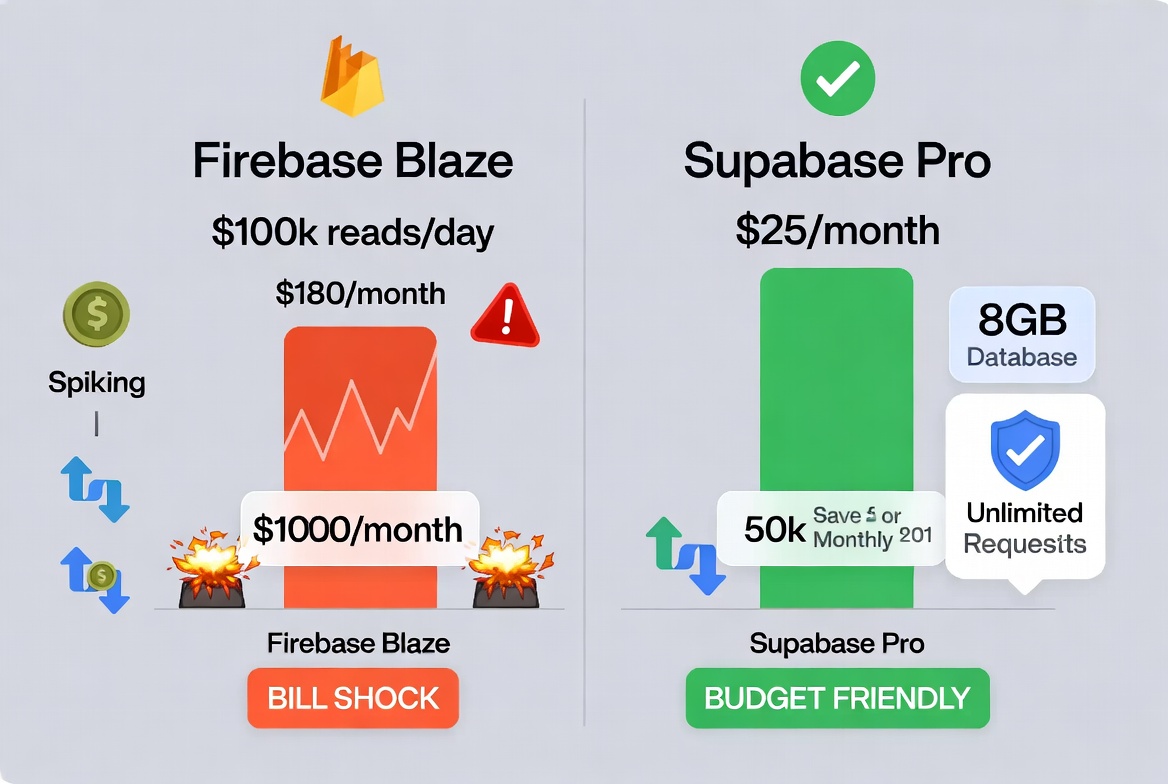
This is where I felt the pain personally. Firebase’s Spark free tier is generous for tiny apps, but once you hit Blaze (pay-as-you-go), every document read, write, delete, and realtime update costs money. A moderately busy SaaS with 100k reads a day can easily push $150–$1000/month depending on patterns. Storage and bandwidth add up too.
Supabase keeps it simple and predictable. Free tier gives 500MB database and 1GB storage. Pro plan is a flat $25/month with 8GB DB, 100GB storage, 100k MAUs, and unlimited API requests in the base tier. Overages are cheap and capped if you want. For the same traffic that cost me hundreds on Firebase, Supabase stayed under $50 total.
Real example from my last migration: 50k MAU, moderate queries, 5GB storage. Firebase Blaze hovered around $180/month. Supabase Pro locked at $25 + minor compute add-on. That difference paid for a week of dev time alone.
Performance and Real-World Benchmarks
Numbers from 2026 comparisons show Supabase pulling ahead on complex queries thanks to Postgres indexes and single-statement joins. A query that needs three collections in Firebase (multiple reads, higher cost) often runs 3–4x faster and cheaper in Supabase.Firebase still wins raw realtime latency and offline sync, perfect if your Next.js app has a mobile companion. For pure web dashboards or SaaS, Supabase’s edge functions deliver lower global latency than regional Cloud Functions.In my own tests on a Next.js e-commerce prototype, page load times with relational data dropped noticeably after switching. CI builds and local dev felt snappier too because Supabase’s CLI mirrors production exactly.
Pros and Cons
Firebase Pros
- Lightning realtime and offline support
- Mature Google ecosystem (Analytics, Crashlytics)
- Zero-config scaling for simple apps
- Huge community and tutorials
Firebase Cons
- Costs spike unpredictably
- NoSQL forces data duplication
- Vendor lock-in feels real
- Complex queries become expensive
Supabase Pros
- Predictable flat pricing
- Full SQL power with joins and transactions
- Open source + self-host option
- Auto TypeScript types and Next.js template
- Built-in image transforms and RLS
Supabase Cons
- Realtime and offline not quite as polished for mobile
- Younger ecosystem than Google’s
- You need basic SQL knowledge (worth learning)
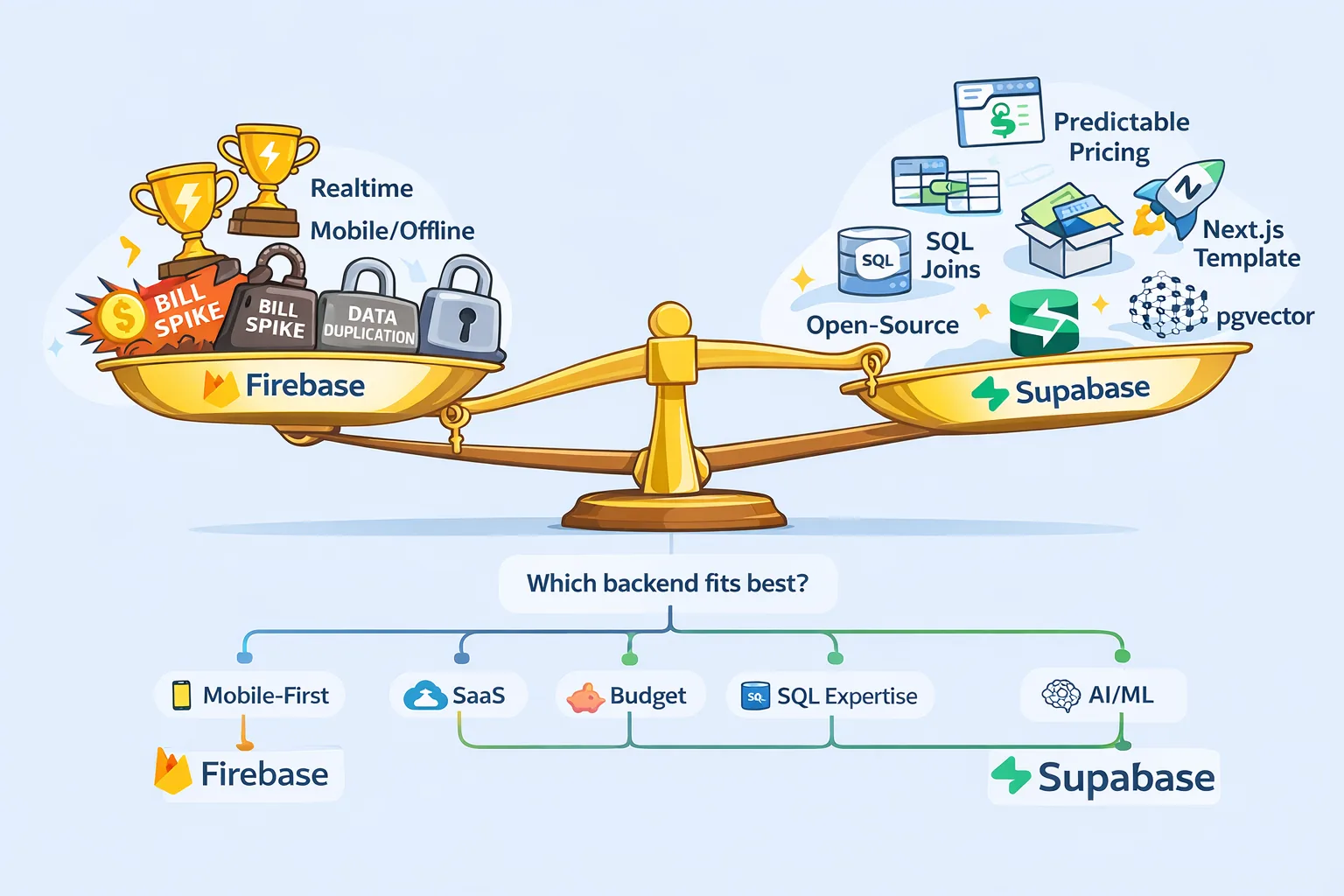
For most Next.js web apps in 2026, Supabase wins on long-term sanity. Firebase still rules if your project is mobile-heavy or you live inside Google Cloud.
When to Pick Which One (Your Decision Checklist)
Stick with Firebase if:
-
Mobile-First Applications If your Next.js app is companion to native iOS/Android apps, Firebase's mobile SDKs are unmatched.
-
Rapid Prototyping Need an MVP in 48 hours? Firebase's flexibility and abstraction speed development.
-
Google Ecosystem Already using Google Analytics, Cloud Run, or BigQuery? Firebase's integration saves time.
-
Simple Data Models If your app is fundamentally key-value storage without complex relationships, NoSQL fits naturally.
Switch to Supabase if:
-
SaaS Applications Complex user data, subscriptions, multi-tenancy—Supabase's SQL handles these elegantly.
-
Budget-Conscious Scaling Predictable pricing prevents bill shock as you grow.
-
SQL Expertise If your team knows PostgreSQL, Supabase feels natural and powerful.
-
Open Source Preference Self-hosting option, no vendor lock-in, standard PostgreSQL export.
-
AI/ML Integration Supabase's pgvector extension for vector embeddings simplifies AI features without external services.
Migration Considerations
Moving from Firebase to Supabase
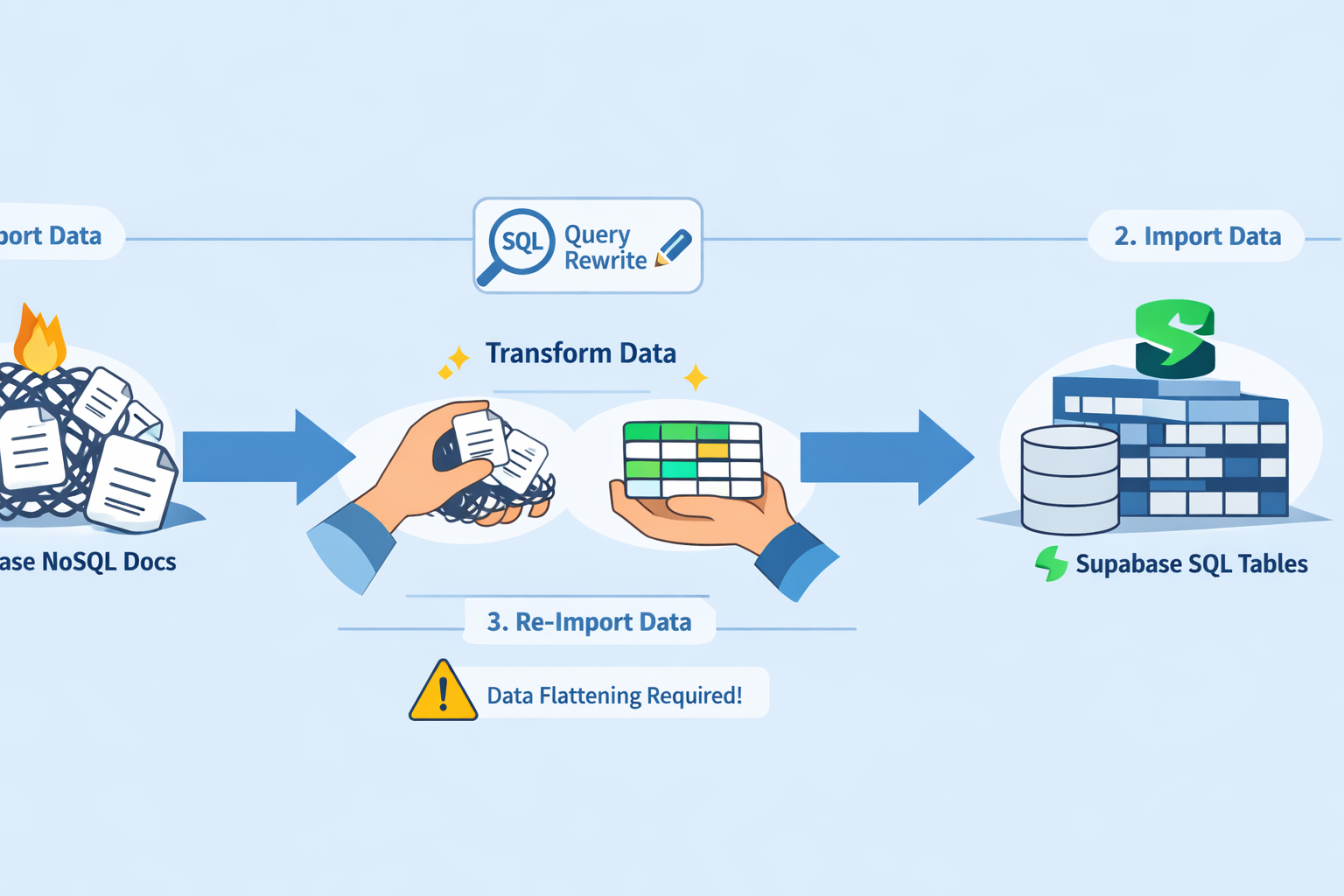
1// 1. Export Firebase data2const snapshot = await getDocs(collection(db, 'posts'));3const posts = snapshot.docs.map(doc => ({4 id: doc.id,5 ...doc.data()6}));78// 2. Transform and import to Supabase9const { data, error } = await supabase10 .from('posts')11 .insert(posts);
Data migration is straightforward. The challenge is rewriting queries from NoSQL to SQL, requires thoughtful schema design.
Moving from Supabase to Firebase
1// 1. Export from PostgreSQL2const { data: posts } = await supabase3 .from('posts')4 .select('*');56// 2. Import to Firebase7const batch = writeBatch(db);8posts.forEach(post => {9 const ref = doc(collection(db, 'posts'));10 batch.set(ref, post);11});12await batch.commit();
Going the other direction means flattening relational data into documents, potentially duplicating data.
Where Things Are Heading in 2026 and Beyond
Supabase keeps adding pgvector for AI embeddings, making it a no-brainer for Next.js apps with search or recommendations. Firebase added more SQL options via Data Connect, but the core remains NoSQL. Edge computing and global low-latency functions favor Supabase’s Deno runtime. Open-source momentum means Supabase’s community is catching up fast on plugins and starters. Both will keep improving realtime and auth, but the fundamental split stays: Firebase for flexible, mobile-first magic; Supabase for structured, cost-predictable web power.
Stop Guessing and Start Shipping Faster
After watching Firebase bills and query complexity slow me down on real client work, switching the last two projects to Supabase felt like removing a weight I didn’t know I was carrying. My deploys got faster, costs stayed flat, and I could finally write the relational queries I actually needed without workarounds.
For most Next.js developers in 2026 building web-first apps, Supabase is the choice that keeps giving. Firebase still has its place, especially if mobile or Google integrations are non-negotiable. The free tiers on both make testing dead simple: spin up a project this afternoon and feel the difference yourself.
Windframe is an AI visual editor for rapidly building stunning web UIs & websites
Start building stunning web UIs & websites!
