Real-Time Web Apps in 2026: Everything You Need to Know About Building Instant, Interactive Experiences
By Emmanuel Chinonso - Frontend Engineer and Technical Writer at Windframe

You hit refresh on a sports website to see the latest score. The player you're watching in an online game lags behind everyone else because updates arrive late. Your team's shared document shows changes only when someone manually reloads the page.
These frustrations all stem from the same problem: the web wasn't originally built for real-time communication. HTTP, the protocol that powers most of the internet, works like passing notes in class. You write a message, hand it over, wait for a response, then start all over again for the next message. This back-and-forth works fine for loading web pages, but it breaks down completely when you need instant updates.
Real-time web applications flip this model on its head. Instead of constantly asking "anything new?" they create open channels where updates flow instantly as they happen. No refreshing. No delays. Just immediate, seamless communication that feels as natural as a face-to-face conversation.
This shift has transformed how we build web applications. Chat platforms deliver messages in milliseconds. Collaborative tools let dozens of people edit the same document simultaneously without conflicts. Trading platforms update stock prices hundreds of times per second. Online games synchronize player movements across continents with barely noticeable lag.
This guide breaks down everything you need to understand about real-time web applications, what they are, how they work, when you need them, and how to build them yourself. You'll learn the difference between WebSockets and Server-Sent Events, understand why polling is usually a bad idea, and walk away with practical knowledge you can apply immediately.

What Makes an Application "Real-Time"? (Getting Clear on the Definition)
The term "real-time" gets thrown around loosely in tech conversations, so let's pin down exactly what it means in the context of web applications.
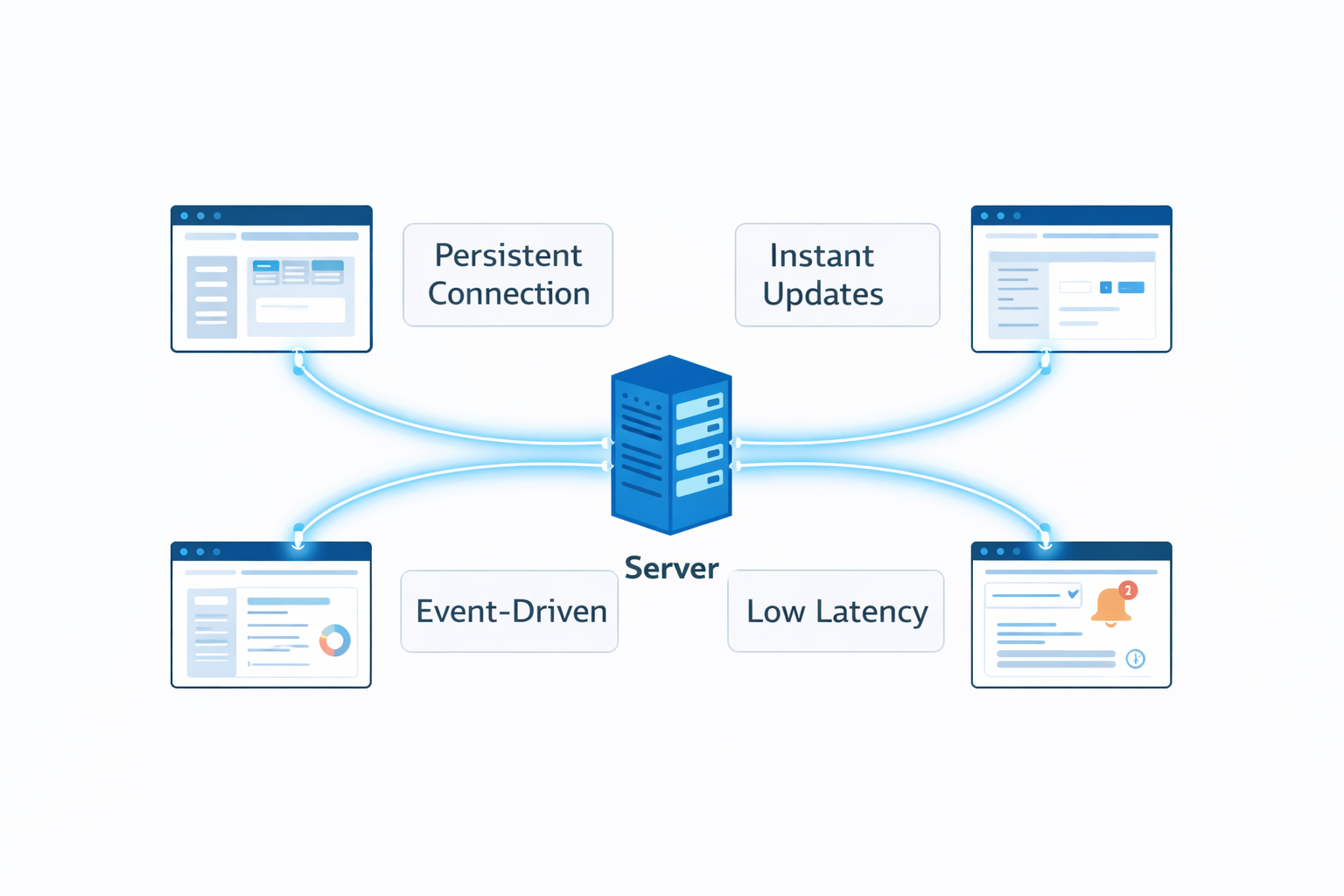
A real-time web application is one where data flows between server and client with minimal delay, typically milliseconds to a few seconds at most, without requiring user action like clicking refresh. The key characteristics are:
-
Instant Updates: Changes appear for all users the moment they happen, not after polling intervals or page reloads. When someone sends a message in Slack, everyone in the channel sees it immediately.
-
Persistent Connections: Instead of opening a new connection for every interaction, the connection stays open. Think of it like keeping a phone line open versus hanging up and redialing after every sentence.
-
Event-Driven: The server pushes updates to clients when events occur, rather than waiting for clients to ask. It's the difference between a teacher calling on students versus students constantly raising their hands asking if anything's changed.
-
Low Latency: The time between an event happening and users seeing it measures in milliseconds. Financial trading applications update prices 100+ times per second. Chat applications typically deliver messages in under 100 milliseconds.
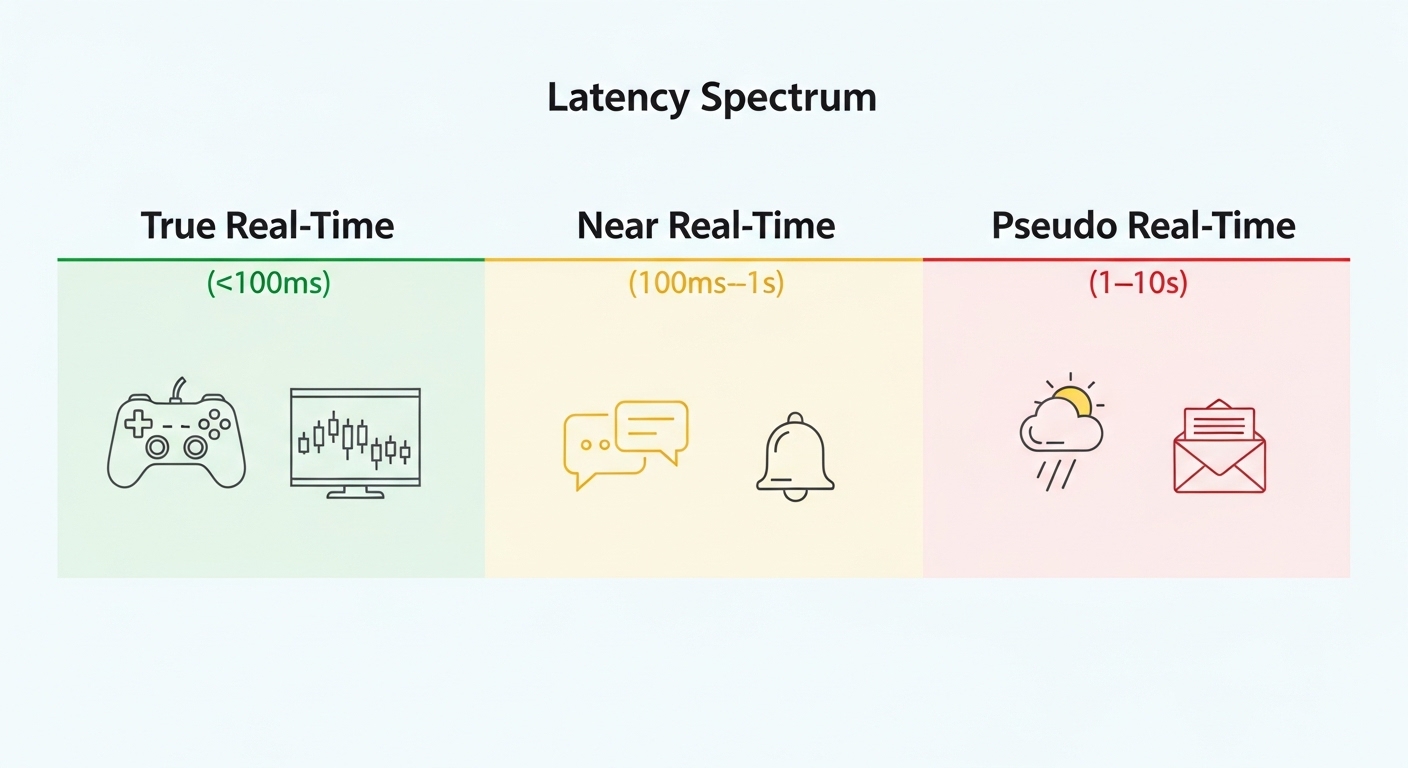
Real-Time vs. Near Real-Time vs. Pseudo Real-Time
Not everything claiming to be "real-time" actually is. Understanding the spectrum helps set realistic expectations:
True Real-Time (< 100ms latency):
- Multiplayer games where split-second timing matters
- Financial trading platforms
- Live video streaming with minimal delay
- Collaborative editing tools
Near Real-Time (100ms - 1 second):
- Chat applications
- Social media live feeds
- Notification systems
- Dashboard analytics
Pseudo Real-Time (1-10 seconds):
- Weather updates
- News tickers
- Email notifications
- Occasional polling-based updates
Most web applications targeting "real-time" actually need near real-time performance. True real-time with sub-100ms latency globally requires specialized infrastructure and is overkill for most use cases.
The Old Way: Why Traditional HTTP Doesn't Work for Real-Time
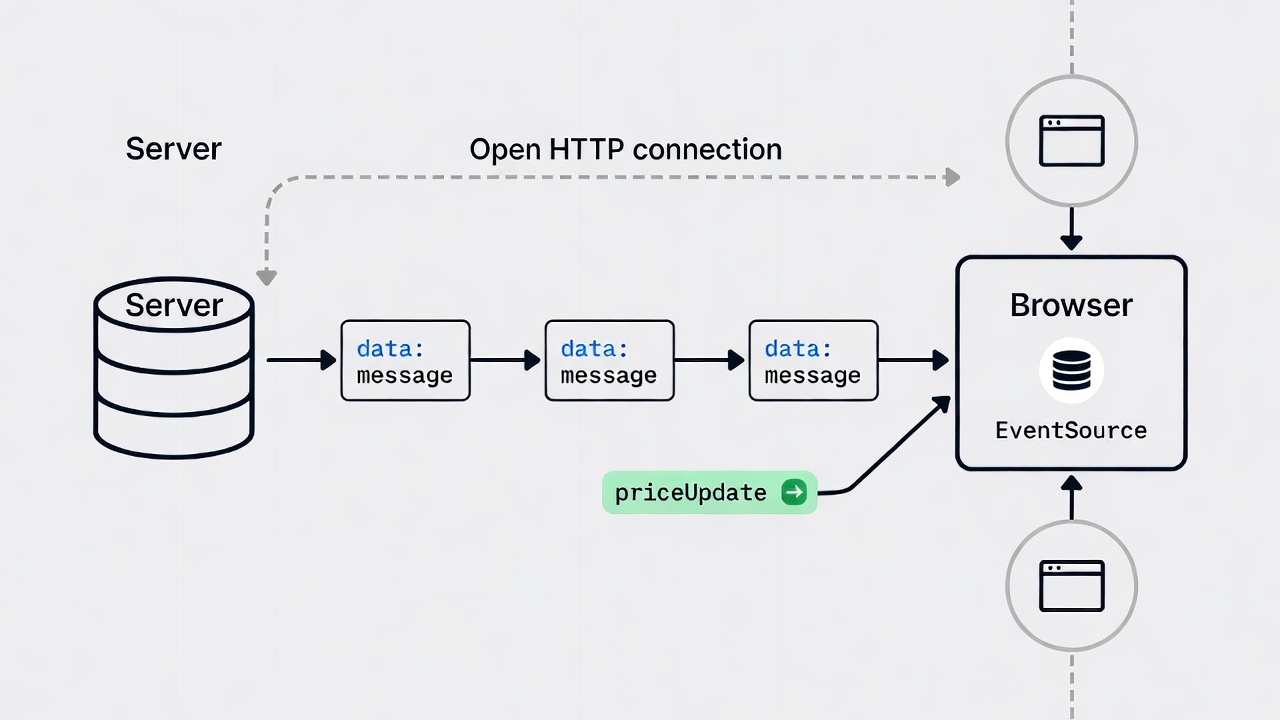
To appreciate modern real-time solutions, you need to understand why the traditional web architecture breaks down for instant communication.
HTTP (Hypertext Transfer Protocol) operates on a request-response model. Here's what happens when you load a webpage:
- Your browser opens a connection to the server
- Browser: "Give me this page please"
- Server: "Here's the page"
- Connection closes
- Repeat for every resource, every interaction
This works brilliantly for loading documents. It's simple, stateless, and scalable. But it's terrible for applications needing continuous updates.
Imagine trying to have a conversation where you hang up the phone after every sentence, then call back to continue. That's HTTP for real-time applications.
The Polling Hack (Short Polling)
Before better solutions existed, developers used a workaround called polling. The client repeatedly asks the server "got anything new?" at regular intervals:
1// Short polling - the bad old days2setInterval(() => {3 fetch("/api/updates")4 .then((response) => response.json())5 .then((data) => updateUI(data));6}, 5000); // Check every 5 seconds
This approach has serious problems:
-
Inefficiency: Most requests return "nothing new," wasting bandwidth and server resources. If you check every 5 seconds and updates happen once a minute, 11 out of 12 requests are completely pointless.
-
Delay: Updates appear only when the next poll happens. With 5-second polling, users see changes 0-5 seconds after they occur. That's not real-time.
-
Scale Issues: With 1,000 active users polling every 5 seconds, your server handles 200 requests per second just to say "nothing new." With 100,000 users, that's 20,000 requests per second doing virtually nothing.
-
Battery Drain: Mobile devices constantly making HTTP requests kills battery life.
Long Polling (Slightly Better, Still Problematic)
Long polling improved on short polling by having the server hold requests open until new data arrives:
1async function longPoll() {2 try {3 const response = await fetch("/api/longpoll");4 const data = await response.json();5 updateUI(data);6 longPoll(); // Immediately poll again7 } catch (error) {8 setTimeout(longPoll, 5000); // Retry after delay on error9 }10}
This reduces unnecessary requests and delivers updates faster. But it still has drawbacks:
- Connection Overhead: Each update requires closing and reopening the HTTP connection
- Proxy Issues: Some proxies and firewalls don't handle long-held connections well
- Complexity: Server must manage many hanging connections
- Still Not Bidirectional: Client can't easily send data without interrupting the long poll
These limitations drove the development of true real-time protocols.
WebSockets: The Go-To for Two-Way Communication
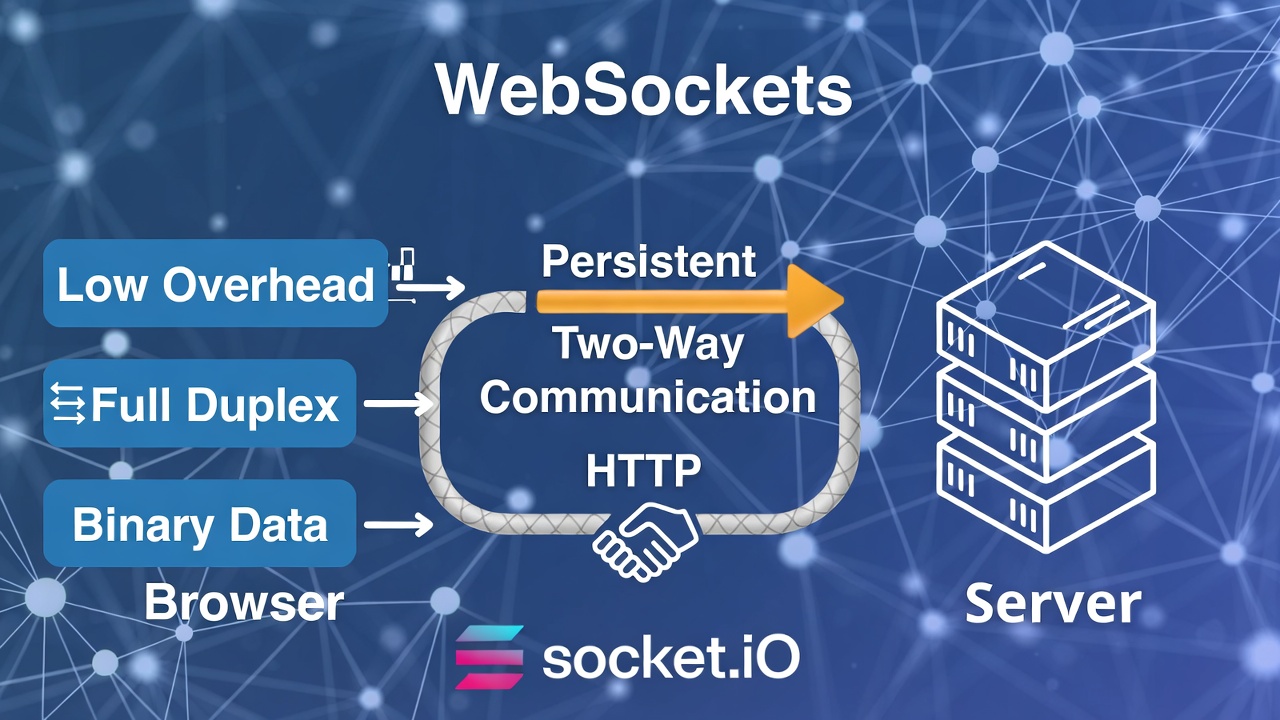
WebSockets are like a direct phone line between browser and server. They start with an HTTP handshake but then switch to a persistent connection for sending data anytime.1
This is perfect for bidirectional needs, like chat apps where messages go both ways.
Pros: Low overhead, supports text and binary data (great for images or files). Cons: Requires server support for long-lived connections, which can be tricky to scale.Libraries like Socket.IO make it easier by adding features like automatic reconnections and fallbacks for older browsers2
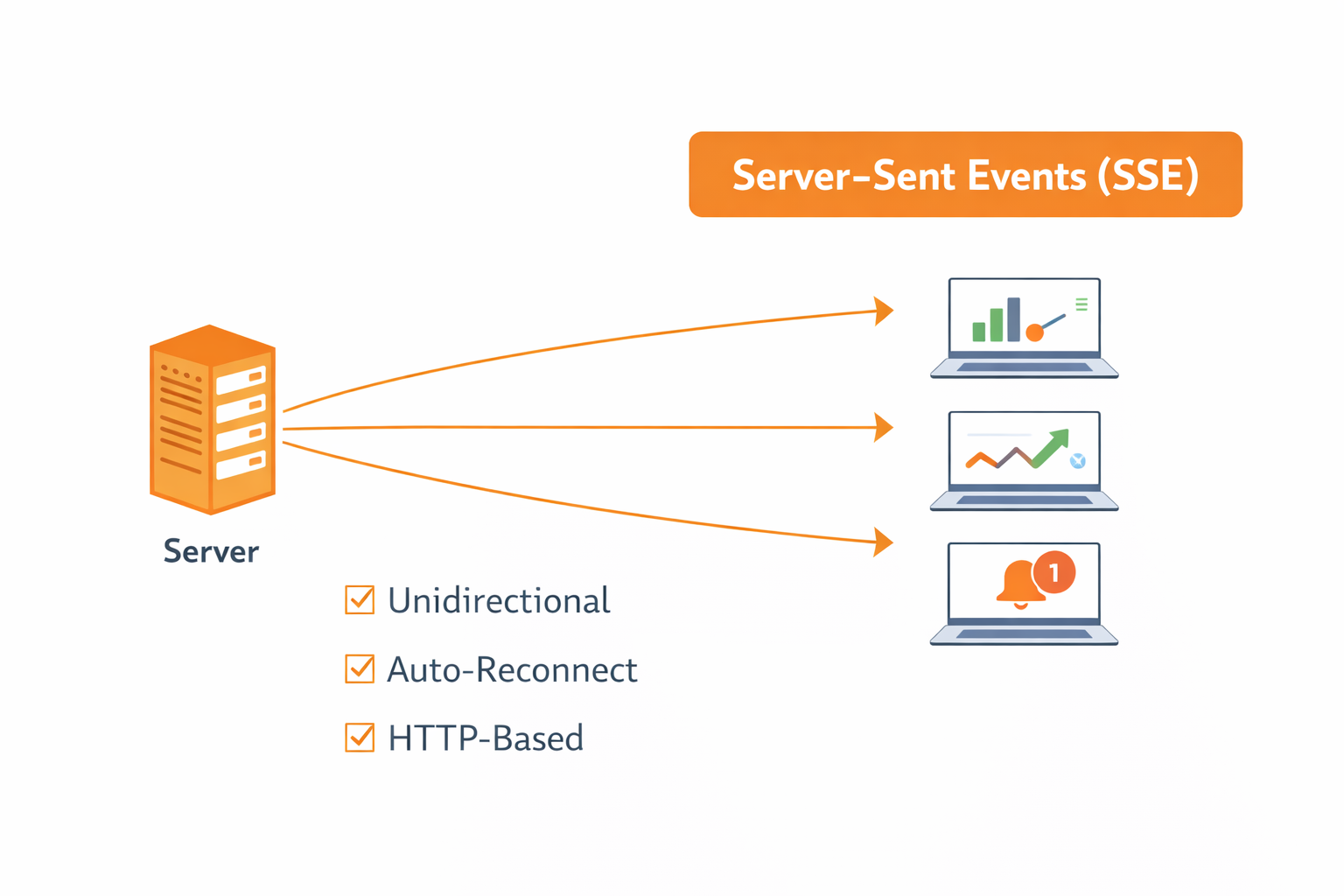
While WebSockets dominate real-time discussions, Server-Sent Events deserve attention. SSE provides server-to-client streaming over plain HTTP.
Here's the key difference: WebSockets are bidirectional (client and server both send messages), while SSE is unidirectional (only server sends messages). But this simplicity is often exactly what you need.
How Server Sent Event Works
SSE uses a standard HTTP connection that stays open indefinitely. The server sends messages formatted with special delimiters, and the browser's EventSource API processes them:
1// Client code2const eventSource = new EventSource('/api/stream');34eventSource.onopen = () => {5 console.log('Connected to event stream');6};78eventSource.onmessage = (event) => {9 console.log('Received:', event.data);10 updateUI(JSON.parse(event.data));11};1213eventSource.onerror = (error) => {14 console.error('EventSource error:', error);15 // EventSource automatically attempts to reconnect16};1718// Listen for custom event types19eventSource.addEventListener('priceUpdate', (event) => {20 updatePrice(JSON.parse(event.data));21});22Server code (Node.js):23javascriptapp.get('/api/stream', (req, res) => {24 // Set SSE headers25 res.setHeader('Content-Type', 'text/event-stream');26 res.setHeader('Cache-Control', 'no-cache');27 res.setHeader('Connection', 'keep-alive');2829 // Send initial connection response30 res.write('data: {"message": "Connected"}\n\n');3132 // Send updates periodically33 const interval = setInterval(() => {34 const data = { timestamp: Date.now(), value: Math.random() };35 res.write(`data: ${JSON.stringify(data)}\n\n`);36 }, 1000);3738 // Clean up on client disconnect39 req.on('close', () => {40 clearInterval(interval);41 console.log('Client disconnected');42 });43});
When SSE Beats WebSockets
According to a comprehensive analysis, SSE is the better choice for approximately 95% of real-time use cases. Here's why:
-
Simplicity: SSE is just HTTP. No protocol upgrade, no special server requirements, no complex handshaking.
-
Automatic Reconnection: Built into the EventSource API. Connection drops? The browser automatically tries to reconnect. You don't write this logic.
-
HTTP/2 Multiplexing: With HTTP/2, multiple SSE streams can share a single TCP connection, eliminating the HTTP/1.1 connection limit.
-
Firewall Friendly: It's standard HTTP traffic. Firewalls and proxies handle it without issues.
-
Lower Resource Usage: SSE connections consume less server memory than WebSockets because they're simpler.
Perfect for Common Use Cases:
- Live dashboards updating metrics
- Stock tickers and financial data streams
- News feeds and notifications
- Server log streaming
- AI response streaming (OpenAI uses SSE for ChatGPT completions)
SSE Limitations
-
Unidirectional Only: Server sends to client. If clients need to send frequent updates back, WebSockets may be better (though you can use regular AJAX requests for occasional client-to-server communication).
-
Text Only: SSE only supports text data. Binary data must be base64-encoded, which adds ~33% overhead.
-
Browser Connection Limits: HTTP/1.1 limits concurrent connections per domain (typically 6). HTTP/2 and HTTP/3 eliminate this limitation.
-
Limited Browser APIs: Fewer built-in features compared to WebSockets. No ping/pong, no binary frames, simpler event model.
WebSocket vs SSE: Decision Framework
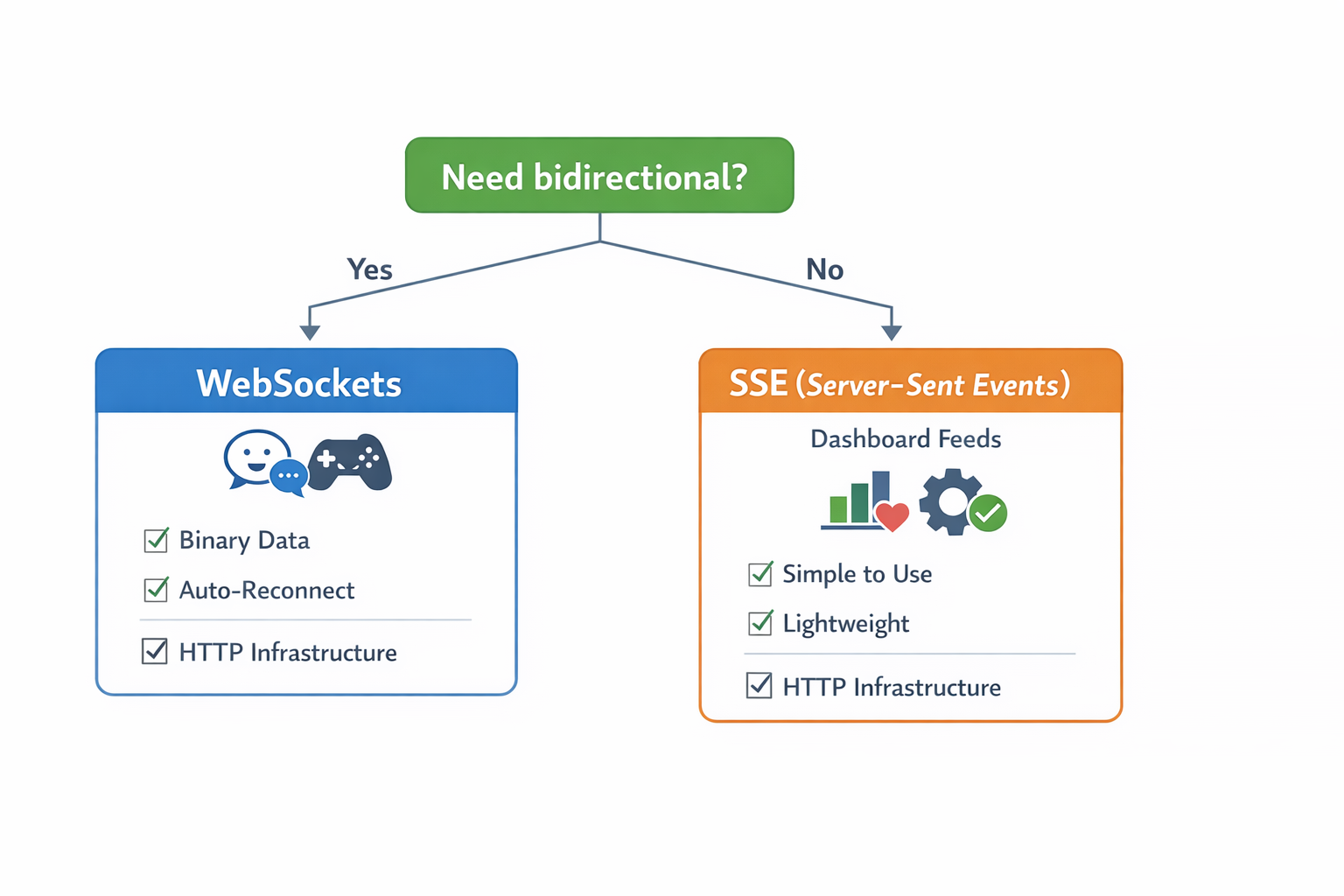
Choose WebSockets when:
- You need bidirectional, frequent communication (chat apps, multiplayer games, collaborative editing)
- Binary data is critical (video streaming, file transfers)
- You need advanced features (sub-protocols, extensions, ping/pong)
- Client needs to push data to server frequently
Choose SSE when:
- Communication is primarily server-to-client (dashboards, notifications, feeds, analytics)
- You want simpler implementation and maintenance
- Automatic reconnection is important
- You're working within HTTP infrastructure (easier monitoring, load balancing, caching)
WebRTC: For Peer-to-Peer Real-Time
This one's for video calls or file sharing directly between browsers, bypassing servers for some data. Think Zoom or peer-to-peer games.3 It's powerful but more complex, often used with signaling servers.
Other Tools and Frameworks
-
Node.js with Express: Great for servers handling real-time, thanks to its event-driven nature.4
-
Firebase or Supabase: Real-time databases that sync data automatically across clients.
-
React or Vue.js: For frontends that update UI in response to live data.
-
Pub/Sub Systems: Like Redis for broadcasting messages to multiple users.
For scaling, consider cloud services like AWS Lambda or Heroku.5
Real-World Example of Real-Time Web Apps
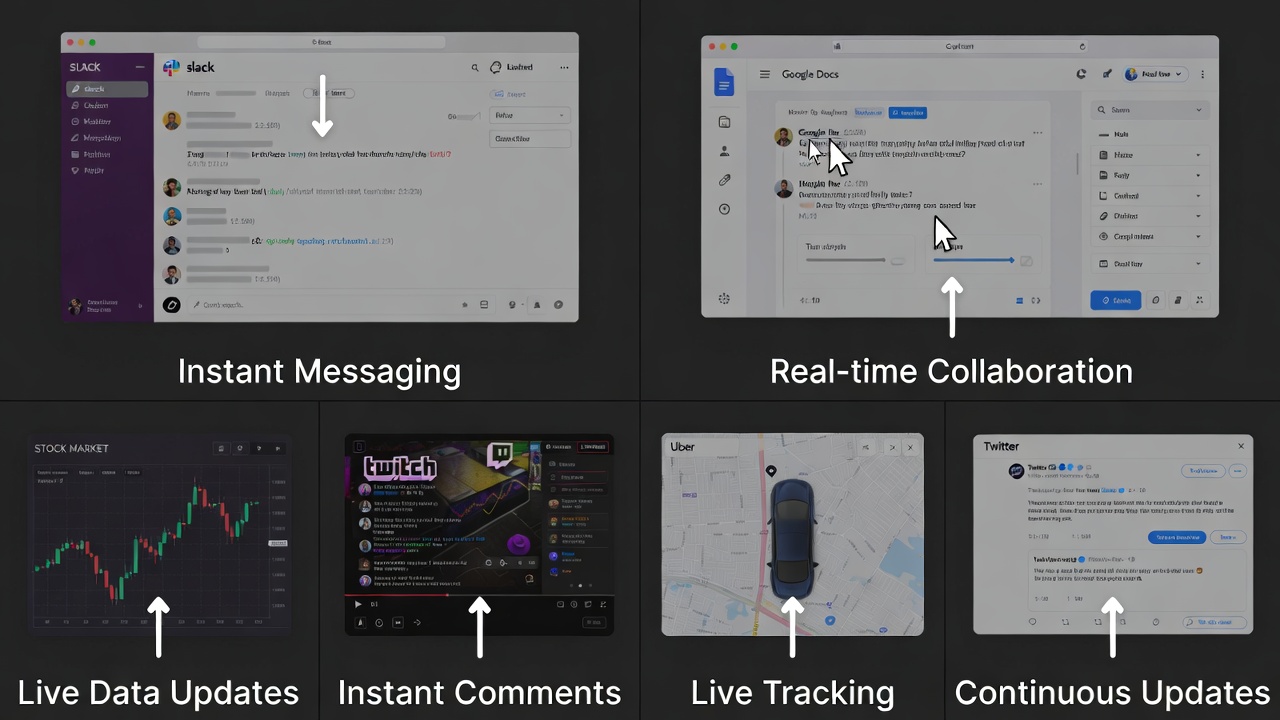
To make this concrete, let's look at some apps you probably use.
-
Chat Apps like Slack or Discord: Messages appear instantly, with typing indicators and notifications. Built with WebSockets for real-time syncing.6
-
Collaborative Tools like Google Docs: Multiple users edit docs simultaneously, seeing changes live. Uses operational transformation for conflict resolution.
-
Stock Tickers and Trading Platforms: Prices update in seconds. Delays here could cost money!
-
Live Streaming like Twitch: Comments and reactions happen in real-time alongside video.
-
Ride-Sharing Apps like Uber: Track your driver's location live on a map.7
-
Social Media Feeds: Facebook or Twitter pushes new posts without refresh.
These show how real-time tech applies to different industries. For more inspiration, read about Twitter's real-time implementation.
Step-by-Step Tutorial: Build a Simple Real-Time Chat App
Alright, time to get your hands dirty! We'll build a basic chat app using Node.js, Express, and Socket.IO.
Step 1: Set Up Your ProjectCreate a folder:
1mkdir realtime-chat2cd realtime-chat3npm init -y
Install packages:
1npm install express socket.io
Step 2: Create the Server (server.js)
1const express = require("express");2const WebSocket = require("ws");3const http = require("http");4const path = require("path");56const app = express();7const server = http.createServer(app);8const wss = new WebSocket.Server({ server });910// Serve static files11app.use(express.static("public"));1213// Store active connections and chat history14const connections = new Map();15const chatHistory = [];16const MAX_HISTORY = 100;1718// Broadcast message to all connected clients19function broadcast(message, excludeSocket = null) {20 const data = JSON.stringify(message);21 connections.forEach((username, socket) => {22 if (socket !== excludeSocket && socket.readyState === WebSocket.OPEN) {23 socket.send(data);24 }25 });26}2728// Handle new WebSocket connections29wss.on("connection", (socket) => {30 console.log("New connection established");31 let username = null;3233 // Send chat history to new user34 socket.send(35 JSON.stringify({36 type: "history",37 messages: chatHistory,38 }),39 );4041 socket.on("message", (data) => {42 try {43 const message = JSON.parse(data);4445 switch (message.type) {46 case "join":47 // User joining chat48 username = message.username;49 connections.set(socket, username);5051 const joinMessage = {52 type: "system",53 text: `${username} joined the chat`,54 timestamp: Date.now(),55 };5657 chatHistory.push(joinMessage);58 if (chatHistory.length > MAX_HISTORY) {59 chatHistory.shift();60 }6162 broadcast(joinMessage);6364 // Send user list65 const userList = {66 type: "userList",67 users: Array.from(connections.values()),68 };69 broadcast(userList);70 socket.send(JSON.stringify(userList));71 break;7273 case "message":74 // Regular chat message75 const chatMessage = {76 type: "message",77 username: username,78 text: message.text,79 timestamp: Date.now(),80 };8182 chatHistory.push(chatMessage);83 if (chatHistory.length > MAX_HISTORY) {84 chatHistory.shift();85 }8687 broadcast(chatMessage);88 socket.send(JSON.stringify(chatMessage)); // Echo back to sender89 break;9091 case "typing":92 // Typing indicator93 broadcast(94 {95 type: "typing",96 username: username,97 isTyping: message.isTyping,98 },99 socket,100 ); // Don't send to the typer101 break;102 }103 } catch (error) {104 console.error("Error processing message:", error);105 }106 });107108 socket.on("close", () => {109 if (username) {110 connections.delete(socket);111112 const leaveMessage = {113 type: "system",114 text: `${username} left the chat`,115 timestamp: Date.now(),116 };117118 chatHistory.push(leaveMessage);119 broadcast(leaveMessage);120121 // Update user list122 broadcast({123 type: "userList",124 users: Array.from(connections.values()),125 });126 }127128 console.log("Connection closed");129 });130131 socket.on("error", (error) => {132 console.error("WebSocket error:", error);133 });134});135136const PORT = process.env.PORT || 3000;137server.listen(PORT, () => {138 console.log(`Server running on http://localhost:${PORT}`);139});
This sets up an Express server and attaches Socket.IO. When a user connects, we listen for 'chat message' events and broadcast them to everyone.
Step 3: Client-Side HTML (index.html)
1<!DOCTYPE html>2<html lang="en">3 <head>4 <meta charset="UTF-8" />5 <meta name="viewport" content="width=device-width, initial-scale=1.0" />6 <title>Real-Time Chat</title>7 <style>8 * {9 margin: 0;10 padding: 0;11 box-sizing: border-box;12 }1314 body {15 font-family:16 -apple-system, BlinkMacSystemFont, "Segoe UI", Roboto, sans-serif;17 background: linear-gradient(135deg, #667eea 0%, #764ba2 100%);18 height: 100vh;19 display: flex;20 justify-content: center;21 align-items: center;22 padding: 20px;23 }2425 .chat-container {26 background: white;27 border-radius: 10px;28 box-shadow: 0 10px 40px rgba(0, 0, 0, 0.2);29 width: 100%;30 max-width: 600px;31 height: 600px;32 display: flex;33 flex-direction: column;34 }3536 .chat-header {37 background: #667eea;38 color: white;39 padding: 20px;40 border-radius: 10px 10px 0 0;41 }4243 .user-list {44 font-size: 14px;45 opacity: 0.9;46 margin-top: 5px;47 }4849 .messages {50 flex: 1;51 padding: 20px;52 overflow-y: auto;53 background: #f8f9fa;54 }5556 .message {57 margin-bottom: 15px;58 display: flex;59 flex-direction: column;60 }6162 .message.own {63 align-items: flex-end;64 }6566 .message-content {67 background: white;68 padding: 10px 15px;69 border-radius: 15px;70 max-width: 70%;71 box-shadow: 0 2px 5px rgba(0, 0, 0, 0.05);72 }7374 .message.own .message-content {75 background: #667eea;76 color: white;77 }7879 .system-message {80 text-align: center;81 color: #999;82 font-size: 14px;83 margin: 10px 0;84 }8586 .message-username {87 font-weight: 600;88 font-size: 14px;89 margin-bottom: 5px;90 }9192 .message-time {93 font-size: 12px;94 color: #999;95 margin-top: 5px;96 }9798 .typing-indicator {99 color: #999;100 font-style: italic;101 padding: 10px 20px;102 font-size: 14px;103 }104105 .input-area {106 padding: 20px;107 border-top: 1px solid #e0e0e0;108 display: flex;109 gap: 10px;110 }111112 input[type="text"] {113 flex: 1;114 padding: 12px;115 border: 2px solid #e0e0e0;116 border-radius: 25px;117 font-size: 14px;118 outline: none;119 }120121 input[type="text"]:focus {122 border-color: #667eea;123 }124125 button {126 padding: 12px 24px;127 background: #667eea;128 color: white;129 border: none;130 border-radius: 25px;131 cursor: pointer;132 font-weight: 600;133 }134135 button:hover {136 background: #5568d3;137 }138139 .join-screen {140 text-align: center;141 padding: 40px;142 }143144 .join-screen input {145 width: 100%;146 max-width: 300px;147 margin-bottom: 20px;148 }149 </style>150 </head>151 <body>152 <div class="chat-container" id="chatContainer">153 <div class="join-screen" id="joinScreen">154 <h2>Join Chat Room</h2>155 <input156 type="text"157 id="usernameInput"158 placeholder="Enter your username"159 maxlength="20"160 />161 <button onclick="joinChat()">Join</button>162 </div>163 </div>164165 <script>166 let socket;167 let username;168 let typingTimeout;169170 function joinChat() {171 username = document.getElementById("usernameInput").value.trim();172173 if (!username) {174 alert("Please enter a username");175 return;176 }177178 // Connect to WebSocket server179 const protocol = window.location.protocol === "https:" ? "wss:" : "ws:";180 socket = new WebSocket(`${protocol}//${window.location.host}`);181182 socket.onopen = () => {183 console.log("Connected to server");184185 // Send join message186 socket.send(187 JSON.stringify({188 type: "join",189 username: username,190 }),191 );192193 // Show chat interface194 showChatInterface();195 };196197 socket.onmessage = (event) => {198 const message = JSON.parse(event.data);199 handleMessage(message);200 };201202 socket.onerror = (error) => {203 console.error("WebSocket error:", error);204 alert("Connection error. Please try again.");205 };206207 socket.onclose = () => {208 console.log("Disconnected from server");209 alert("Connection lost. Please refresh the page.");210 };211 }212213 function showChatInterface() {214 document.getElementById("chatContainer").innerHTML = `215216217218219220221222223224225226`;227 }228229 function handleMessage(message) {230 const messagesDiv = document.getElementById("messages");231232 switch (message.type) {233 case "history":234 message.messages.forEach((msg) => displayMessage(msg));235 break;236237 case "message":238 displayMessage(message);239 break;240241 case "system":242 const systemDiv = document.createElement("div");243 systemDiv.className = "system-message";244 systemDiv.textContent = message.text;245 messagesDiv.appendChild(systemDiv);246 messagesDiv.scrollTop = messagesDiv.scrollHeight;247 break;248249 case "userList":250 document.getElementById("userList").textContent =251 `Online: ${message.users.join(", ")}`;252 break;253254 case "typing":255 updateTypingIndicator(message.username, message.isTyping);256 break;257 }258 }259260 function displayMessage(message) {261 const messagesDiv = document.getElementById("messages");262 const messageDiv = document.createElement("div");263 messageDiv.className =264 "message" + (message.username === username ? " own" : "");265266 const time = new Date(message.timestamp).toLocaleTimeString([], {267 hour: "2-digit",268 minute: "2-digit",269 });270271 messageDiv.innerHTML = `272273274275276277278279`;280281 messagesDiv.appendChild(messageDiv);282 messagesDiv.scrollTop = messagesDiv.scrollHeight;283 }284285 function sendMessage() {286 const input = document.getElementById("messageInput");287 const text = input.value.trim();288289 if (text && socket && socket.readyState === WebSocket.OPEN) {290 socket.send(291 JSON.stringify({292 type: "message",293 text: text,294 }),295 );296297 input.value = "";298 sendTypingIndicator(false);299 }300 }301302 function handleKeyPress(event) {303 if (event.key === "Enter") {304 sendMessage();305 }306 }307308 function handleTyping() {309 sendTypingIndicator(true);310311 clearTimeout(typingTimeout);312 typingTimeout = setTimeout(() => {313 sendTypingIndicator(false);314 }, 1000);315 }316317 function sendTypingIndicator(isTyping) {318 if (socket && socket.readyState === WebSocket.OPEN) {319 socket.send(320 JSON.stringify({321 type: "typing",322 isTyping: isTyping,323 }),324 );325 }326 }327328 const typingUsers = new Set();329330 function updateTypingIndicator(username, isTyping) {331 if (isTyping) {332 typingUsers.add(username);333 } else {334 typingUsers.delete(username);335 }336337 const indicator = document.getElementById("typingIndicator");338 if (typingUsers.size > 0) {339 const users = Array.from(typingUsers).join(", ");340 indicator.textContent = `${users} ${typingUsers.size === 1 ? "is" : "are"} typing...`;341 } else {342 indicator.textContent = "";343 }344 }345346 function escapeHtml(text) {347 const div = document.createElement("div");348 div.textContent = text;349 return div.innerHTML;350 }351 </script>352 </body>353</html>
Step 4: Run and Test
Run
1node server.js
Open http://localhost:3000 in two browser tabs and you'll see real-time chat in action with:
- Instant message delivery
- User join/leave notifications
- Typing indicators
- Message history for new joiners
- Online user list
This example demonstrates core real-time concepts: persistent connections, bidirectional communication, broadcasting, and state management.
Scaling Your Real-Time App
Small apps are fine on one server, but for thousands of users, scale up.
-
Use load balancers that support sticky sessions (so connections stay with the same server).
-
Pub/sub with Redis: Server broadcasts to a channel, others subscribe.
-
Cloud options: AWS AppSync or Google Cloud Pub/Sub.8
-
Monitor with tools like New Relic for bottlenecks.
Security Tips for Real-Time Apps
Real-time means more exposure.
- Use HTTPS for encrypted connections (wss:// for WebSockets).
- Authenticate users: Pass tokens on connect, verify on server.
- Prevent abuse: Rate-limit messages, validate inputs to avoid injections.
- For WebSockets, check origins to block cross-site attacks.9
- Tools like JWT help with auth. Read more on WebSocket security.
The Future of Real-Time Web Applications
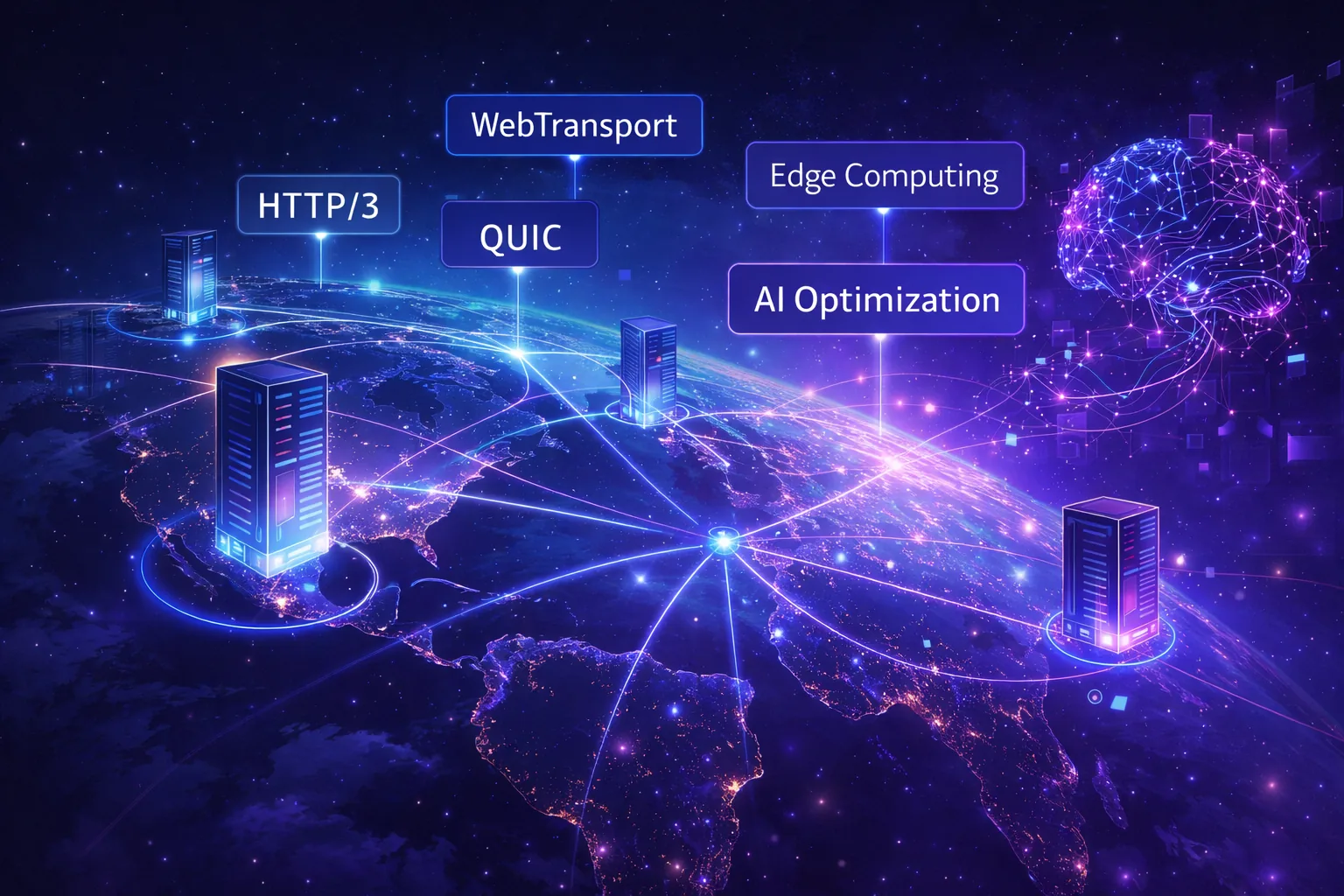
Real-time web technology continues evolving. Here's what's emerging:
WebTransport: The Next Generation
WebTransport is a new protocol offering advantages over WebSockets:
- Based on HTTP/3 and QUIC: Faster connection establishment and better handling of packet loss
- Multiplexing: Multiple independent streams over one connection
- Unidirectional Streams: Efficient for specific use cases
- Unreliable Delivery: Option for lossy but low-latency data (useful for gaming, video)
WebTransport is still emerging (limited browser support as of 2026), but represents the future of real-time web communication.
Edge Computing for Low Latency
Edge computing brings real-time processing closer to users:
- Deploy WebSocket servers at edge locations globally
- Process messages at the nearest edge node
- Reduce latency from 100ms to 10-20ms
- Services like Cloudflare Workers support WebSockets
AI-Enhanced Real-Time Experiences
Machine learning is being integrated into real-time applications:
- Predictive Prefetching: AI predicts what data users need next and streams it proactively
- Intelligent Compression: ML models compress data in real-time, reducing bandwidth
- Anomaly Detection: Identify suspicious patterns in real-time message streams
- Smart Routing: AI-optimized routing of real-time traffic for minimal latency
Common Challenges and How to Fix Them
-
Connection Drops: Use heartbeats (pings) to keep alive.
-
Browser Compatibility: Socket.IO has fallbacks.
-
High Load: Optimize by batching updates or using efficient data formats.
-
State Management: Keep server stateless where possible; use databases for persistence.
-
Testing: Tools like Artillery simulate loads.
Wrapping It Up: Get Building!
Real-time web applications have shifted from "nice to have" to "expected by default." Users demand instant updates, seamless collaboration, and responsive interfaces. The technology to deliver these experiences is mature, accessible, and well-documented. Whether you're building a chat application, live dashboard, collaborative tool, or multiplayer game, you now have the knowledge to implement real-time features effectively. The web is real-time now. Your applications should be too.
Windframe is an AI visual editor for rapidly building stunning web UIs & websites
Start building stunning web UIs & websites!
