Progressive Web App Development: The Complete Beginner's Guide to Building PWAs in 2026
By Emmanuel Chinonso - Frontend Engineer and Technical Writer at Windframe
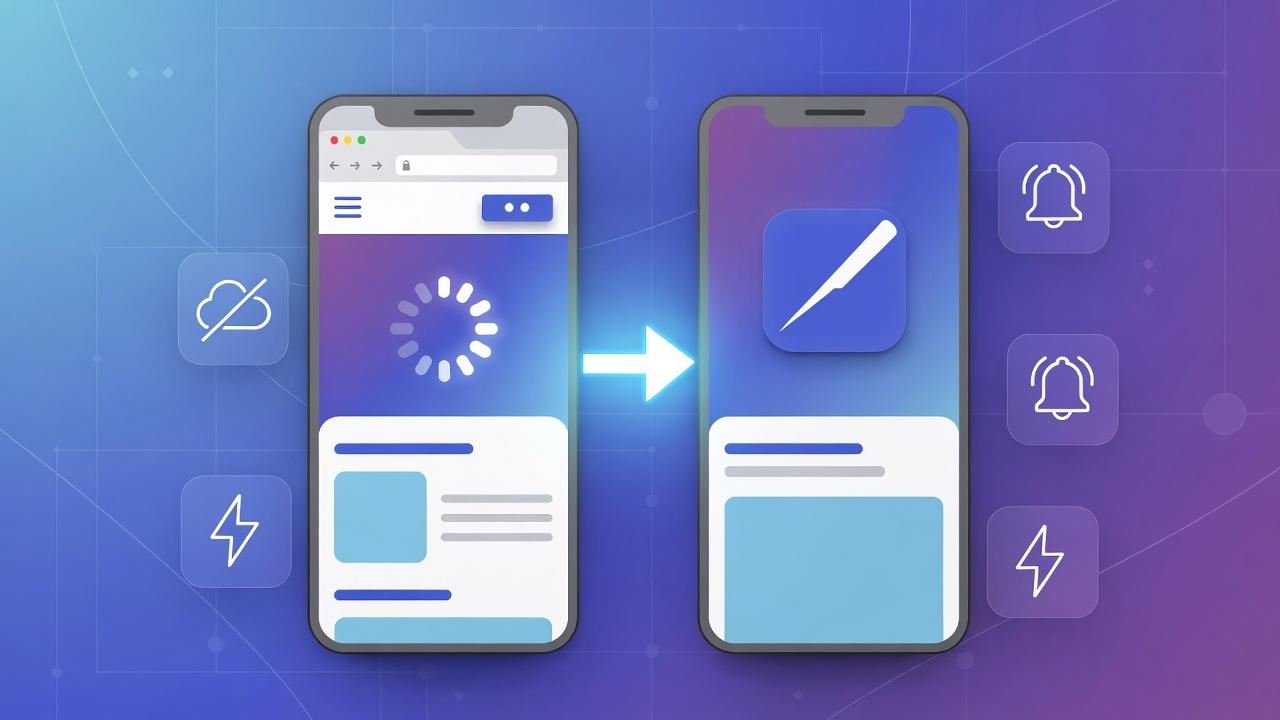
If you've ever opened an app on your phone that loads instantly, works offline, and feels just like a regular mobile app but came from a website, chances are it was a Progressive Web App. PWAs are changing how we think about online experiences. They're not quite websites, not quite apps, they're a smart mix that gives you the best of both. For small businesses, startups, or anyone dipping their toes into digital products, PWAs offer a way to reach users without the hassle of app stores or huge development costs.
In this guide, we'll walk through everything from the basics to hands-on building. Whether you're a complete newbie or have some web skills, you'll get clear steps to create your own PWA. We'll cover why they're worth it, how they stack up against traditional apps, tools to use, real examples, and tips to avoid pitfalls. By the end, you'll know how to turn a simple site into something users can install and use anywhere. Let's start with the fundamentals.
What Exactly Is a Progressive Web App?
Picture a website that acts like an app you download from the store. That's a PWA in a nutshell. It's built with everyday web tools like HTML, CSS, and JavaScript, but it adds extras to make it feel native. Users can add it to their home screen, get notifications, and even use it without internet. Basically, A Progressive Web App is essentially a website that's been supercharged with features that make it behave like an app you'd download from an app store.
The idea started around 2015 when Google pushed for better mobile web experiences. But building mobile apps meant creating separate versions for iOS and Android, going through app store approval processes, and hoping users would bother downloading them.
PWAs solved this problem by making websites capable of everything apps could do. The "progressive" part means they work for everyone but get progressively better depending on what the user's browser can handle. On an old phone with a basic browser? The PWA still works. On the latest iPhone? It shines with all features enabled.
PWAs load fast because they cache content, meaning they store bits locally on your device. They also adapt to your screen size, whether on a phone, tablet, or computer. Unlike old-school sites, PWAs can send push alerts or sync data in the background.
As of 2026, PWAs have matured significantly. According to industry reports from NashTech, the global PWA market exceeded $15 billion in 2025, with major adoption across retail, healthcare, finance, and education sectors.
The Key Features That Make PWAs Stand Out
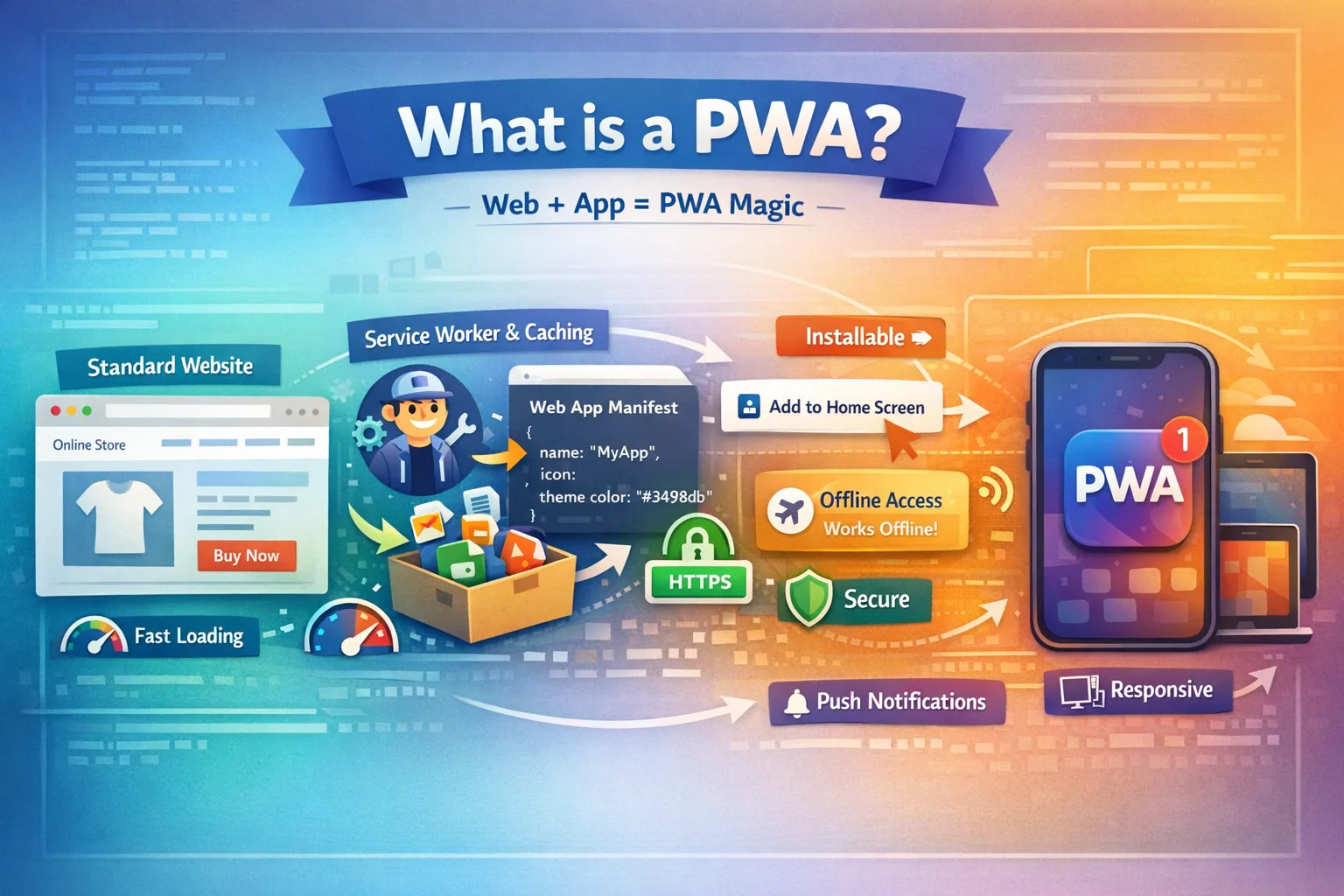
PWAs aren't just fancy sites, they have specific tricks up their sleeve. Here's what sets them apart:
-
Offline Access: Thanks to service workers (a script that runs behind the scenes), PWAs save data for when you're offline. Imagine browsing a menu app on a plane.
-
Installable: No app store needed. Users add PWAs to their home screen from the browser, complete with an icon and no address bar clutter.
-
Push Notifications: Like native apps, PWAs ping users with updates. A news site might alert you to breaking stories.
-
Fast Loading: They preload content, so pages pop up quickly, even on spotty networks.
-
Secure: PWAs run over HTTPS, keeping data safe from snoops.
-
Responsive Design: They fit any device, from tiny phones to big desktops.
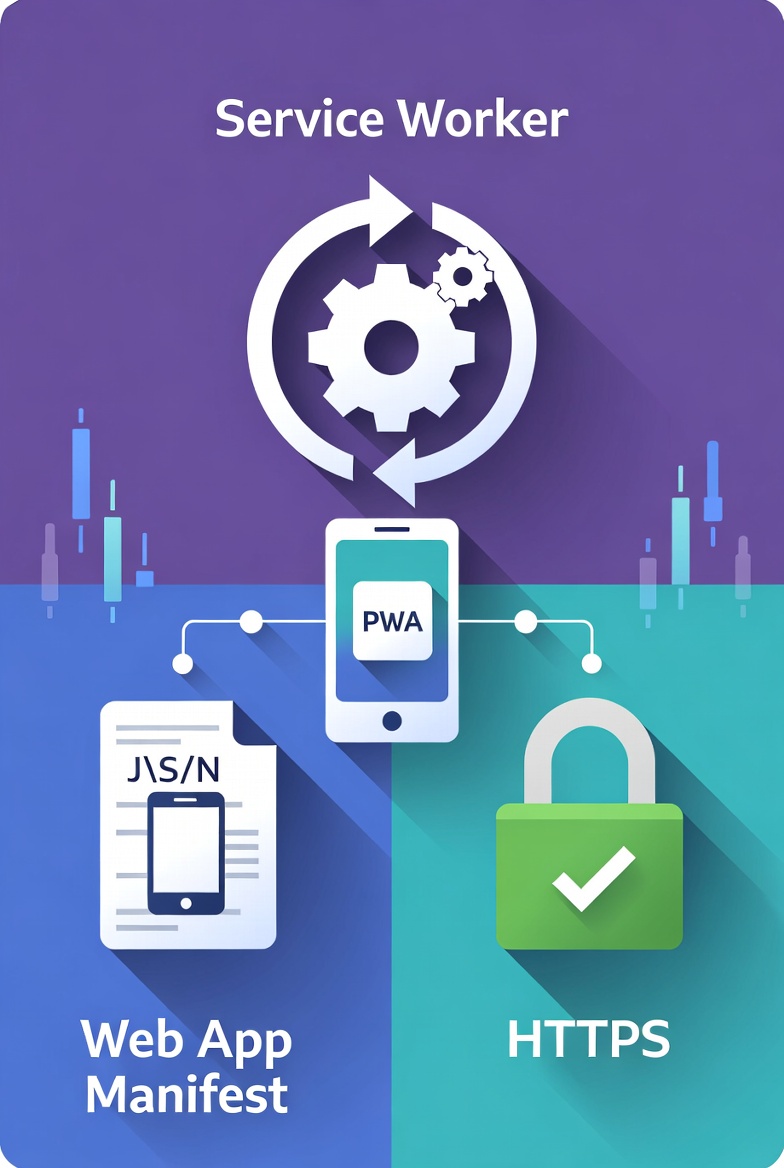
These features come from three main parts: a web app manifest (for install info), service workers (for offline magic), and HTTPS. For a deeper look, see Google's web.dev PWA features.
Why Build a PWA? (The Real Business Benefits)
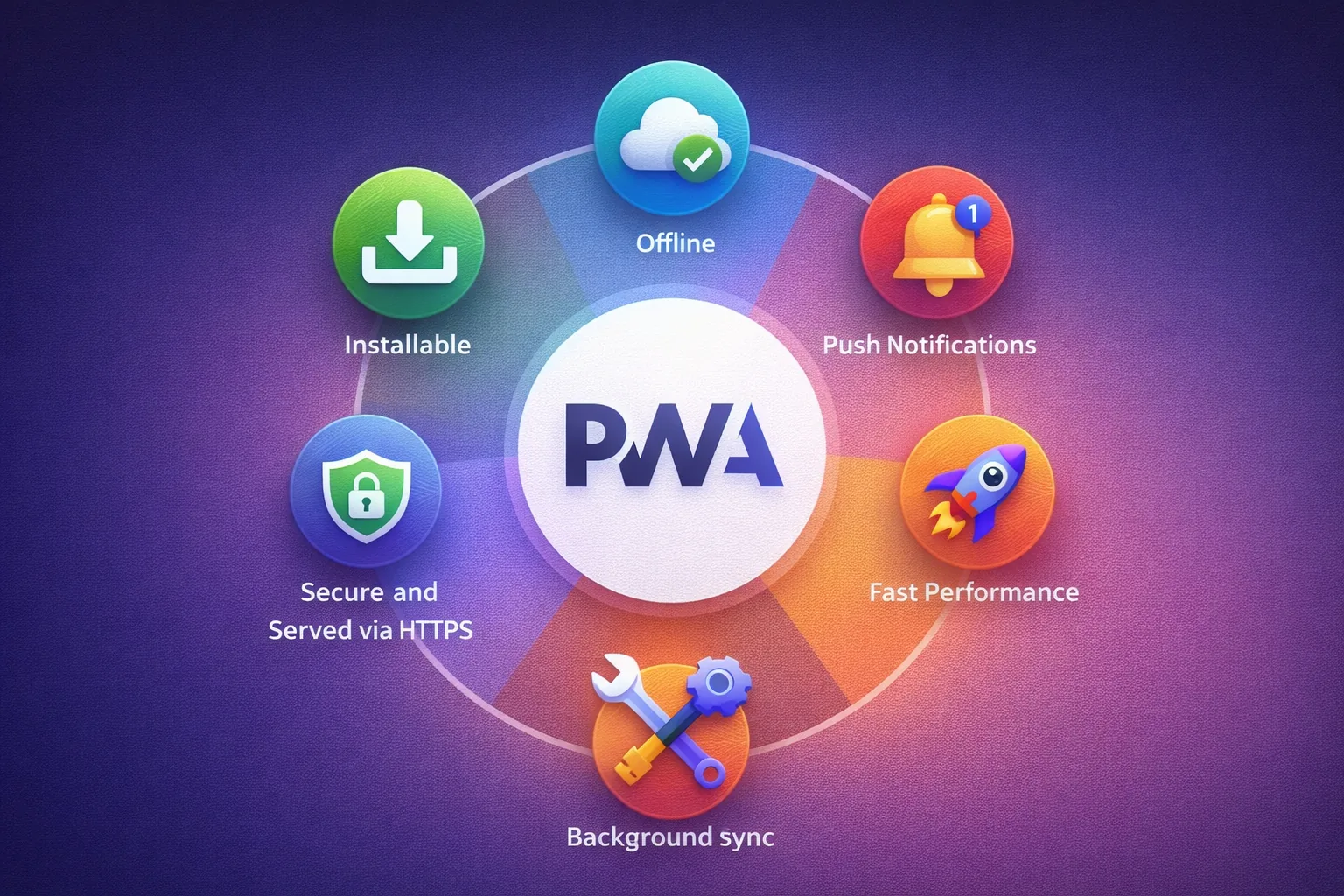
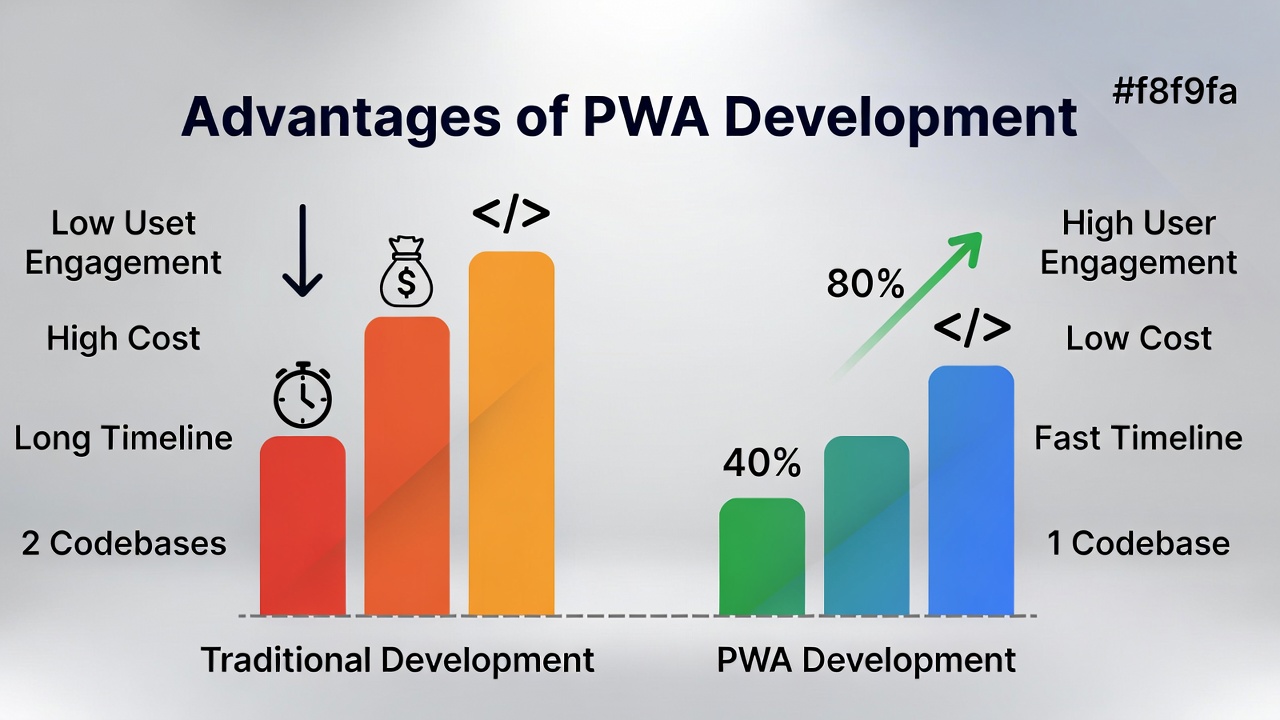
Talk to any business that's switched from a native app to a PWA, and you'll hear surprisingly similar stories. Lower costs, better engagement, faster development. Let's break down why PWAs are gaining so much traction.
Dramatically Lower Development Costs
Building native apps for iOS and Android means hiring different developers with different skills, maintaining two separate codebases, and dealing with platform-specific bugs. A friend who runs a small e-commerce business told me their native app development cost $150,000 and took eight months. When they rebuilt as a PWA, it cost $45,000 and took three months.
That's not unusual. Industry studies consistently show PWA development costs 50-70% less than building equivalent native apps for both platforms. You write code once, and it works everywhere, iPhones, Android phones, tablets, desktops, everything.
Better User Engagement
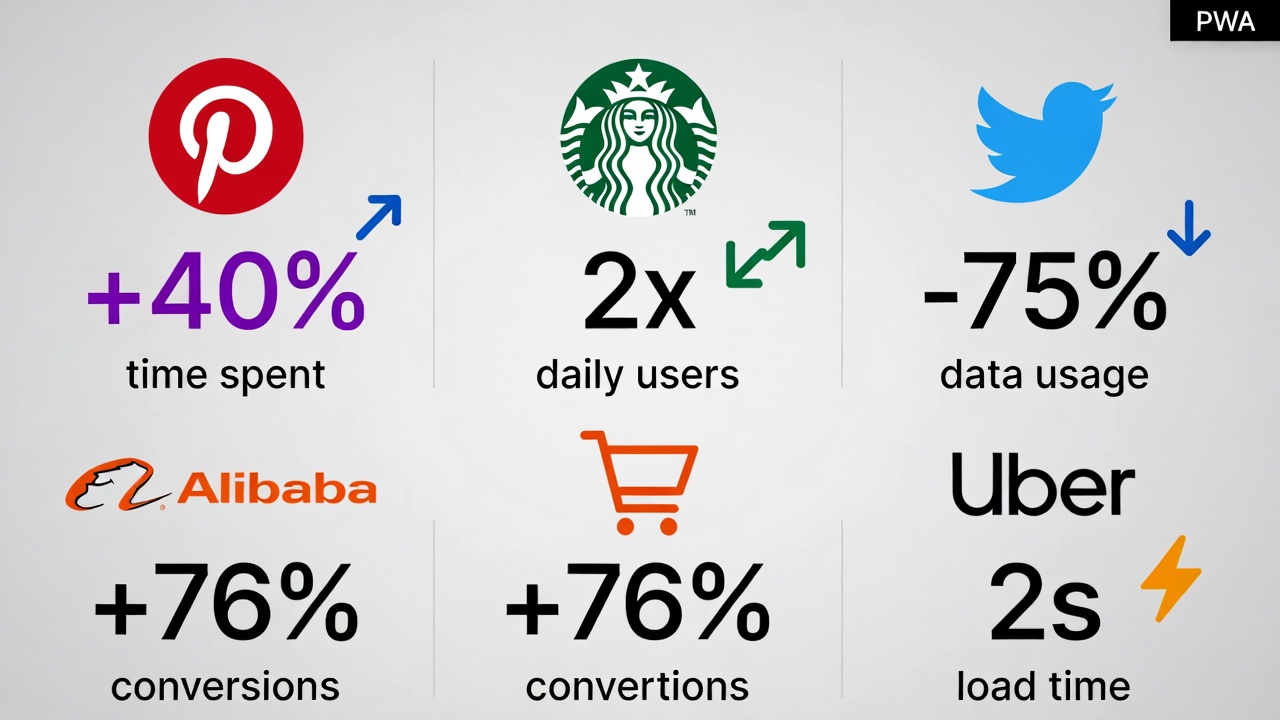
Here's a stat that surprised me: Pinterest reported that after launching their PWA, time spent on the platform jumped 40%, generated ad revenue increased 44%, and user-generated content increased 60%. And this was just from web users, not even counting app users.
Why such dramatic improvements? PWAs load faster, work more reliably, and feel smoother. When your site works instantly every time, people use it more. Simple as that. Starbucks saw their PWA double daily active users. Flipkart reported a 70% increase in conversions. These aren't edge cases, this pattern repeats across industries.
Wider Reach Without App Store Barriers
Getting an app into the Apple App Store or Google Play Store is a process. They review your app (which takes days or weeks), they take a 30% cut of any revenue, they can reject updates, and they set the rules. With PWAs, you bypass all of that.
Users can install your PWA directly from your website. No waiting for Apple's approval. No giving Google a third of your subscription revenue. You control the distribution and the timeline.
Search engines can also find and index PWAs, unlike native apps that live in walled gardens. This means organic traffic from Google searches can lead directly to installs.
Lightning-Fast Performance
One of the biggest complaints about websites is slowness. According to Google's research, 53% of mobile users abandon sites that take longer than three seconds to load. PWAs address this head-on with aggressive caching strategies.
Because PWAs store assets locally and use smart prefetching, pages load almost instantly on repeat visits. Even on a slow connection, a well-built PWA feels snappy. This perceived performance dramatically reduces bounce rates and increases conversions.
Effortless Updates
Native apps require users to download updates. Some people have automatic updates turned off. Some ignore update notifications. Many users run outdated app versions with old bugs. PWAs update automatically in the background. Push out a fix, and every user gets it immediately without doing anything. No "this app needs an update" messages, no waiting for users to install version 2.0. The latest version is always live.
Offline Reliability Builds Trust
Nothing frustrates users more than "No Internet Connection" screens. PWAs can show cached content, let users interact with the app, and sync changes when connectivity returns. This is huge for users in areas with unreliable networks or people who frequently travel. A logistics company implemented a PWA for their field workers who often operate in areas with poor signal. The app lets them complete tasks offline, and everything syncs once they're back in range. Before PWAs, this required complex native app development.
PWA Disadvantages: When They Might Not Fit
Before we go further, let's be honest about where PWAs have limitations. They're not perfect for every situation.
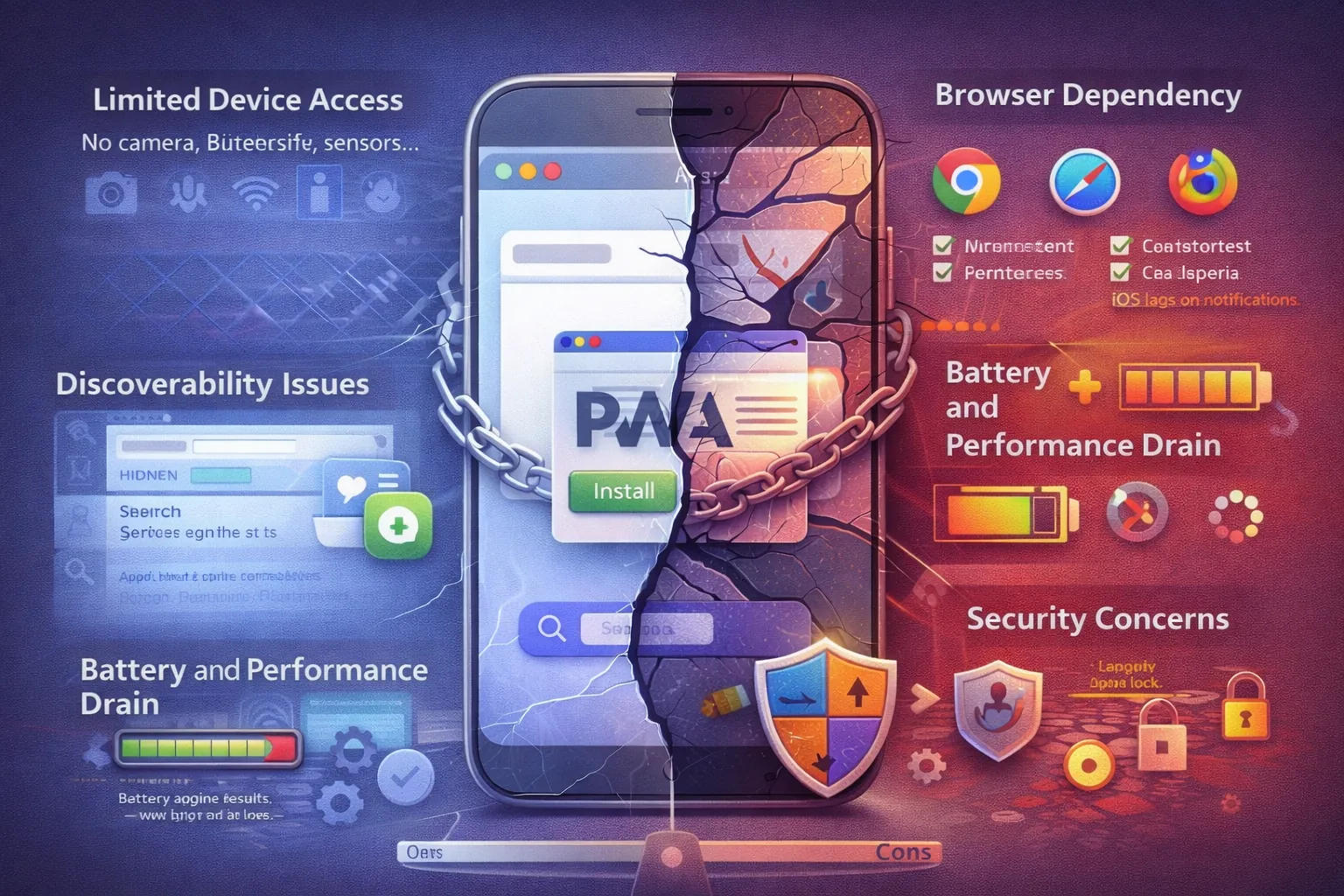
Limited Access to Device Hardware
Native apps can tap deep into device capabilities, advanced camera features, complex sensor interactions, background location tracking, full Bluetooth functionality, and system-level integrations. PWAs are catching up through APIs like WebAuthn (for biometric authentication), Web Bluetooth, and the File System Access API, but they're not quite at parity yet. If you're building something that needs constant background GPS tracking (like a fitness app that maps runs) or deep hardware integration (like a professional camera app with RAW image capture), native development might still be your best bet. That said, the gap narrows every year. By 2026, PWAs can access biometric authentication, Bluetooth devices, file systems, and more through modern web APIs.
Browser Inconsistencies
While PWA support has improved dramatically, differences remain between browsers. Chrome on Android offers the most complete PWA support. Safari on iOS has come a long way but still has quirks, particularly around push notifications and background sync. According to 2025 industry reports, Safari now fully supports PWAs, but some advanced features require workarounds. This means testing across browsers becomes important, especially if iOS users are a significant part of your audience.
Discoverability Challenges
Native apps benefit from app store visibility. Users browse categories, see top charts, and discover new apps through store features. PWAs rely on traditional web discovery, search engines, social media, direct traffic, and marketing.
This isn't necessarily a disadvantage. Many apps struggle to get noticed in overcrowded app stores anyway. But it means your marketing strategy needs to account for the lack of app store presence. The good news: you can now submit PWAs to app stores as packaged apps, getting the best of both worlds.
Battery Consumption
Heavy caching and background processes can drain batteries faster than simple websites. While PWAs are generally more efficient than native apps, poorly implemented PWAs can be power-hungry. This requires careful optimization and testing on real devices.
PWAs vs Native Apps: The Honest Comparison
Native apps are built for specific platforms like iOS (Swift) or Android (Kotlin). PWAs run in browsers but mimic natives. Here's a comparison of both of them:
- Development Time and Complexity
PWAs: One codebase works everywhere. Use familiar web technologies (HTML, CSS, JavaScript). Standard web development practices apply. Teams can move from idea to production in weeks.
Native Apps: Separate development for iOS (Swift/Objective-C) and Android (Kotlin/Java). Two teams or developers who know both platforms. Each platform has different design patterns and best practices. Development typically takes 2-3 times longer than PWAs.
- User Experience and Performance
PWAs: Nearly identical to native apps for most use cases. Smooth animations, instant loading, offline functionality. Can feel slightly less "native" for complex interactions.
Native Apps: Absolutely native feel. Butter-smooth animations. Full access to platform-specific UI components. Better for graphics-intensive applications or games.
- Distribution and Updates
PWAs: Instant updates that users never think about. No app store approval delays. No download required, just visit the URL. Can be added to home screen directly. Native Apps: Must go through app store review process (1-7 days typically). Users must download updates manually or have auto-updates enabled. App store visibility and search.
- Cost
PWAs: 30-70% cheaper to build and maintain. One team can handle the entire project. No app store fees (30% of revenue).
Native Apps: Higher development costs. Ongoing maintenance for two platforms. App store commissions on all revenue.
- Device Features Access
PWAs: Growing capability through Web APIs. Can access cameras, GPS, push notifications, storage, sensors. Limited background processing compared to native.
Native Apps: Complete access to device hardware and system features. Can run intensive background tasks. Deep platform integrations.
For most, PWAs win on reach and cost. Uber's PWA loads in 2 seconds on 2G networks, vs. their native app's heftier size. Read Adjust's PWA vs native breakdown for more.
How PWAs Work Under the Hood
At its core, a PWA is built with three main technologies:
- Service Workers
Think of service workers as personal assistants running in the background. They intercept requests between your app and the internet, deciding whether to fetch fresh data or serve cached content. This is what enables offline functionality, the service worker has saved important files locally, so your app keeps working even when the internet doesn't. Here is an example: JavaScript files that handle caching. Register one:
1if ('serviceWorker' in navigator) {2 window.addEventListener('load', () => {3 navigator.serviceWorker.register('/sw.js');4 });5}
In sw.js, cache files:
1self.addEventListener('install', (e) => {2 e.waitUntil(3 caches.open('my-cache').then((cache) => cache.addAll(['/index.html', '/styles.css']))4 );5});67self.addEventListener('fetch', (e) => {8 e.respondWith(caches.match(e.request).then((response) => response || fetch(e.request)));9});
- Web App Manifest
This is a simple JSON file that tells browsers and devices how to treat your website like an app. It defines what icon to show on the home screen, what name to display, whether to hide the browser chrome, what orientation to use, and how to style the splash screen. Without this file, browsers wouldn't know your website can be installed.
1{2 "name": "My PWA",3 "short_name": "MyApp",4 "icons": [{"src": "icon.png", "sizes": "192x192", "type": "image/png"}],5 "start_url": "/",6 "display": "standalone",7 "theme_color": "#000000",8 "background_color": "#ffffff"9}
Link it in HTML: <link rel="manifest" href="/manifest.json">.
- HTTPS
Security isn't optional with PWAs, they must run over HTTPS (secure connections). This protects user data and enables powerful features like service workers to function. In 2026, getting an SSL certificate is free and straightforward, so this requirement isn't a barrier.
These three pieces working together create the PWA experience. For more technical details on PWA fundamentals, check out Google's web.dev PWA documentation.
Step-by-Step Guide: Building Your First PWA from Scratch
Ready to build? We'll create a simple to-do list PWA. You'll need basic HTML/CSS/JS knowledge. Tools: VS Code, a browser, and Node.js for testing.
Step 1: Set Up Your Project
Create a folder: my-pwa. Add index.html:html
1<!DOCTYPE html>2<html lang="en">3<head>4 <meta charset="UTF-8">5 <meta name="viewport" content="width=device-width, initial-scale=1.0">6 <title>My To-Do PWA</title>7 <link rel="manifest" href="manifest.json">8 <link rel="stylesheet" href="styles.css">9</head>10<body>11 <h1>My To-Do List</h1>12 <input type="text" id="task" placeholder="Add task">13 <button onclick="addTask()">Add</button>14 <ul id="list"></ul>15 <script src="app.js"></script>16 <script>17 if ('serviceWorker' in navigator) {18 navigator.serviceWorker.register('sw.js');19 }20 </script>21</body>22</html>
Add styles.css for basic looks:
1body { font-family: Arial; margin: 20px; }2ul { list-style: none; padding: 0; }3li { margin: 5px 0; }
app.js for functionality:
1function addTask() {2 const task = document.getElementById('task').value;3 if (task) {4 const li = document.createElement('li');5 li.textContent = task;6 document.getElementById('list').appendChild(li);7 document.getElementById('task').value = '';8 }9}
Step 2: Create the Manifestmanifest.json:
1{2 "name": "My To-Do PWA",3 "short_name": "ToDo",4 "icons": [5 {"src": "icon-192.png", "sizes": "192x192", "type": "image/png"},6 {"src": "icon-512.png", "sizes": "512x512", "type": "image/png"}7 ],8 "start_url": "/",9 "display": "standalone",10 "theme_color": "#ffffff",11 "background_color": "#ffffff"12}
Make icons (use tools like favicon.io).
Step 3: Add Service Worker for Offline sw.js:
1const CACHE_NAME = 'todo-cache-v1';2const urlsToCache = ['/', 'index.html', 'styles.css', 'app.js'];34self.addEventListener('install', (event) => {5 event.waitUntil(6 caches.open(CACHE_NAME).then((cache) => cache.addAll(urlsToCache))7 );8});910self.addEventListener('fetch', (event) => {11 event.respondWith(12 caches.match(event.request).then((response) => response || fetch(event.request))13 );14});
Step 4: Test Installability
To test your PWA, you need to run it on a local server (service workers don't work with the file:// protocol).
Option 1: Using Python
If you have Python installed:
1python -m http.server 8000
Option 2: Using Node.js
Install a simple server:
1npm install -g http-server2http-server -p 8000
Option 3: Using VS Code
Install the "Live Server" extension and click "Go Live" in VS Code. Open your browser to http://localhost:8000. Open Chrome DevTools (F12) and:
- Go to the Application tab
- Check Manifest - you should see your app info
- Check Service Workers - should show your service worker registered
- Use Lighthouse tab to run a PWA audit
Try these tests:
- Offline Test: In DevTools Network tab, set to "Offline" and refresh. Your app should still work!
- Add to Home Screen: Click the install button in your browser's address bar
Congratulations! You've built a fully functional PWA.
Step 5:Deploy to Production
To make your PWA available online, you need HTTPS hosting. Free options include:
Netlify (Recommended for Beginners)
- Push your code to GitHub
- Sign up at Netlify
- Connect your GitHub repo
- Deploy (HTTPS included automatically)
Vercel
- Install Vercel CLI: npm i -g vercel
- Run vercel in your project folder
- Follow prompts (free plan includes HTTPS)
GitHub Pages (with CloudFlare for HTTPS)
- Push code to GitHub
- Enable GitHub Pages in repo settings
- Use CloudFlare for HTTPS
Once deployed, test the install functionality on actual mobile devices. You should see "Add to Home Screen" prompts after users engage with your site.
Advanced PWA Features and Techniques
Once you've mastered the basics, these advanced techniques take your PWA to the next level.
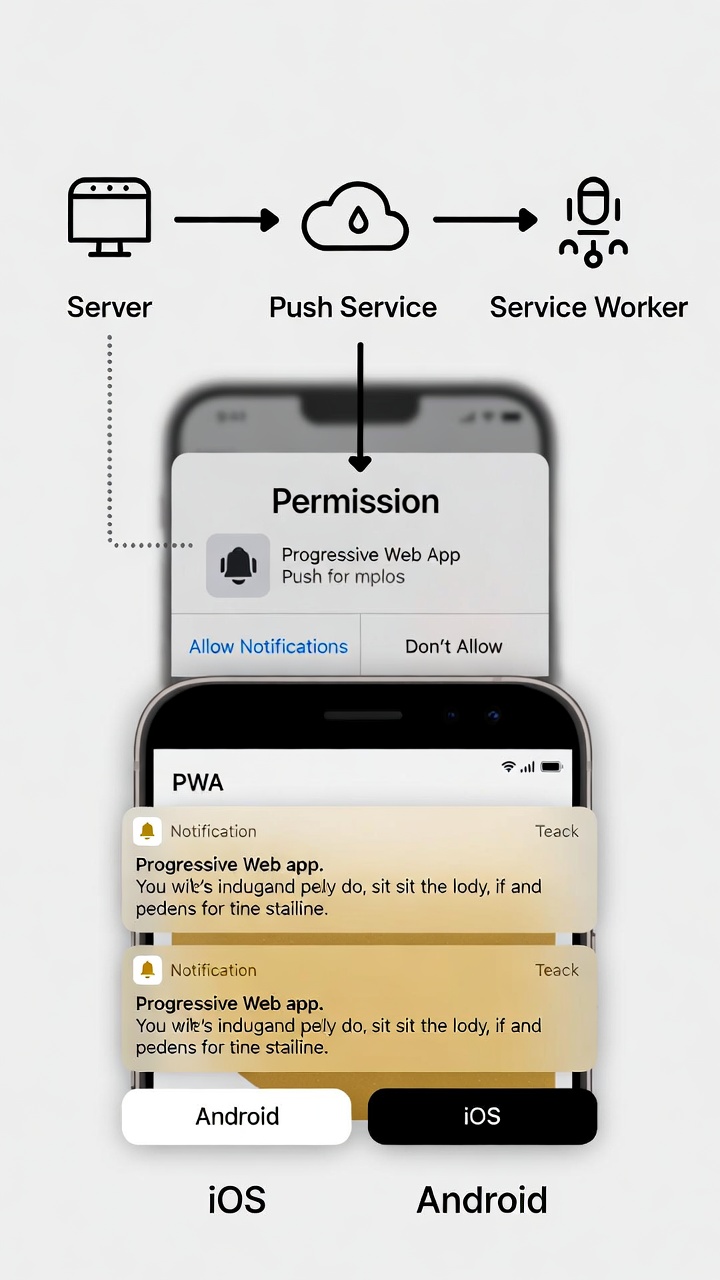
- Push Notifications Push notifications let you re-engage users even when they're not using your app. Implementing them requires:
- Request Permission:
Notification.requestPermission(). - Subscribe to Push Service:
navigator.serviceWorker.ready - Handle Push in Service Worker:
For a complete push notification system, you'll need a backend service. Check out web.dev's push notification guide for detailed implementation.
- Background Sync
Background sync allows your PWA to defer actions until the user has stable connectivity. Perfect for:
- Sending messages when offline
- Uploading photos when connection improves
- Submitting forms that failed
- App Shell Architecture
The app shell pattern separates your UI framework (shell) from dynamic content. The shell caches aggressively for instant loading, while content updates dynamically.
Think of it like this: the shell is your app's skeleton—navigation, layout, basic UI. Content fills in the bones. Users see the shell instantly, then content streams in.
- Adaptive Loading Based on Network
Modern PWAs adapt to network conditions. On fast connections, load high-resolution images. On slow connections, use compressed versions.
- IndexedDB for Complex Data
For apps that need robust offline data storage beyond simple key-value pairs, IndexedDB is essential. For more advanced storage use:
- Using the IDB Library (Recommended)
Instead of raw IndexedDB, use Jake Archibald's idb library for cleaner promise-based code.
Best Tools and Frameworks for PWA Development in 2026
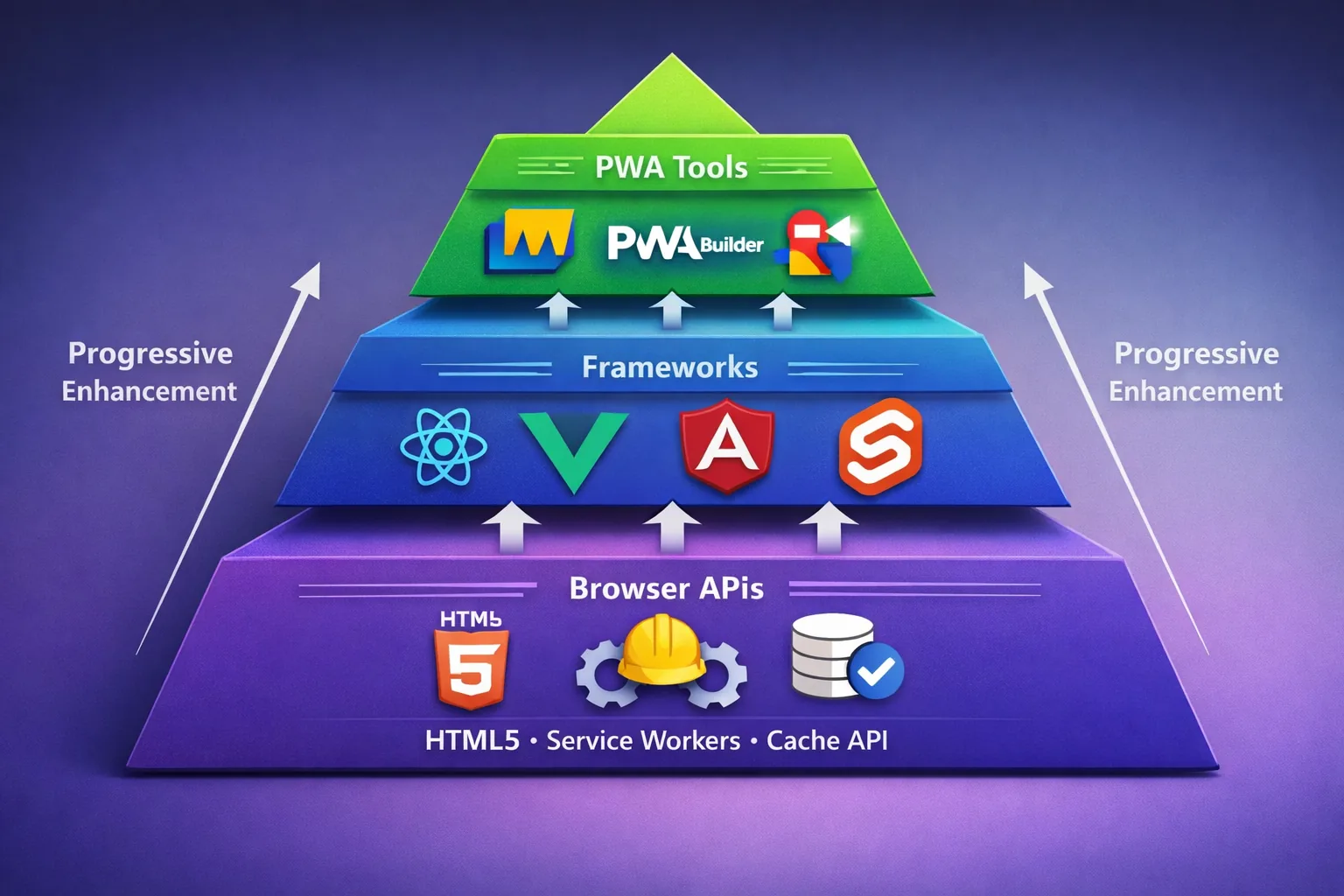
In 2026, PWA tools have evolved with AI aids and better performance. Top picks:
-
React with Next.js: Great for server rendering. Add PWA support with
next-pwa plugin. -
Vue.js with Nuxt: Easy offline setup.
-
Angular: Built-in PWA schematics.
-
SvelteKit: Lightweight, fast compiles.
-
Ionic: For hybrid feel.
-
PWABuilder: Microsoft's tool for packaging PWAs.
-
Workbox: Google's library for service workers.
-
Lighthouse: Audit tool.
For AI help, tools like GitHub Copilot speed coding. See AlphaBold's 2025 tools list updated for 2026 trends.
Real-World PWA Examples and Case Studies
Numbers tell the story better than anything. Here are companies that saw dramatic improvements after launching PWAs.
-
Spotify: Their PWA boosted retention by 50%. Users stream offline.
-
Starbucks: Ordering app saw 2x daily users after PWA switch.
-
AliExpress: 104% more new users, 82% conversion lift.
-
Twitter (X): Lite PWA cut data use by 75%, upped tweets by 65%.
-
Pinterest: Time spent rose 40%, clicks 60%.
These show PWAs work for e-commerce, social, and media. Forbes' PWA loaded 2.5x faster, doubling sessions. For more, see Monterail's 2026 PWA examples.
PWA Best Practices and Tips for Success
To make your PWA shine:
- Optimize images with WebP.
- Use lazy loading for assets.
- Test on real devices with BrowserStack.
- Monitor with Google Analytics.
- Secure with HTTPS everywhere.
- Handle permissions gracefully.
Common tip: Start with MVP, iterate based on user feedback. Avoid over-caching to prevent stale data.
Common PWA Challenges and How to Solve Them
Issues arise:
-
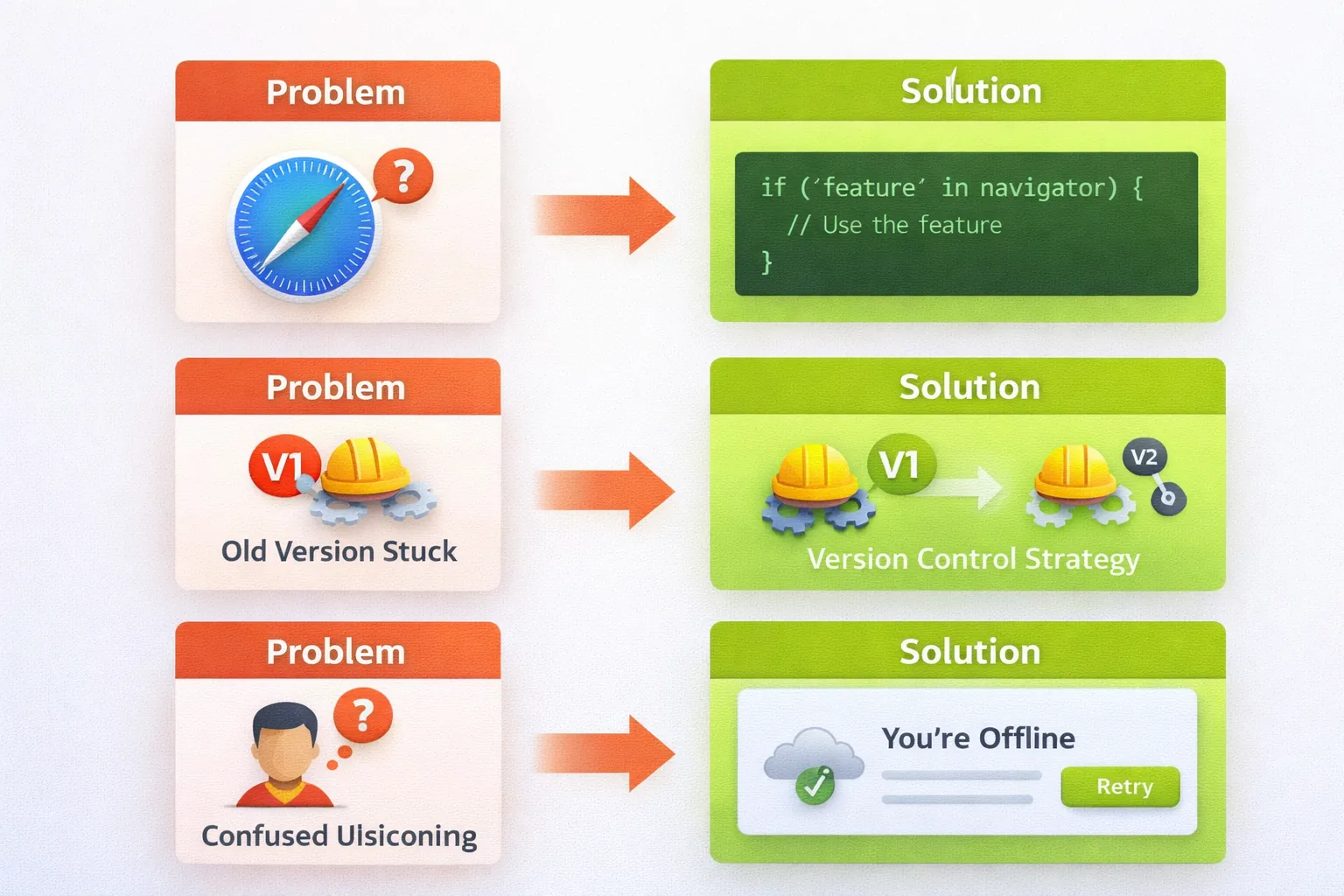
Browser Inconsistencies: Test on Chrome, Safari, Firefox. Polyfills help.
-
Offline Debugging: Use DevTools offline mode.
-
Push Notification Limits: iOS still lags; use alternatives like email.
-
Performance Bottlenecks: Profile with Lighthouse, compress assets.
-
SEO: PWAs are crawlable; use server-side rendering.
The Future of PWAs in 2026 and Beyond
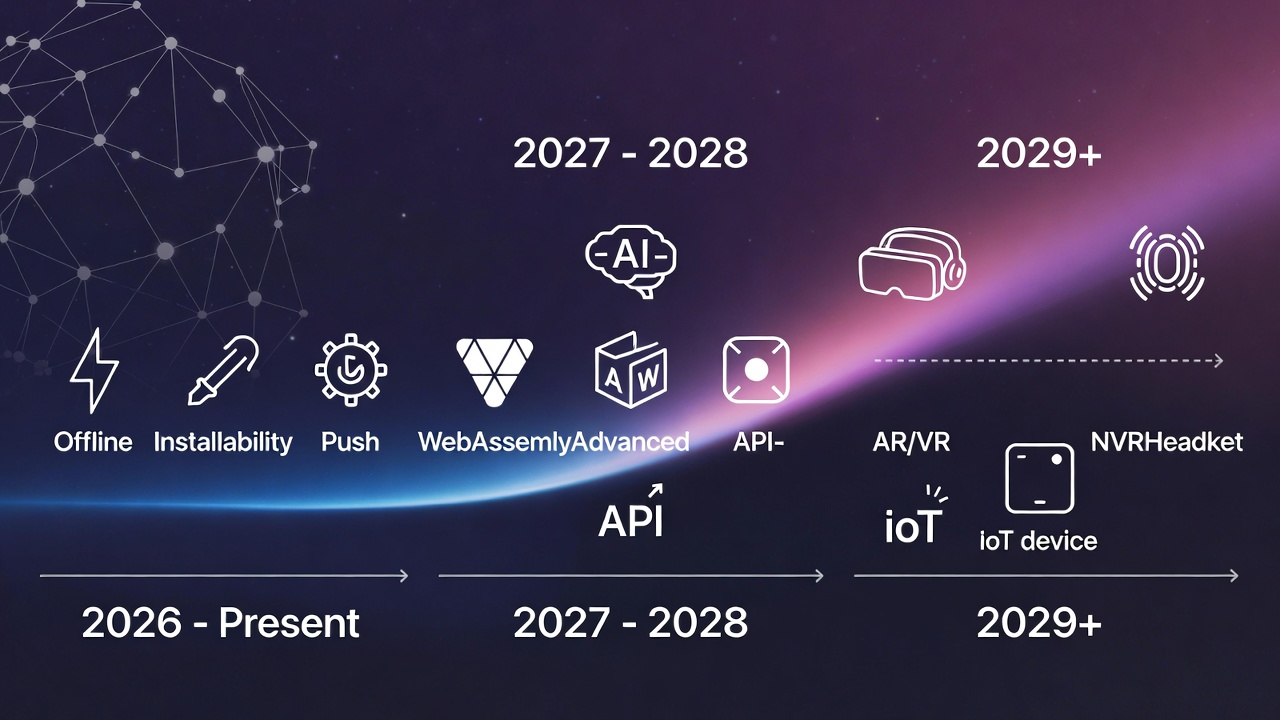
PWAs continue evolving rapidly. Here's where the technology is heading.
- AI Integration: According to 2025 industry analysis, AI capabilities are being baked into PWAs:
- Voice command interfaces using Web Speech API
- AI-powered personalization adapting to user behavior
- On-device machine learning with TensorFlow.js
- Intelligent caching that predicts what users need next
- WebAssembly (Wasm) Powers
WebAssembly enables near-native performance for intensive tasks:
- Video editing in the browser (like Clipchamp)
- CAD applications (like Figma)
- Full development environments (like CodeSandbox)
- Advanced games without performance compromise
PWAs + WebAssembly = desktop-class applications in browsers.
- Advanced Device Integration
New Web APIs continue bridging the gap between web and native:
- WebAuthn - Biometric authentication (fingerprint, Face ID)
- Web Bluetooth - Direct device connection
- File System Access API - Read/write local files with permission
- Web NFC - Near-field communication for payments and data exchange
- WebGPU - Direct GPU access for graphics and ML
These APIs, documented at MDN Web Docs, make PWAs increasingly capable.
- App Store Integration
PWAs can now be packaged for app stores using tools like PWABuilder. This gives you both benefits:
- Distribute via web (no app store needed)
- Also available in stores for discovery
- Update instantly via web, no store approval for updates
- Edge Computing Integration PWAs deployed to edge networks (CloudFlare Workers, Vercel Edge) can:
- Personalize content based on user location
- Process data closer to users for lower latency
- Adapt to regional preferences automatically
- Comply with data residency requirements
- Improved Offline Capabilities Background sync is becoming more sophisticated:
- Periodic background sync for news and content updates
- Better conflict resolution for offline edits
- Smarter prefetching based on usage patterns
- Improved IndexedDB performance and APIs
Frequently Asked Questions About PWA Development
-
Do PWAs work on iPhones? Yes! As of 2026, iOS Safari fully supports PWAs. You can install PWAs on iPhones, they work offline, and most features function properly.
-
How much does it cost to build a PWA?
PWA development typically costs 50-70% less than building native apps for both iOS and Android.
-
Can PWAs work completely offline? Yes, but it depends on implementation. PWAs can cache all necessary files and data for full offline functionality. However, features requiring real-time server data (like live chat or real-time pricing) won't work offline.
-
Are PWAs secure? Yes, when properly implemented. PWAs require HTTPS, which encrypts all data transmission. However, like any web application, they must be coded with security in mind: validating input, sanitizing data, implementing proper authentication. The HTTPS requirement is actually a security advantage over traditional HTTP websites.
-
Do PWAs drain phone batteries? Not significantly more than websites or native apps. Poor implementation (excessive background processes, inefficient caching) can drain batteries, but properly optimized PWAs are quite efficient. In fact, because PWAs are typically smaller and more focused than bloated native apps, they often use less battery.
-
Can PWAs access device hardware like cameras? Yes! Modern PWAs can access cameras, GPS location, accelerometers, gyroscopes, Bluetooth devices, file systems, and more through Web APIs. The capability gap between PWAs and native apps is narrowing every year.
-
How do users install PWAs? It's automatic and simple. When users visit a PWA that meets installability criteria (has a manifest, service worker, HTTPS), browsers show an "Add to Home Screen" or install prompt. Users click it, and the PWA installs instantly.
-
Can I monetize PWAs with ads or subscriptions? Absolutely. PWAs can include advertising just like websites. For subscriptions, PWAs can implement payment systems without app store fees, meaning you keep 100% of revenue instead of giving Apple or Google 30%.
-
What's the difference between PWAs and responsive websites? Responsive websites adapt their layout to different screen sizes. PWAs do that plus add app-like features: offline functionality, installation, push notifications, background sync, and enhanced performance through caching. Every PWA is responsive, but not every responsive website is a PWA.
-
Can search engines find and index PWAs? Yes! PWAs are fully indexed by search engines just like regular websites.
-
Do I need to know native app development to build PWAs? No! If you know HTML, CSS, and JavaScript (the basics of web development), you can build PWAs. You don't need to learn Swift for iOS or Kotlin for Android. This single skillset works for all platforms, which is one of PWA's biggest advantages.
-
What tools and frameworks work best for PWA development? Popular choices include React with Next.js, Vue with Nuxt, Angular, or SvelteKit. Google's Workbox library simplifies service worker development. For beginners, start with plain HTML/CSS/JavaScript to understand fundamentals, then graduate to frameworks as needed.
-
How do PWAs handle app updates? Updates are automatic and invisible to users. When you deploy new code, service workers detect the update and install it in the background. Users get the latest version without notification, no "update available" prompts or waiting for downloads. This is actually better than native app updates.
-
Can PWAs compete with native apps for user engagement? Absolutely. Major companies like Twitter, Pinterest, Starbucks, and Uber report higher engagement with their PWAs than their previous mobile web experiences. Push notifications, fast performance, and offline reliability create engagement levels comparable to or better than native apps for many use cases.
Conclusion: The PWA Revolution Is Here
Progressive Web Apps represent a fundamental shift in how we think about web applications. They're not just an alternative to native apps, they're often the better choice. The technology has matured. Browser support is universal. Development tools are sophisticated. The ecosystem is thriving. Real businesses are seeing real results: higher engagement, lower costs, wider reach.
Whether you're building your first website or managing a platform with millions of users, PWAs offer compelling advantages that are hard to ignore in 2026.
The barrier to entry is lower than ever. The tools are better. The documentation is comprehensive. The community is helpful.
Your next step is simple: start building. The knowledge is in your head now. Turn it into something real. Build that app you've been thinking about. Convert your existing site to a PWA. Experiment, break things, learn. The future of the web is progressive. And you're ready to be part of it.
Windframe is an AI visual editor for rapidly building stunning web UIs & websites
Start building stunning web UIs & websites!
