GraphQL vs REST API: Which One Actually Makes Sense for Your Project
By Emmanuel Chinonso - Frontend Engineer and Technical Writer at Windframe
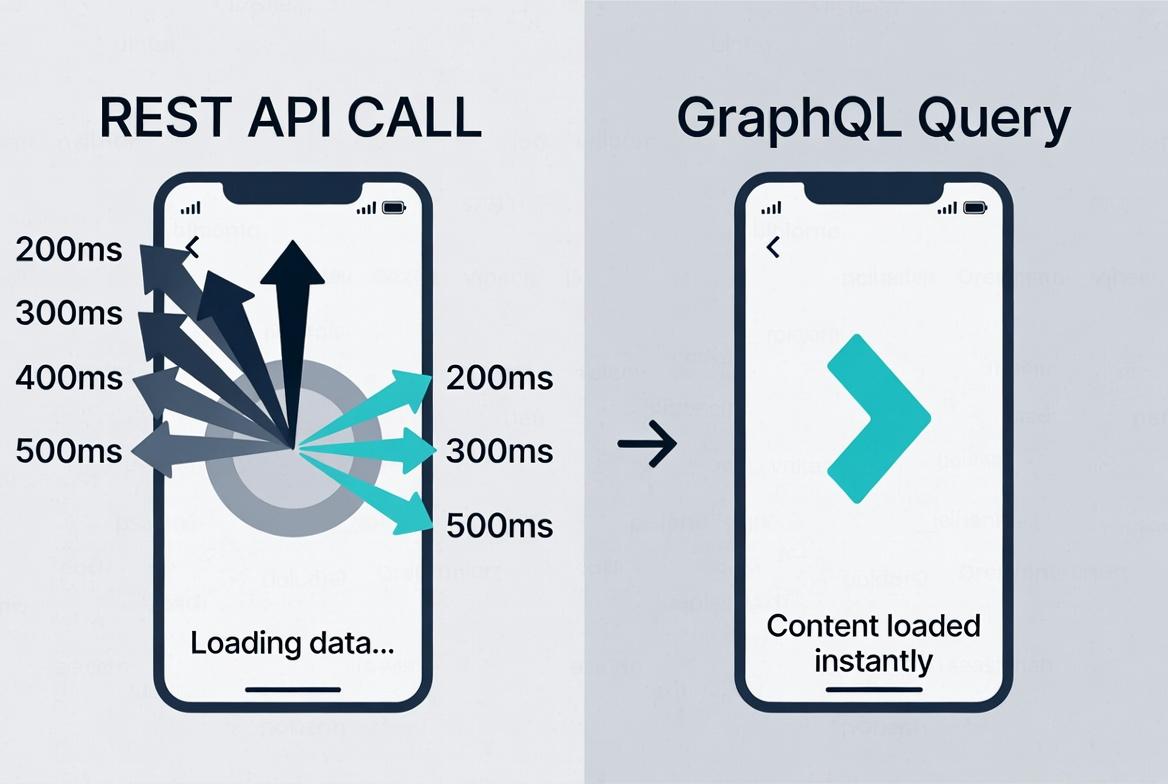
Your mobile app is loading. Three seconds pass. Users see a spinning wheel. Behind the scenes, your app just made seven different API calls to display one screen, fetching user data, their posts, comments on those posts, who liked each comment, and so on. Each request adds 200-500 milliseconds of latency. The result? A sluggish experience that makes users wonder if their internet connection is broken.
This exact scenario plays out millions of times daily across apps still using traditional REST APIs. The problem isn't that REST is bad, it powered the entire modern web for two decades. The problem is that what worked beautifully for simple web pages falls apart when you're building complex, data-rich applications where every screen pulls information from a dozen different sources.
Enter GraphQL, Facebook's answer to this mess. Instead of seven separate API calls, you make one. Instead of downloading megabytes of data you'll never use, you get exactly what you asked for. Sounds perfect, right? Well, not quite. GraphQL brings its own headaches, caching nightmares, security complexities, and a learning curve steep enough to make experienced developers question their life choices.
The truth is, neither GraphQL nor REST is universally "better." They solve different problems for different projects. This guide cuts through the marketing hype and helps you figure out which actually makes sense for your specific situation, based on real data, real use cases, and real pain points developers encounter in production.
Understanding REST: The Old Reliable That Still Powers Most APIs
REST stands for Representational State Transfer. In simple terms, it’s a set of rules for building APIs that talk over the web using standard HTTP methods. You create separate URLs (endpoints) for every piece of data you want to share.
Think of it like a restaurant menu with fixed sections:
- GET /users/123 → returns the full user object (name, email, address, orders, everything)
- GET /orders → returns every order for that user
- POST /users → creates a new user
The server decides exactly what data comes back with each call. Clients have no say in trimming it down. This setup has powered the internet since the early 2000s because it’s straightforward, works with every programming language, and plays nicely with browsers and CDNs for caching.
The Problems REST Runs Into
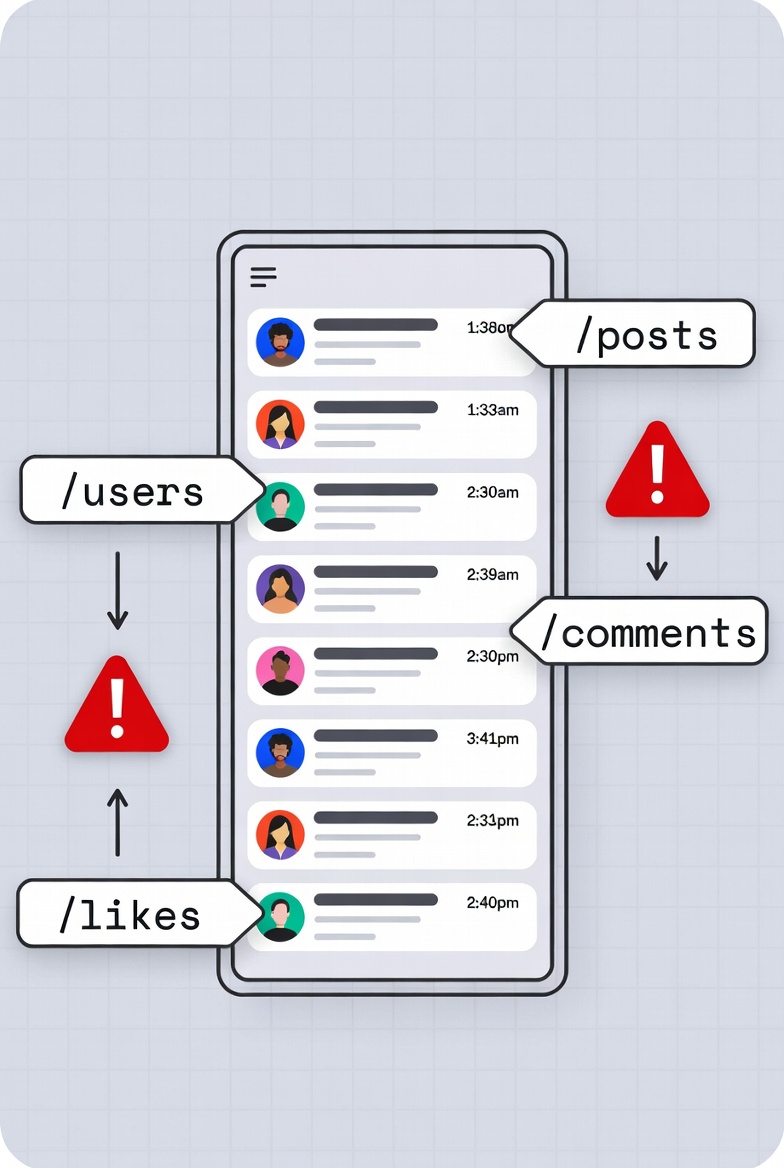
The simplicity that makes REST great for basic scenarios becomes a problem for complex applications. Let's say you're building a social media feed. Each post needs:
- Author information (name, avatar)
- Post content
- Number of likes
- Recent comments (with commenter names and avatars)
- Whether the current user liked it
With REST, you might need:
- GET /api/posts?limit=20 # Get 20 posts
- GET /api/users/1,2,3,4... # Get author info for all posts
- GET /api/posts/1/likes # Get like count for post 1
- GET /api/posts/1/comments?limit=3 # Get recent comments
- GET /api/users/10,11,12... # Get commenter info
That's potentially 100+ HTTP requests to display 20 posts. The REST solution?
Create a custom endpoint:
- GET /api/feed
This endpoint returns everything you need in one response. Problem solved, right? Well, now what happens when your mobile app needs different data than your web app? Or when you add a new feature requiring extra information?
You create more endpoints:
- GET /api/feed/mobile
- GET /api/feed/web
- GET /api/feed/tablet
Soon you've got dozens of endpoints, each returning slightly different data, and your backend team spends more time creating endpoints than building features.
Where REST Still Wins Despite these problems, REST remains dominant for good reasons:
-
Caching is Built-In HTTP caching just works. GET requests are automatically cached by browsers, CDNs, and proxies. You don't write code,caching happens for free.
-
Simple to Understand Your junior developer can start making REST API calls on day one. The learning curve is practically flat.
-
Tooling is Mature Every programming language has HTTP libraries. Every API testing tool supports REST. Two decades of tooling makes everything easier.
-
Stateless and Scalable Each request contains everything needed to process it. This makes REST APIs incredibly easy to scale horizontally, just add more servers.
Understanding GraphQL: The Flexible Query Language
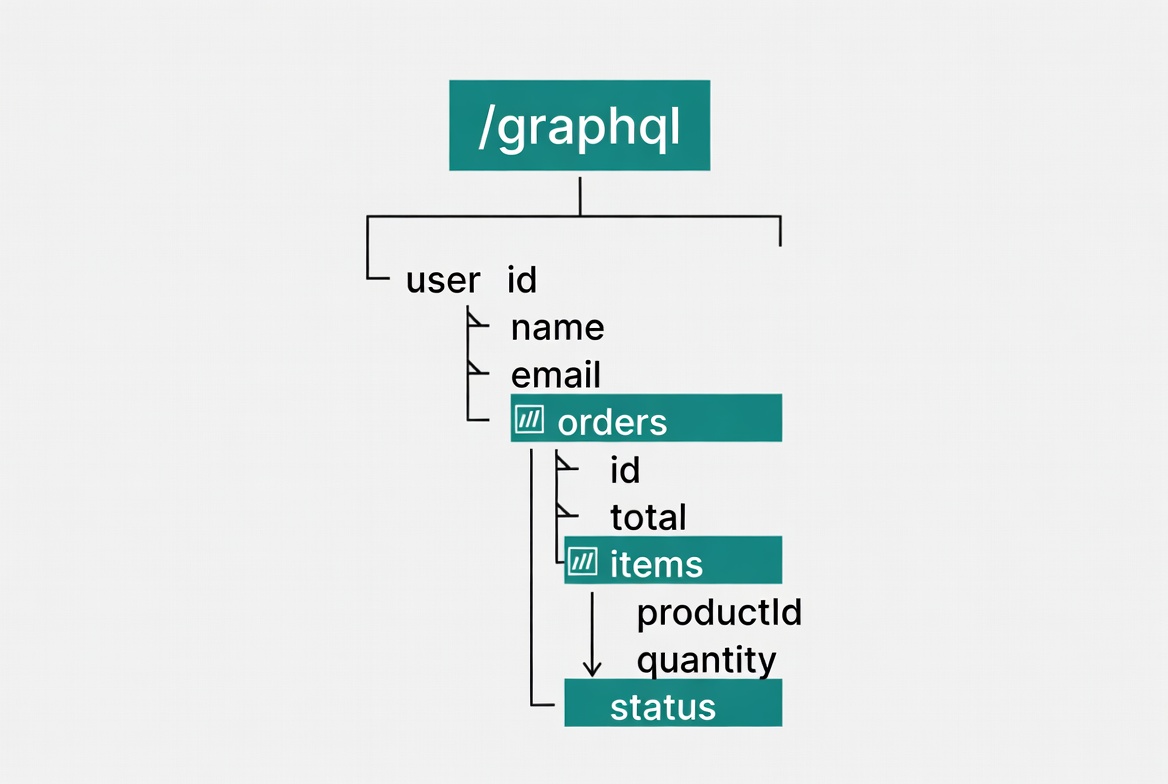
GraphQL is not another set of endpoints. It’s a query language and runtime that sits on top of your data. You point every client at one single URL, usually /graphql, and the client writes exactly what data it wants in a special query format.
Here’s the same user + orders example in GraphQL
1query {2 user(id: "123") {3 name4 email5 orders(first: 5) {6 id7 total8 createdAt9 }10 }11}
The server returns only those fields. Nothing more, nothing less. No extra data wasting bandwidth. No second call to fetch orders. And if tomorrow the designer adds “profile picture” to the screen, you just add one line to the query, no backend changes needed.
GraphQL was created inside Facebook in 2012 precisely because their mobile news feed was choking on REST calls over spotty 3G networks. They open-sourced it in 2015, and it’s now used by GitHub, Shopify, Airbnb, Netflix, and thousands of others.
The Schema: GraphQL's Foundation
GraphQL requires defining a schema, a complete description of what data is available and how it's structured:
1type User {2 id: ID!3 name: String!4 email: String!5 posts: [Post!]!6}78type Post {9 id: ID!10 title: String!11 content: String!12 author: User!13 likes: LikeConnection!14 comments: [Comment!]!15}1617type Query {18 user(id: ID!): User19 posts(limit: Int): [Post!]!20}
This schema serves as a contract between frontend and backend. Frontend developers can see exactly what's available without reading documentation or asking backend developers. Tools like GraphiQL let you explore the schema interactively, it's self-documenting.
The Problems GraphQL Runs Into
GraphQL solves REST's over-fetching problem but creates new challenges:
- Caching is Complex
REST caching is simple, each URL maps to a resource. GraphQL uses one endpoint with different query bodies. Standard HTTP caching doesn't work. You need specialized libraries like Apollo Client or custom caching logic.
- Query Complexity Can Kill Your Server Nothing stops a malicious (or naive) user from writing:
1query {2 users {3 posts {4 comments {5 author {6 posts {7 comments {8 author {9 # ... infinitely nested10 }11 }12 }13 }14 }15 }16 }17}
This query could fetch millions of records and crash your server. REST endpoints have predictable costs. With GraphQL, every query's cost varies wildly. You need query depth limits, complexity analysis, and rate limiting, all custom-built.
- No HTTP Status Codes REST uses HTTP status codes naturally (200 for success, 404 for not found, 500 for errors). GraphQL always returns 200 OK even when queries fail. Errors appear in the response body:
1{2 "errors": [{3 "message": "User not found",4 "path": ["user"]5 }],6 "data": {7 "user": null8 }9}
This breaks standard HTTP error handling. You can't rely on status codes, you must check the response body for errors.
The Real Differences That Matter
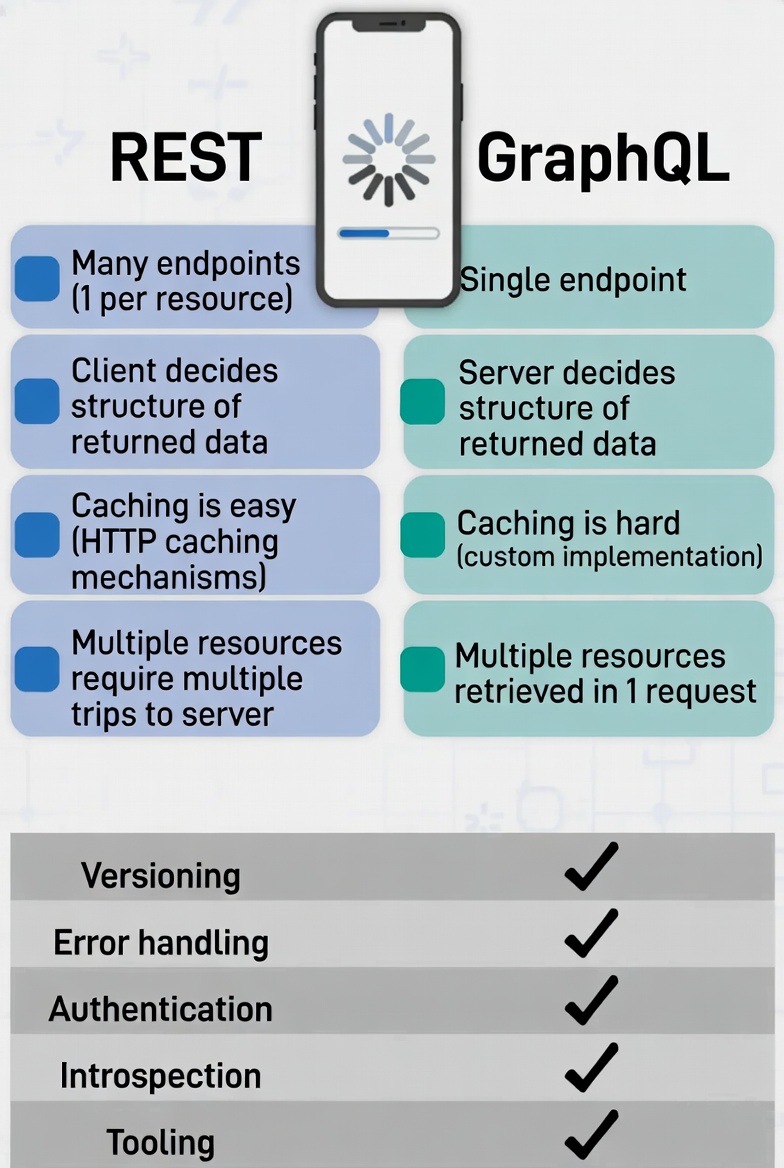
| Feature | Graphql | REST |
|---|---|---|
| Endpoints | One single endpoint for everything. | Many URLs (one per resource). |
| Data you get | Client decides exactly the fields (no more, no less). | Server decides the full package (over-fetching common). |
| Multiple related pieces of data | Fetch everything in one request using nested fields. | Often needs several round-trips (under-fetching). |
| Schema | Mandatory and strongly typed—clients know what’s possible before they even code | Optional |
| Versioning | Add or deprecate fields in the schema; old queries keep working. | Usually /v1/users, /v2/users (messy over time). |
| Error handling | Always 200 OK; errors sit inside the JSON response with clear messages. | HTTP status codes (404, 403, etc.). |
| Real-time updates | Built-in subscriptions, push updates when data changes. | Polling or WebSockets (extra work) |
| Caching | Needs custom strategies (Apollo Client cache or server-side tools). | Leverages HTTP caching, CDNs, browser cache out of the box. |
These differences aren’t abstract. They directly hit your app’s speed, battery life, development time, and maintenance headaches.
When to Choose REST (Real Use Cases)
REST makes sense when:
1. You're Building a Public API If third-party developers will use your API, REST wins. It's familiar, well-documented, and supported by every tool. Companies like Stripe, Twilio, and GitHub all use REST for their public APIs despite having the resources to build anything.
2. Your Data Needs Are Simple and Predictable E-commerce product catalog? Blog platform? User management system? If you know exactly what data each screen needs, REST is simpler. No need for GraphQL's flexibility overhead.
3. Caching Matters More Than Flexibility News websites? Content platforms? Static data that rarely changes? HTTP caching is incredibly powerful and comes free with REST.
4. You Have Limited Backend Resources REST is easier to build and maintain. If you don't have experienced backend developers, stick with REST. The learning curve for GraphQL is steep, and the added complexity costs time and money.
5. You Need Simple File Uploads Uploading files with GraphQL is awkward. Most implementations fall back to REST endpoints for file operations anyway.
Real Example: Stripe's API
Stripe's API is pure REST. They process billions of dollars annually, yet they stick with REST because:
- Their operations are transactional and well-defined
- Caching isn't critical for payment operations
- Simple, predictable endpoints reduce integration errors
- Third-party developers expect REST
When to Choose GraphQL (Real Use Cases)
GraphQL makes sense when:
1. You're Building Mobile Apps Bandwidth matters on mobile. Round trips are expensive. GraphQL's precise data fetching dramatically improves mobile experience. This is why Facebook built it, their mobile app needed better performance.
2. You Have Multiple Client Types iOS app, Android app, web dashboard, admin panel, each needs different data from the same resources. GraphQL lets each client request exactly what it needs without backend changes.
3. Your Data is Deeply Interconnected Social networks? Project management tools? Any app where everything connects to everything else? GraphQL's graph-based queries handle these relationships naturally.
4. Frontend Changes Constantly Startups iterating quickly? GraphQL lets frontend developers move fast without waiting for backend endpoint changes. Add a field? Just request it. Remove unnecessary data? Stop requesting it.
5. Real-Time Updates Matter GraphQL subscriptions enable WebSocket-based real-time updates using the same query language:
1subscription {2 messageAdded(chatId: "123") {3 id4 text5 author {6 name7 }8 }9}
Real Example: GitHub's API
GitHub offers both REST and GraphQL APIs. Their GraphQL API exists because:
- Developer dashboards need data from many resources
- Different tools need different combinations of data
- Complex relationships between repos, issues, PRs, and users
- They want to reduce API call limits for users
Performance Reality Check in 2026
GraphQL doesn’t magically make everything faster. Simple CRUD operations often perform better on REST because of native HTTP caching. But for real-world mobile screens with nested data, GraphQL usually wins because it slashes round-trips and payload size.Benchmarks vary by implementation, but the pattern is clear: mobile apps see 30-70% fewer network requests and noticeably better battery life. On the server side, poorly written GraphQL resolvers can create N+1 query problems (hitting the database once per item in a list). Modern solutions like DataLoader, Apollo Server caching, and query complexity limits fix this easily.
Security and Other Practical Concerns
REST security feels familiar: protect each endpoint with middleware, use OAuth, rate-limit per route. GraphQL needs extra care because one query can touch many resolvers. You must implement:
- Query depth limits
- Complexity/cost analysis
- Timeout on expensive operations
- Disable introspection in production (or restrict it)
Both support JWT, OAuth2, and API keys fine. GraphQL’s strong typing actually catches some errors earlier. Many teams today wrap GraphQL over existing REST services as an extra layer, keep the stable REST backend and give front-end teams the flexible GraphQL gateway.
The Hybrid Approach: Using Both
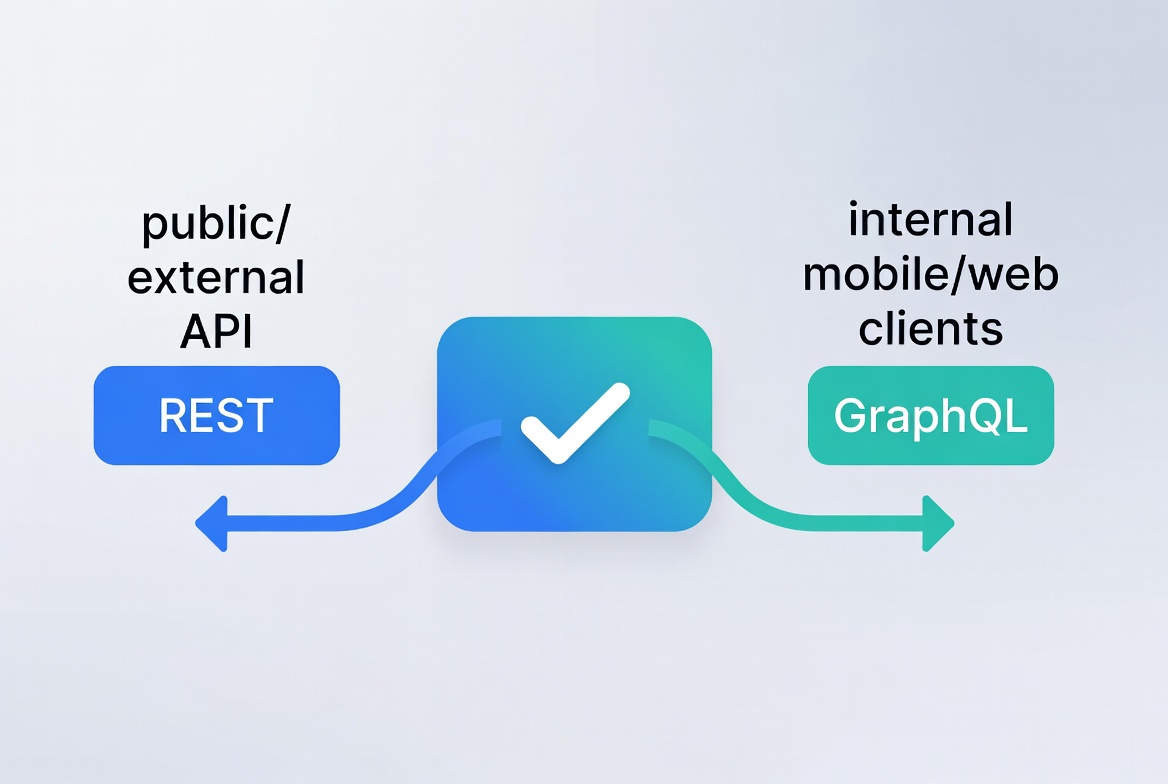
You don’t have to pick one forever. Plenty of successful apps run both:
- Public/external API stays REST for compatibility.
- Internal mobile and web clients talk to GraphQL.
- GraphQL server can even call your REST endpoints behind the scenes during migration
Implementation Complexity: What It Actually Takes
Let's talk about what implementing each requires.
Setting Up REST
Backend (Node.js/Express):
1const express = require('express');2const app = express();34app.get('/api/users', async (req, res) => {5 const users = await database.getUsers();6 res.json(users);7});89app.get('/api/users/:id', async (req, res) => {10 const user = await database.getUserById(req.params.id);11 if (!user) return res.status(404).json({ error: 'Not found' });12 res.json(user);13});1415app.listen(3000);
Frontend:
1fetch('/api/users/123')2 .then(res => res.json())3 .then(user => console.log(user));
Total setup time: ~30 minutes for a basic API.
Setting Up GraphQL
Backend (Node.js/Apollo Server):
1const { ApolloServer, gql } = require('apollo-server');23const typeDefs = gql`4 type User {5 id: ID!6 name: String!7 email: String!8 posts: [Post!]!9 }1011 type Post {12 id: ID!13 title: String!14 author: User!15 }1617 type Query {18 user(id: ID!): User19 users: [User!]!20 }21`;2223const resolvers = {24 Query: {25 user: (_, { id }) => database.getUserById(id),26 users: () => database.getUsers()27 },28 User: {29 posts: (user) => database.getPostsByUser(user.id)30 },31 Post: {32 author: (post) => database.getUserById(post.authorId)33 }34};3536const server = new ApolloServer({ typeDefs, resolvers });37server.listen();
Frontend (Apollo Client):
1import { ApolloClient, InMemoryCache, gql } from '@apollo/client';23const client = new ApolloClient({4 uri: 'http://localhost:4000',5 cache: new InMemoryCache()6});78client.query({9 query: gql`10 query {11 user(id: "123") {12 name13 posts {14 title15 }16 }17 }18 `19}).then(result => console.log(result));
The complexity difference is real, especially for teams new to GraphQL.
Migration Tips If You’re Switching
Start small. Add a GraphQL endpoint that sits on top of your existing REST services. Convert one feature at a time. Use tools like graphql-tools or libraries that translate REST to GraphQL. Shopify’s migration docs are gold even if you’re not on Shopify, they walk through mapping REST concepts to GraphQL connections.
Test performance and caching early. Monitor resolver times. Set strict query limits before going live.
Making the Decision for Your Project
Grab a piece of paper or open a note and answer these five questions:
- How many different clients (web, iOS, Android, etc.) will consume this API?
- Do screens often need data from multiple related resources?
- Is bandwidth or mobile performance a big concern?
- How stable is the data model, will it change monthly or stay fixed for years?
- Who consumes the API, internal team or thousands of external developers?
If you answered mostly “multiple clients + complex data + mobile matters,” go GraphQL (or start hybrid).
If you answered “simple resources + public use + heavy caching,” stick with REST.My personal rule after shipping both: Use REST for the public face and stable services. Use GraphQL for anything that powers your own apps or needs to move fast. That combination has saved me more weekends than I can count.
Final Thoughts
The “GraphQL vs REST” debate isn’t about one winning forever. It’s about picking the tool that removes the specific friction in your project. In 2026 the best teams don’t pick sides, they pick the right one for each job and often use both.
If you’re starting fresh today, try building a small proof-of-concept with both approaches side by side. Spend one afternoon on REST endpoints and one on a GraphQL schema for the same feature. You’ll feel the difference immediately.
Frequently Asked Questions
Can I use both in one project? Yes, and most growing teams do exactly that.
Is GraphQL slower? Only if you write bad resolvers. With modern tools it’s usually faster for complex screens.
What about learning curve? One weekend with the official GraphQL tutorial and GraphiQL is enough to get productive.
Does it replace REST completely? No. REST still rules for simple, cache-heavy, public APIs. GraphQL shines where flexibility matters.
Cost in 2026? GraphQL servers can be more expensive at massive scale if not optimized (some companies report higher compute bills). Proper pagination and caching keep costs in line.
Windframe is an AI visual editor for rapidly building stunning web UIs & websites
Start building stunning web UIs & websites!
